
Wi-Fi & BUT PIN
Wi-Fi networks are available on all BUT campuses. The easiest option is to use the Eduroam network. After logging in to this network for the first time, your computer will automatically connect to it on all BUT campuses.
Before connecting, you must obtain a BUT PIN.
Therefore, it is important to obtain your BUT PIN at home or via a fixed internet connection at the faculty.
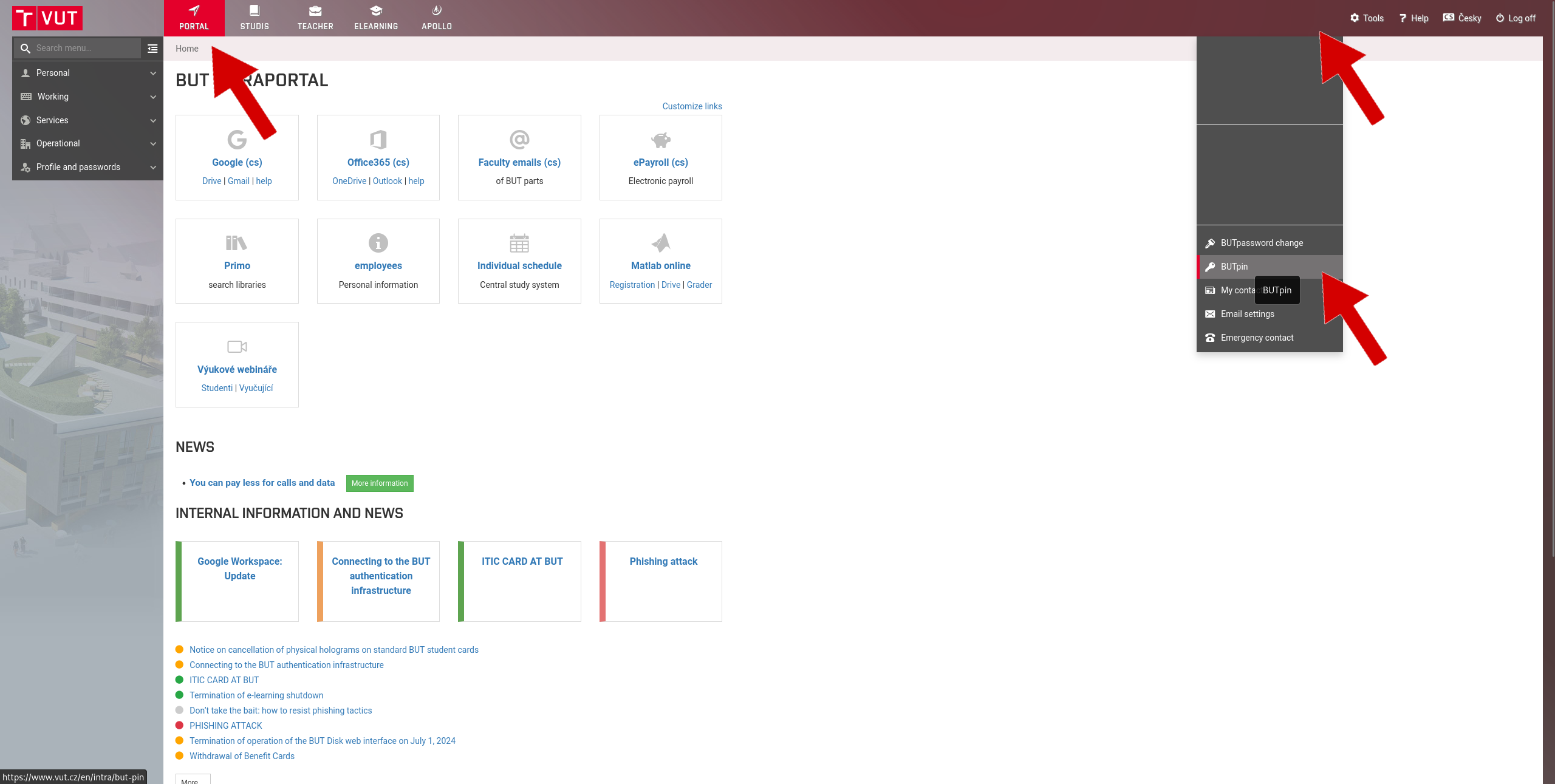
First, log in to the Intraportal application.
In the right-hand menu, select your name and the BUT PIN tab.
If you already have your BUT PIN, copy it to log in to the network.
If you do not have a BUT PIN, generate it using the button.
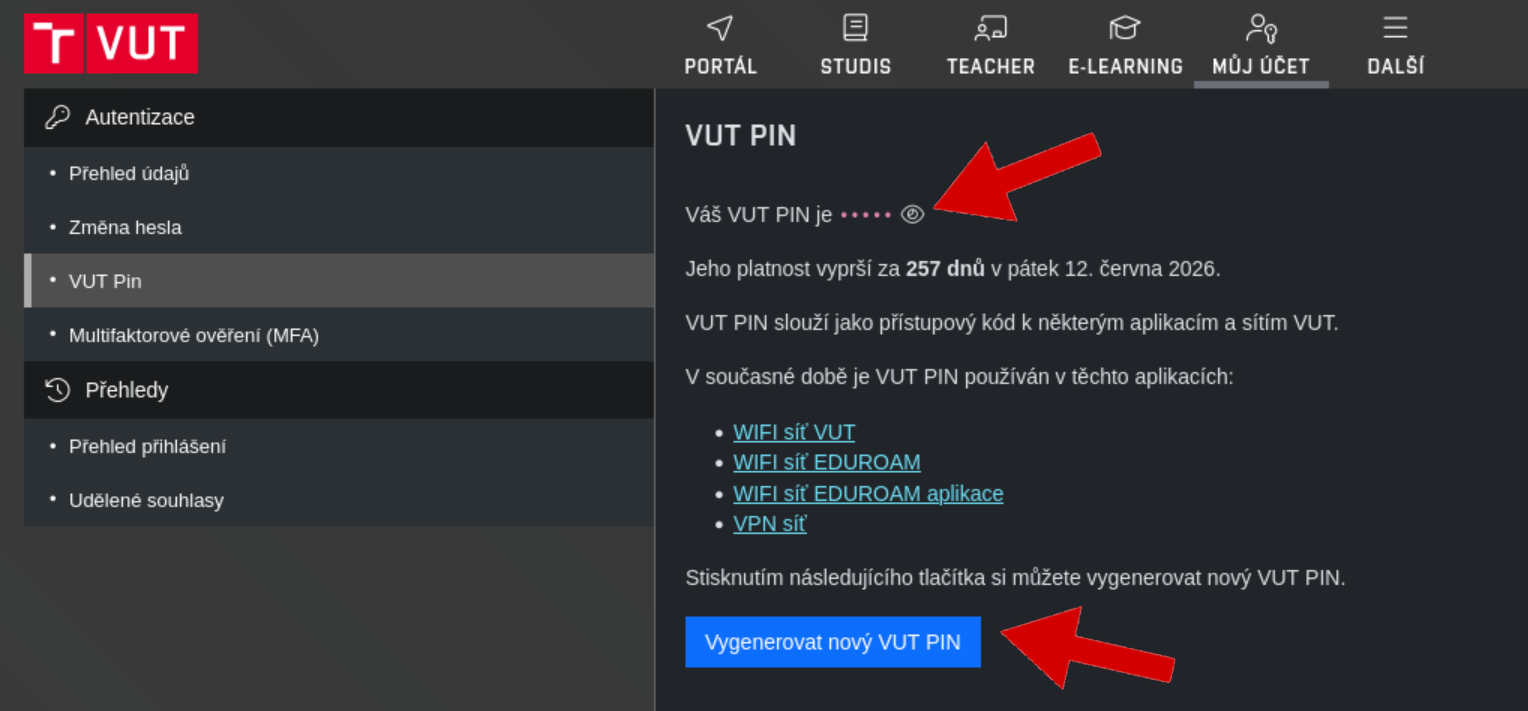
BUT PIN has a limited validity period, so you will need to regenerate it after a certain period of time. However, the system will notify you in advance when it is about to expire.
Connect to the Eduroam network.
Enter your personal number followed by @vutbr.cz as your login name, for example 999999@vutbr.cz..
Enter your BUT PIN as the password.
After logging in, you will have access to the university Wi-Fi network, which will also work at other faculties.
More detailed information about connecting to the Eduroam network can be found below: