
Inserting the thesis opponent's report
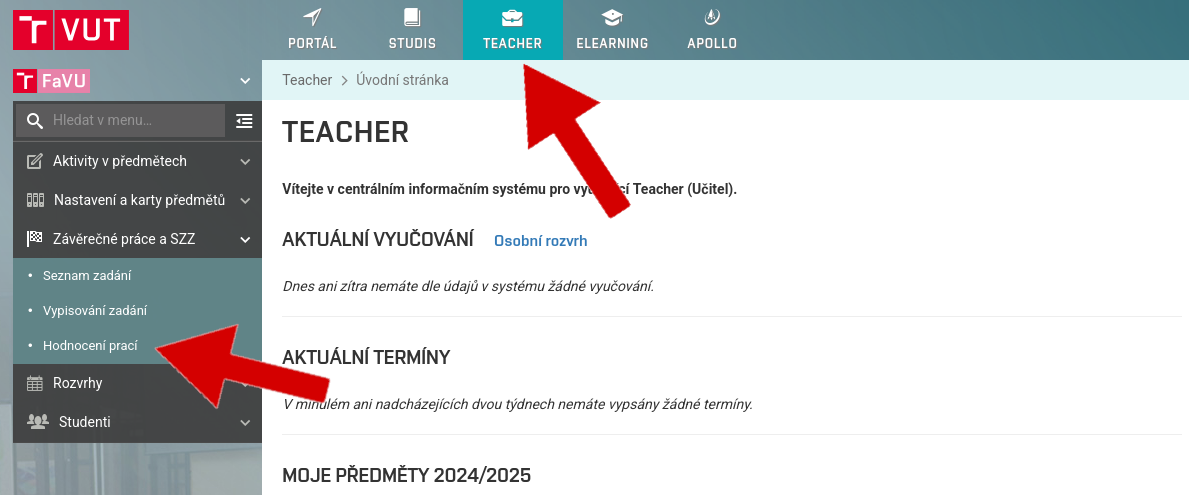
Log into the Teacher app and make sure you have your FFA faculty set up (logo on the far left)
In the left menu, select the option Final theses and SFE, Final thesis classification
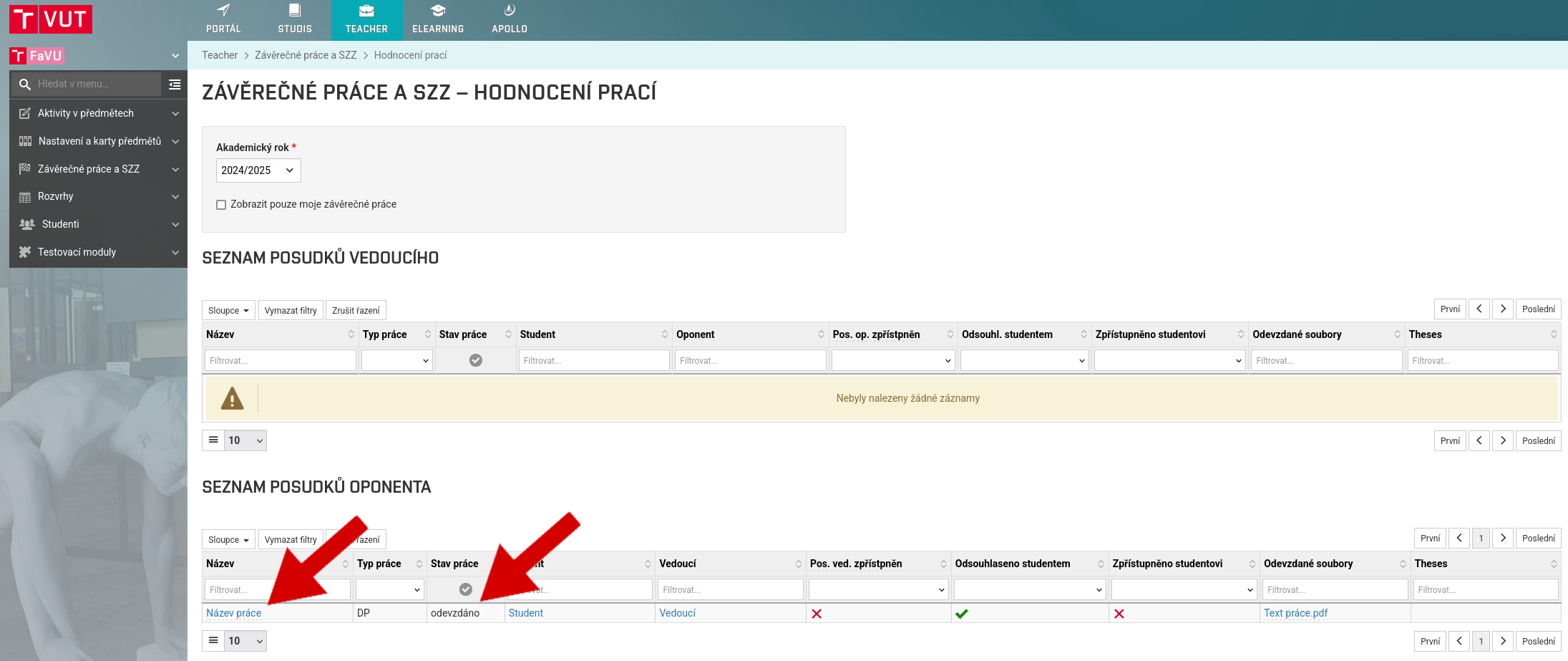
Choose a thesis
In order to be evaluated, the work must be in a state of Handed
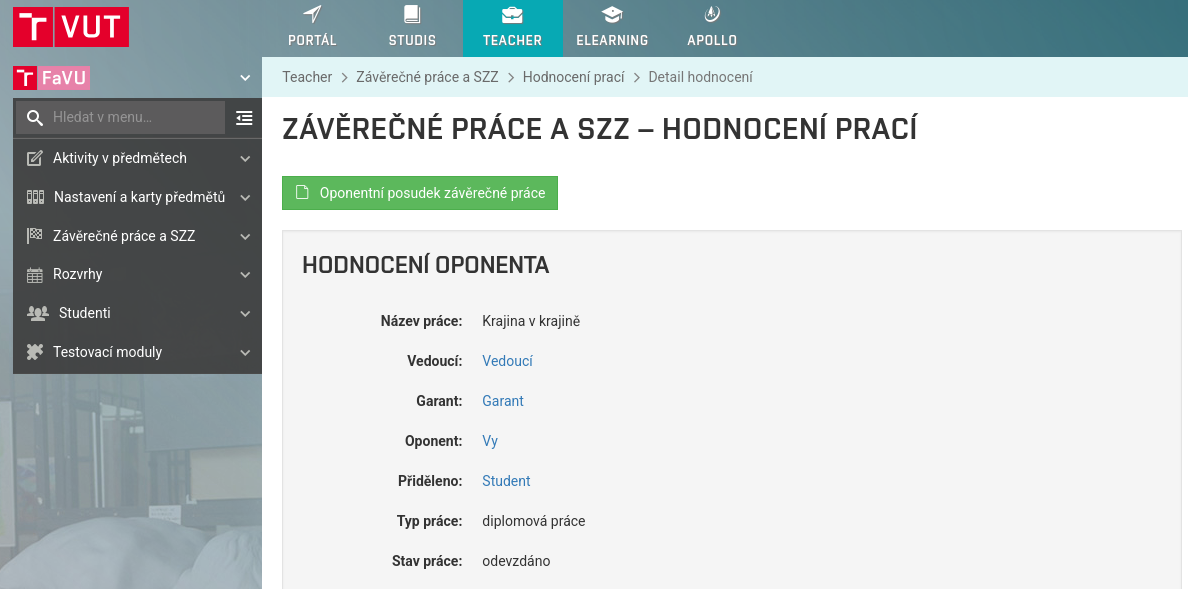
Here you can see details of the work
As well as the text and attachments submitted by the student

You can also see a report on possible matches with other works

Choose Language of the review, choose Grade and insert your unsigned review in pdf format
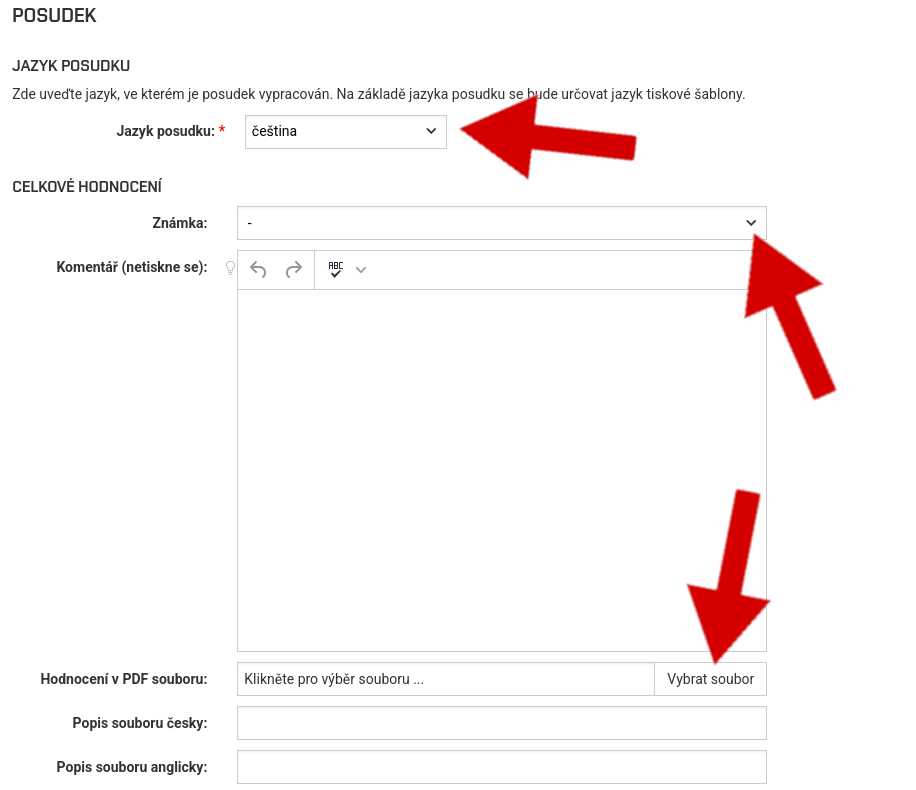
Fill Description
If you wish, you can add questions to the thesis, which the student will answer directly during the defence

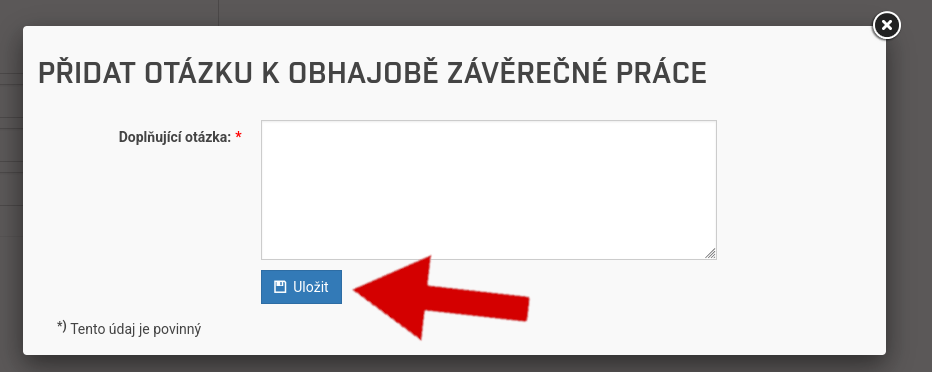
If you don't want to add questions, go to the last section
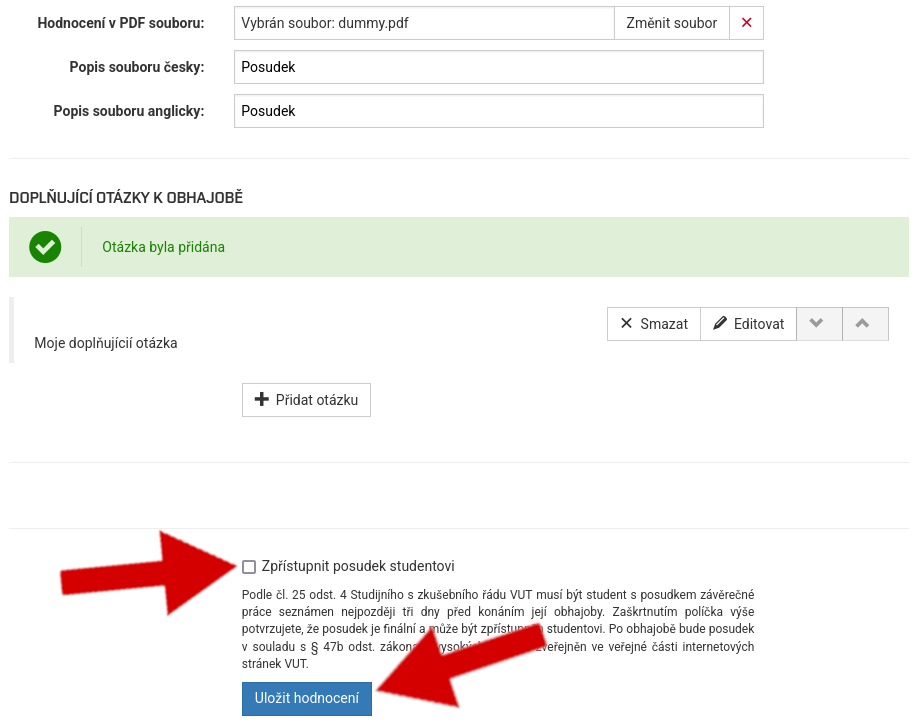
Check Make the report available to the student
Click on Save classification
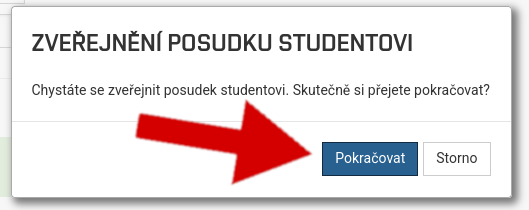
Click on Continue

You have successfully uploaded your thesis opponent's report
Do not forget to bring the printed and signed report to the study department at the same time