
Courses setup
Log into the Teacher app and make sure you have your FFA faculty set up (logo on the far left)
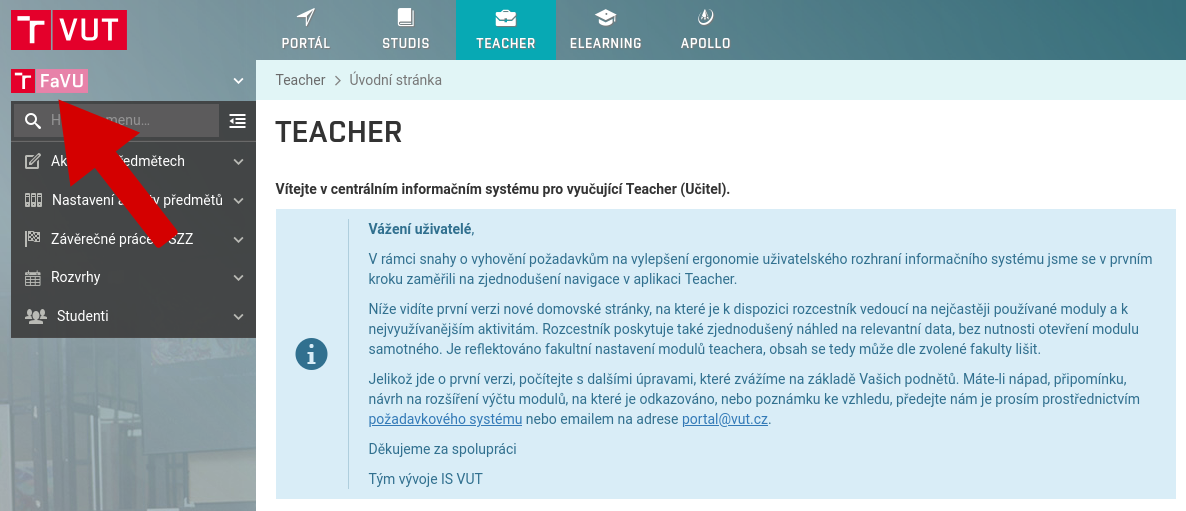
In the left menu, select the option Course setup, Common characteristics
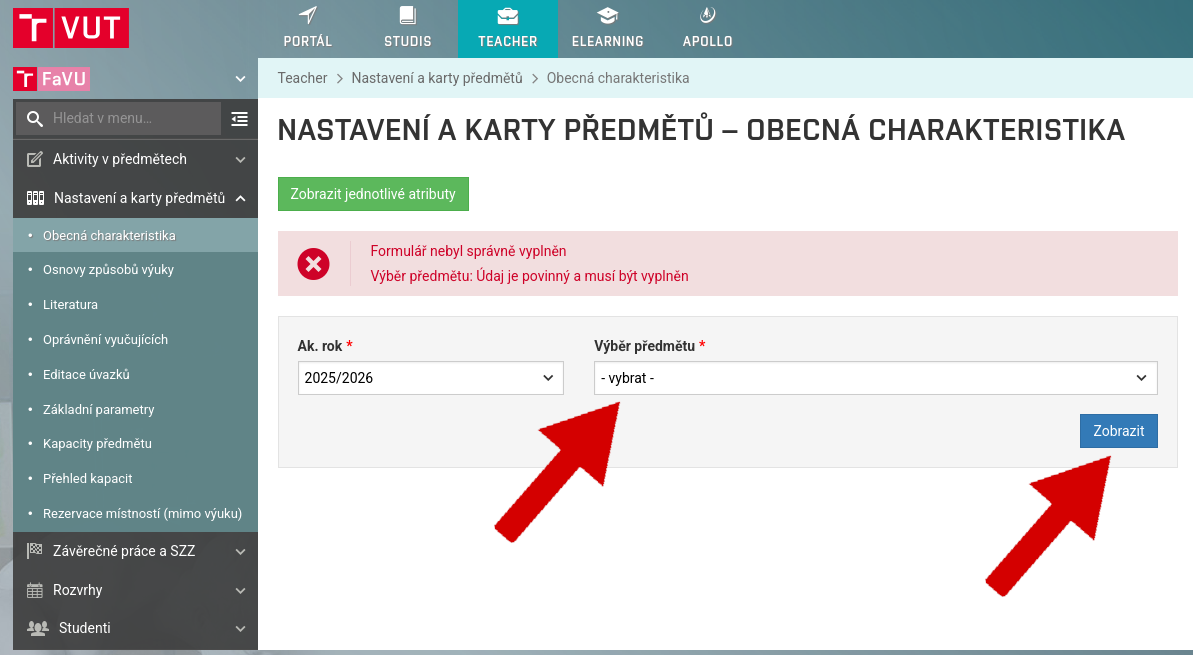
Click on the button Show all attributes
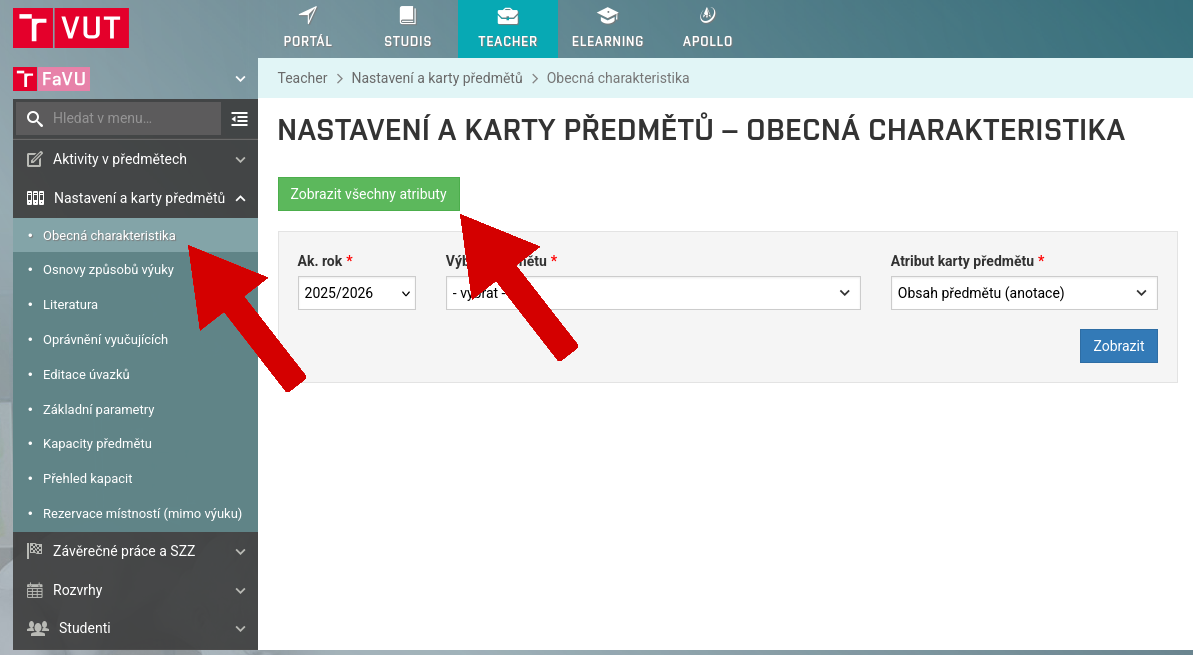
Set your academic year to 2026/2027
Ignore the error message, select the subject you want to edit, and click on Show
Now you can edit Course content, Entry knowledge, Rules for evaluation and completion of the course, Aims and Study aids
Don't forget the Czech versions of the individual items
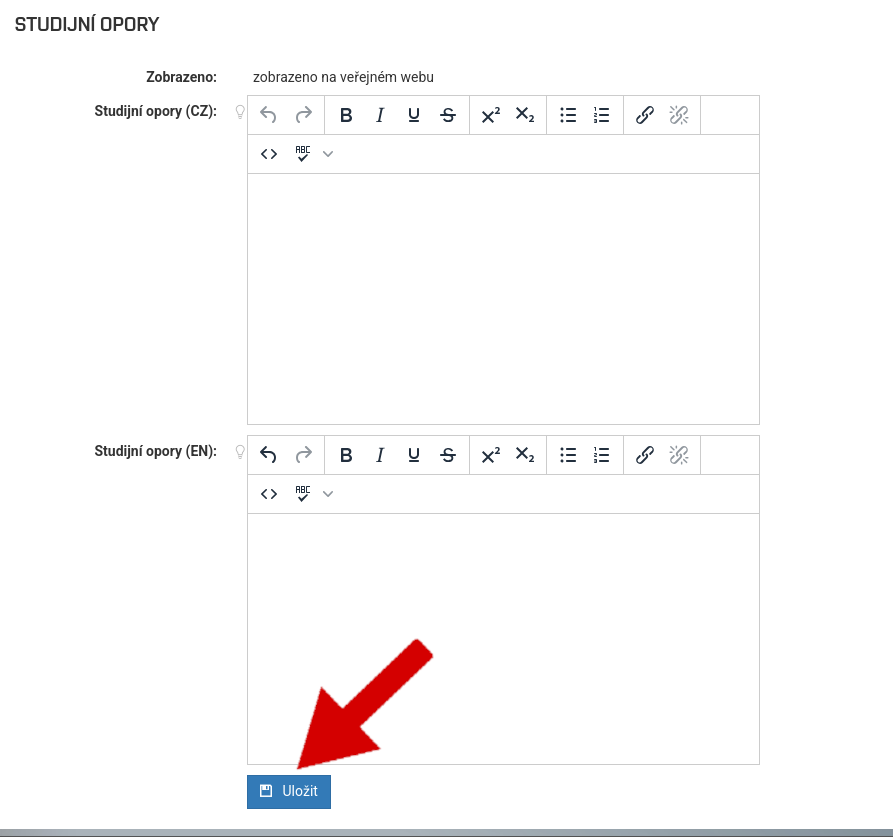
Click on the button Save
You have now successfully updated the basic course information and can proceed to the teaching methods
In the left menu, select the option Course setup, Teaching methods
Select the subject and teaching method you want to modify
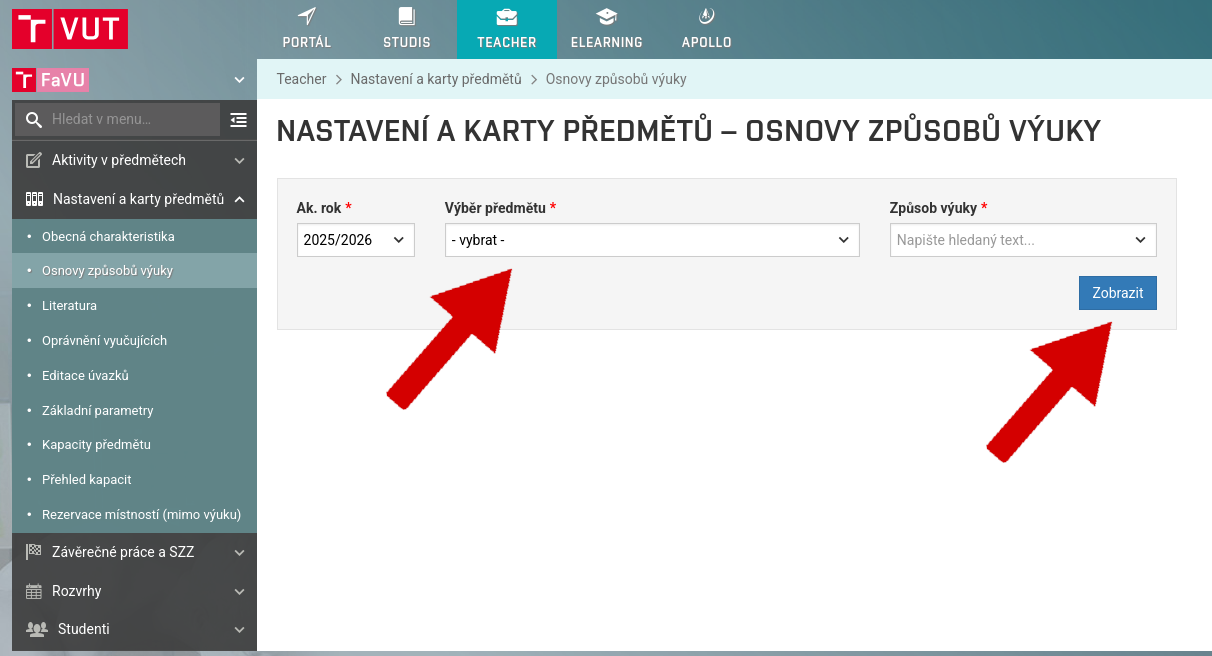
If there are more than one method of teaching in a subject, you only need to edit one method where there is already some text
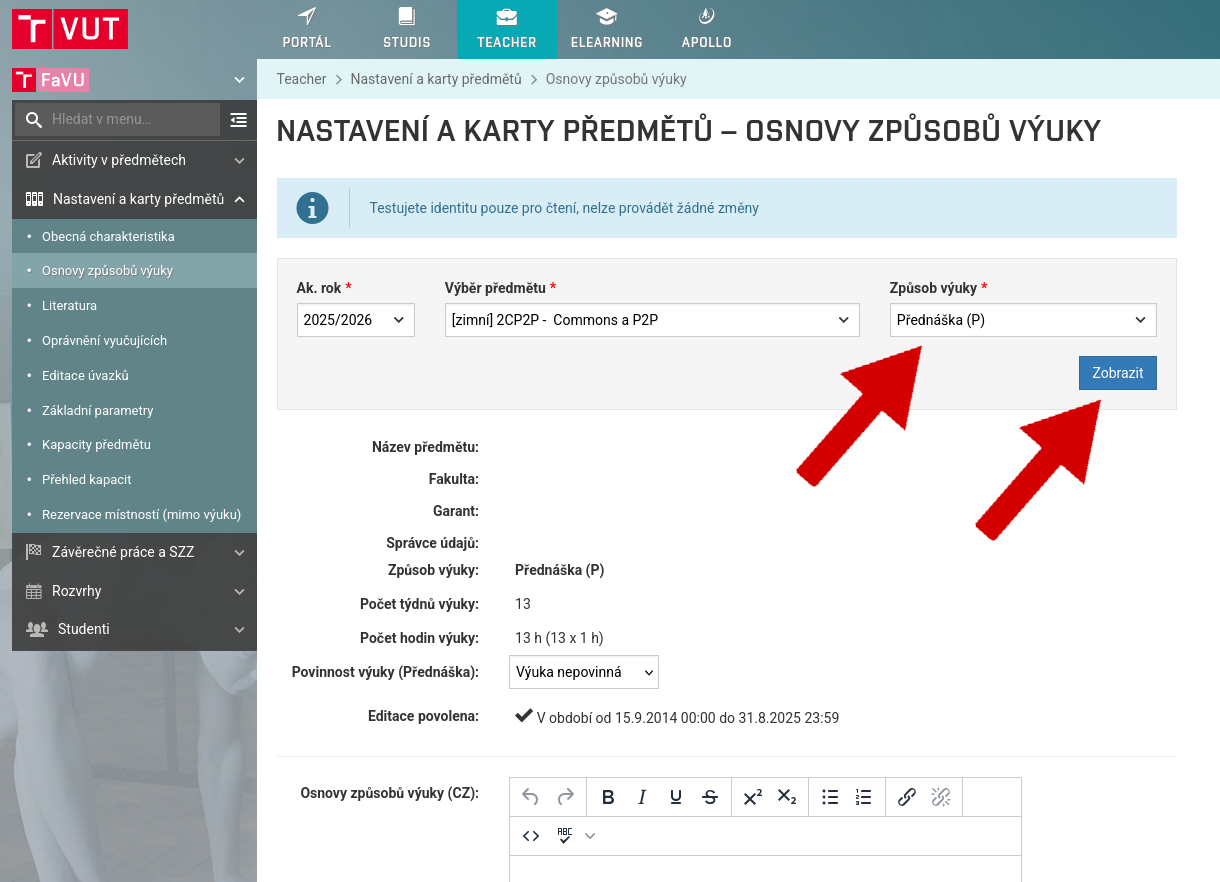
Don't forget the Czech version
Click on the button Save
You have now successfully updated the course teaching methods and can move on to the literature
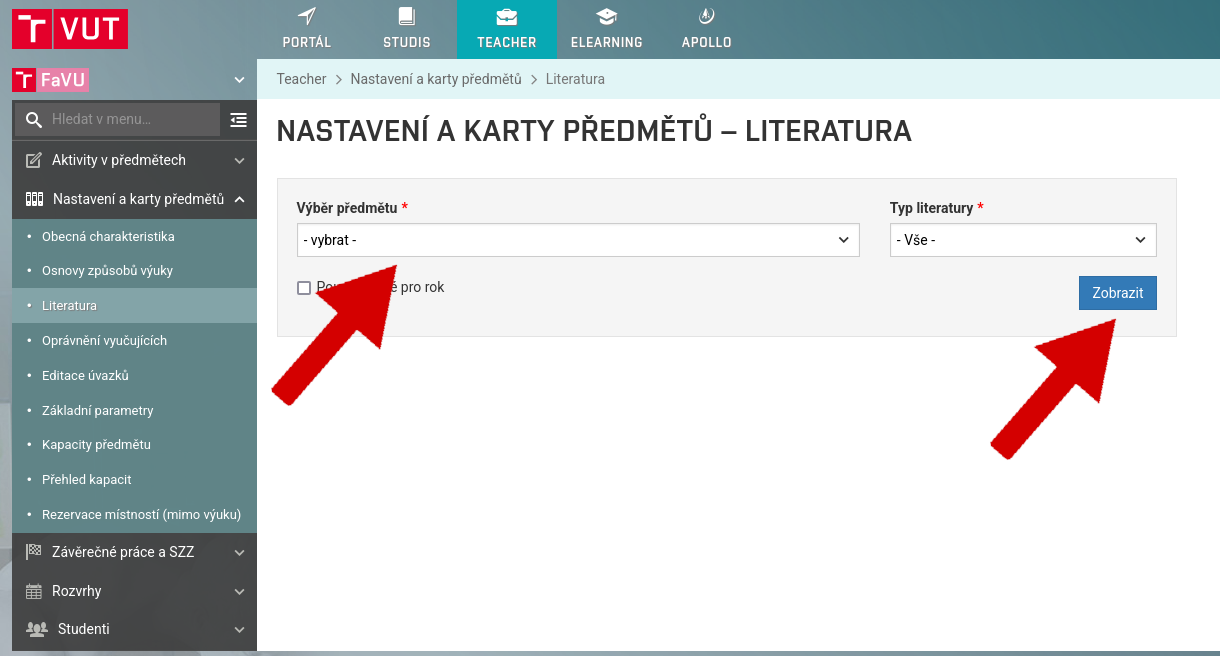
In the left menu, select the option Course setup, Literature
Select the course you want to edit
In the list of publications, you can use the pencil icon to edit individual items or click on New literature and add a new item
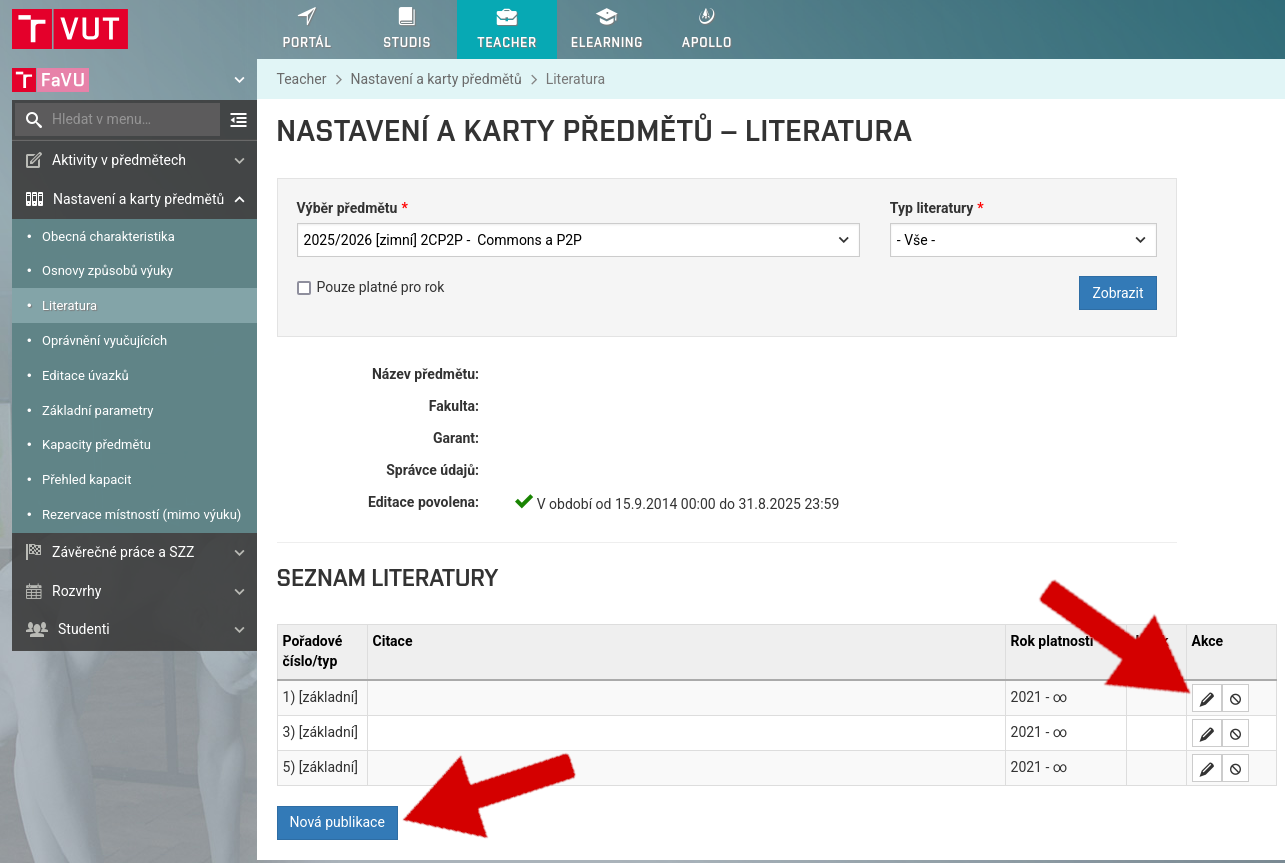
It is important to fill in the serial number on which the publication will be displayed to students, the type of literature, the citation itself and set the validity of the item to valid
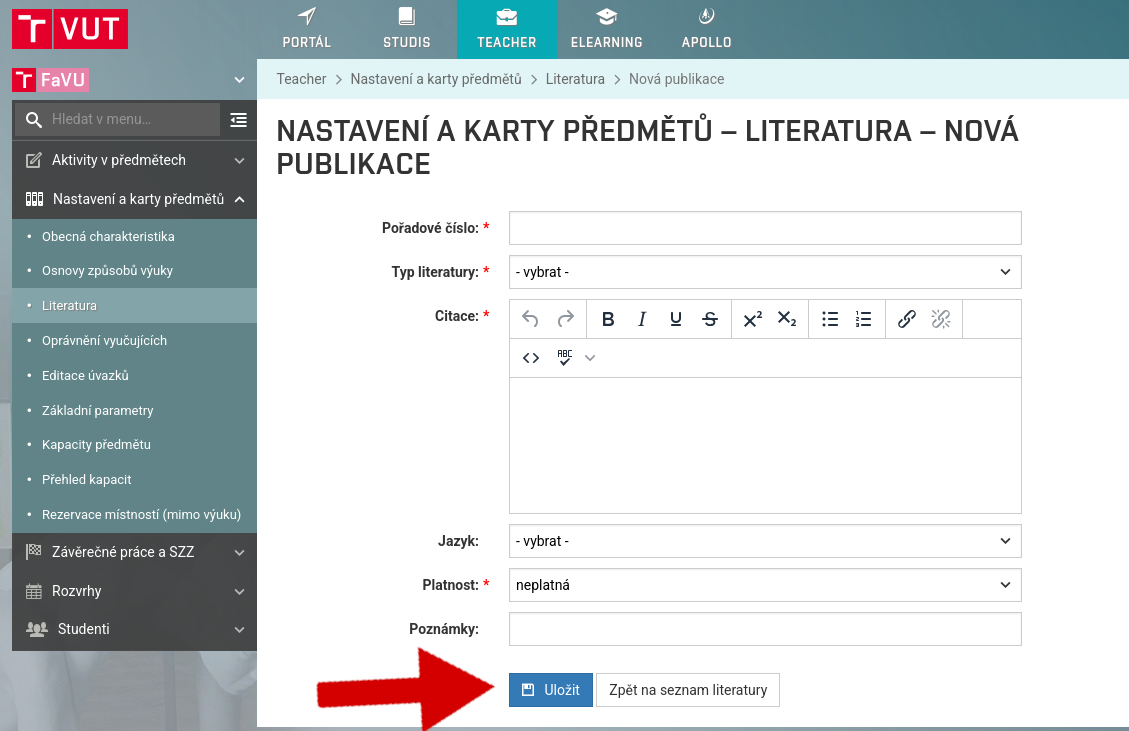
Click on the button Save
You have successfully updated the course card