
Courses and individual plan fulfillment
Your university studies consist of various courses, for which you receive a certain number of credits upon successful completion. In order to continue and complete your studies, you need a certain number of credits.
To complete your bachelor's degree, you need at least 240 credits
To complete your master's degree, you need at least 120 credits
During the first semester, you must earn at least 15 credits
During each academic year, i.e. during the winter and summer semesters, you must earn at least 50 credits
Basic terms and overview
There are several terms you need to know within the BUT information system.
Individual plan – This is a template that specifies the courses you must complete and a list of optional courses from which you can choose.
Electronic index – A specific list of courses you are studying in the current semester. You can also see your grades here.
Schedule - Most courses have a set lecture or seminar time. However, some courses have multiple seminar times, so you must register for one specific time that you will attend.
Registered course – You always register for courses. By registering for a course, you express your interest in studying that course. However, you will not actually study the course until it appears in your electronic index. Therefore, your electronic index may be empty before the start of the semester. However, courses will appear there no later than the first day of the semester.
You can find a complete overview of your courses in the StudIS application under the Check completed courses tab. Required courses are marked red, courses you are currently studying are marked blue, and completed courses are marked green.
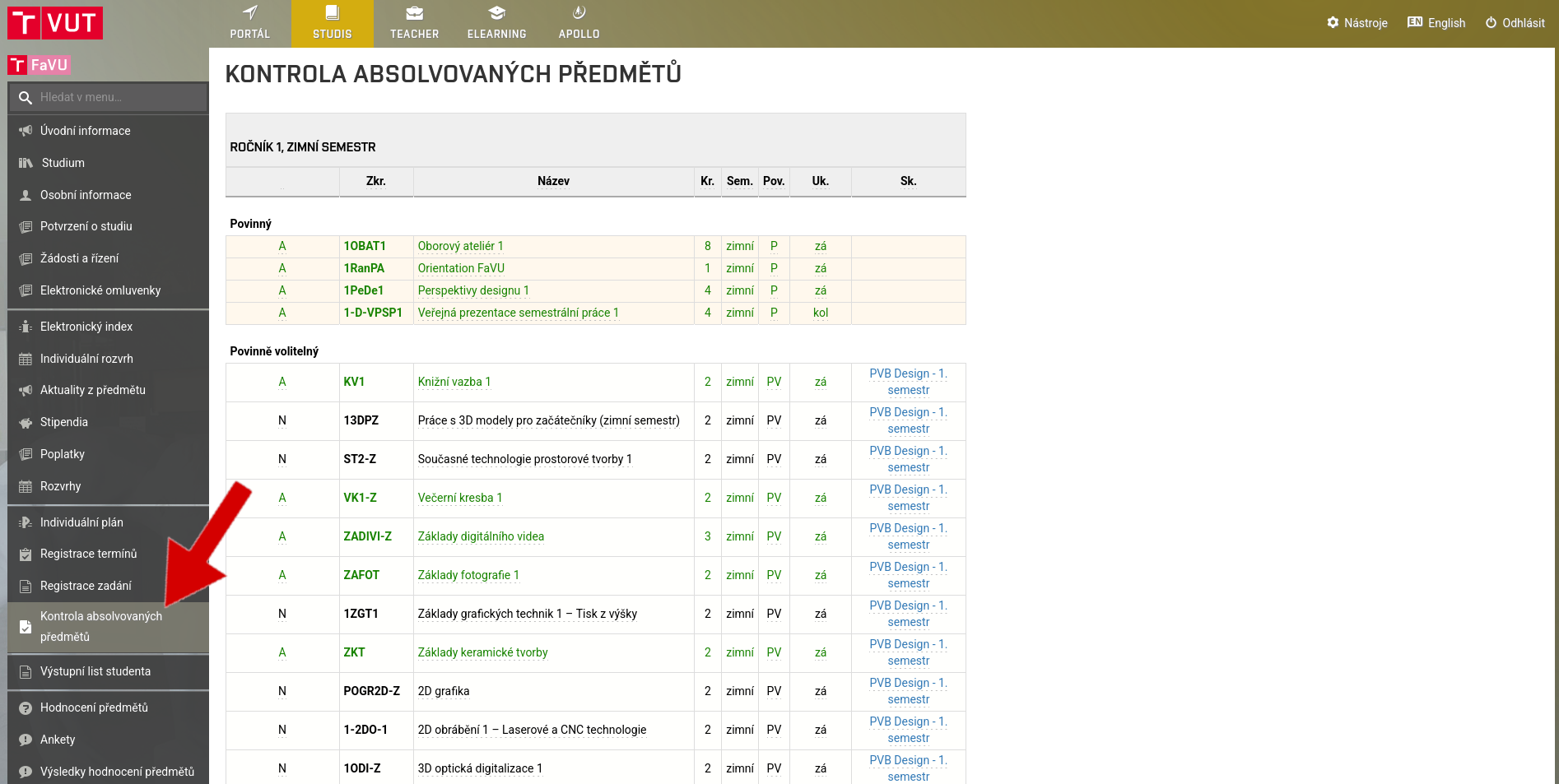
Courses
During your studies, you will encounter several types of courses. While some courses are compulsory, others are optional. It is important that you always meet the minimum credit requirements. You must successfully complete a certain number of courses in order to earn enough credits.
You choose each group of courses at a different time. Therefore, it is important to follow the information provided by the Study Department.
Compulsory courses
Compulsory courses are automatically added to your electronic index, so you do not need to register for them.
In order to successfully complete your studies, you must pass all compulsory courses in your study program.
You can check this directly in the Check completed courses module, where you will see your required courses for each semester. Those that you have already completed are marked in green.
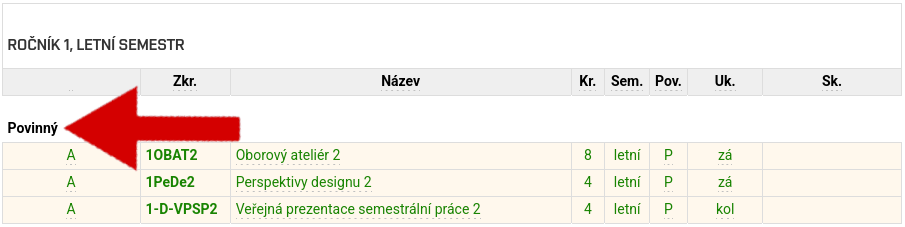

You have 2 attempts to complete each required course. If you fail the first time, the course will be re-entered into your electronic index.
Compulsory optional courses
In almost every semester, in addition to compulsory courses, you must also complete courses that you choose from a specific group or groups of courses.
You must always select and register for these courses at the beginning of the academic year for both semesters and for all groups.
Registration for compulsory optional courses
Registration and selection of compulsory optional courses usually takes place in two rounds. However, the procedure is always the same.
Open the StudIS application. The Registration of Compulsory Elective Courses module will open on a predetermined date.
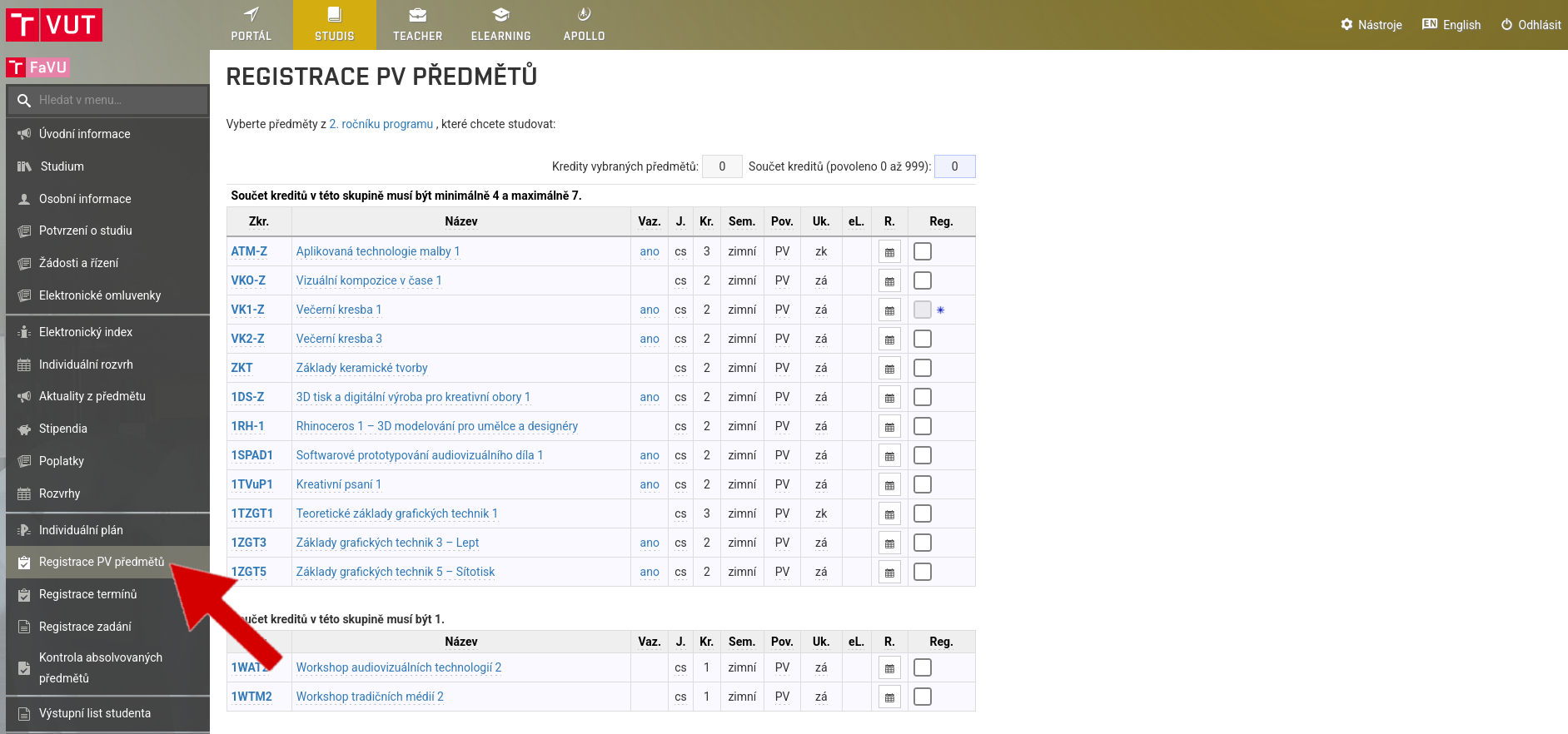
Select courses for both semesters
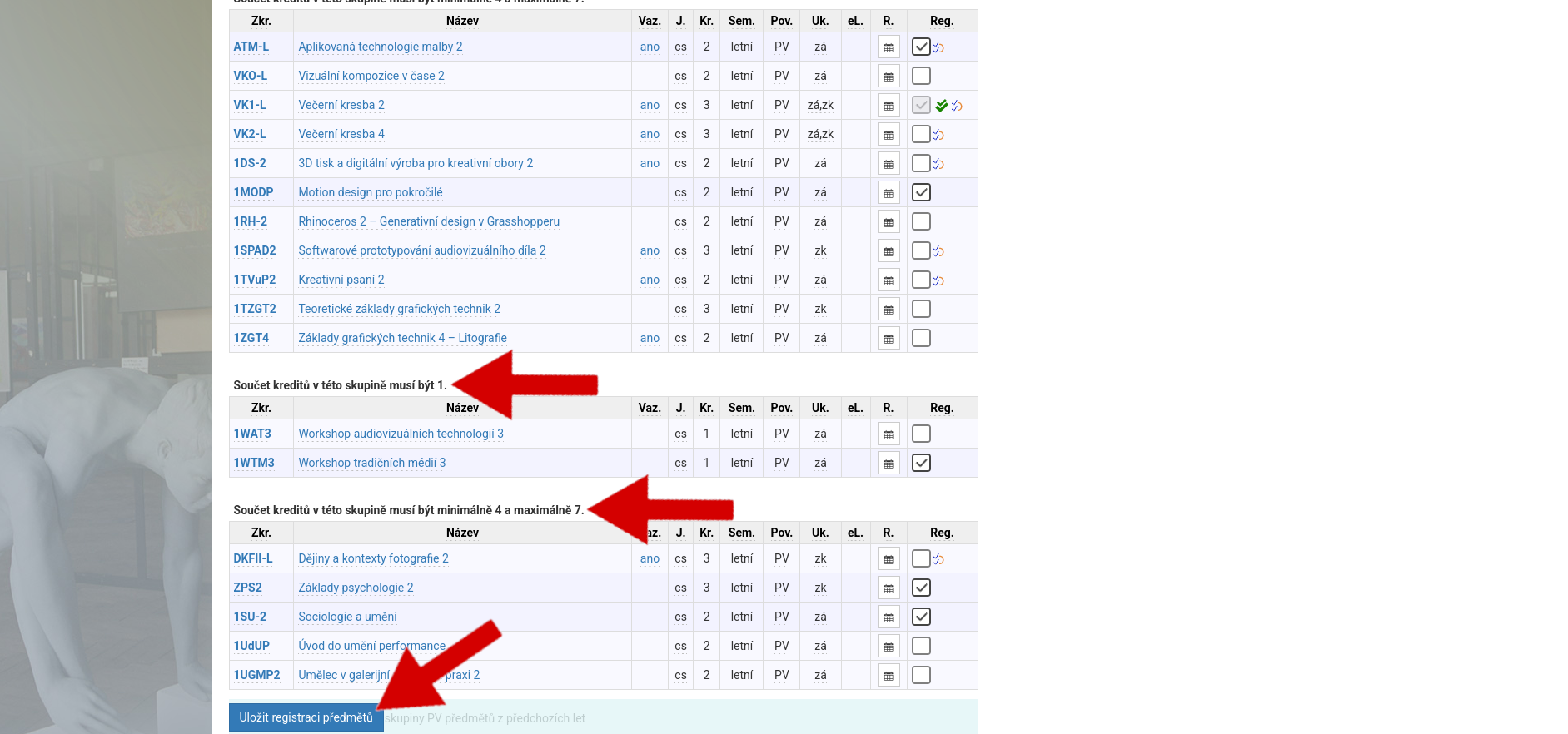
Click Save Course Registration
Please note that different semesters and groups have different minimum and maximum credit requirements. The system will check this for you and notify you of any errors.
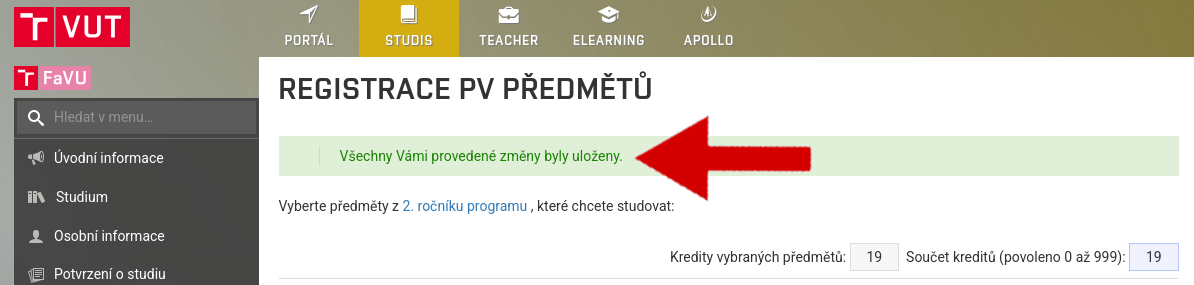
If you see this message, your registration has been successfully completed:
If you fail to complete a compulsory optional course, two things can happen. If you have completed the given group of compulsory optional courses through other courses, the course will disappear. Otherwise, the compulsory optional course will be re-entered into your electronic index.
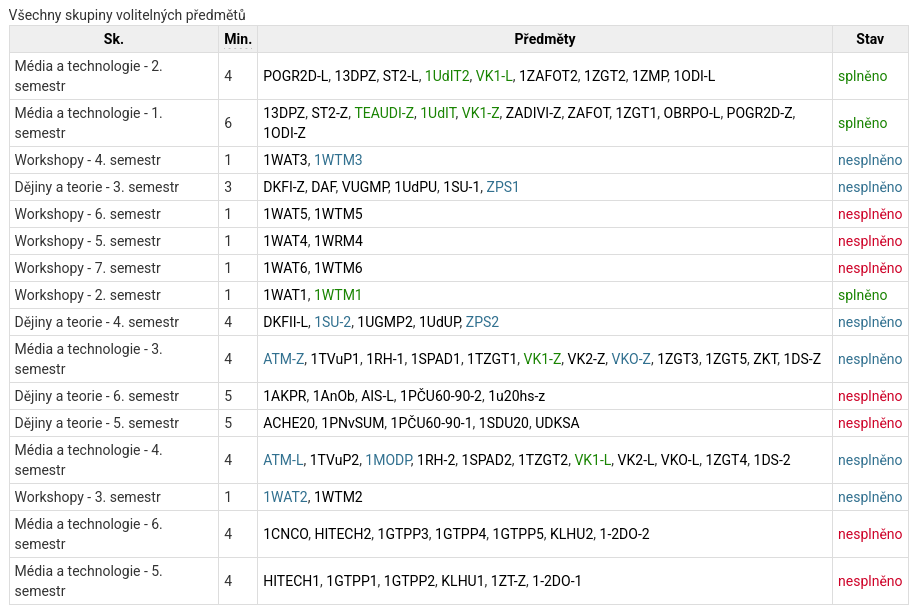
You can easily check your completion of compulsory optional course groups again in the Check completed courses module. Required courses that you still have to complete are marked red, courses that you are currently studying are marked blue, and groups of courses that you have already completed are marked green.
Optional courses
You choose these courses at your discretion. The only limitation is the capacity of the course.
At the beginning of the academic year, you choose and register courses for both semesters. At the beginning of the summer semester, it is still possible to register for optional courses.
Optional Course Registration
Open the StudIS application. The Optional Course Registration module will open at a predetermined time.
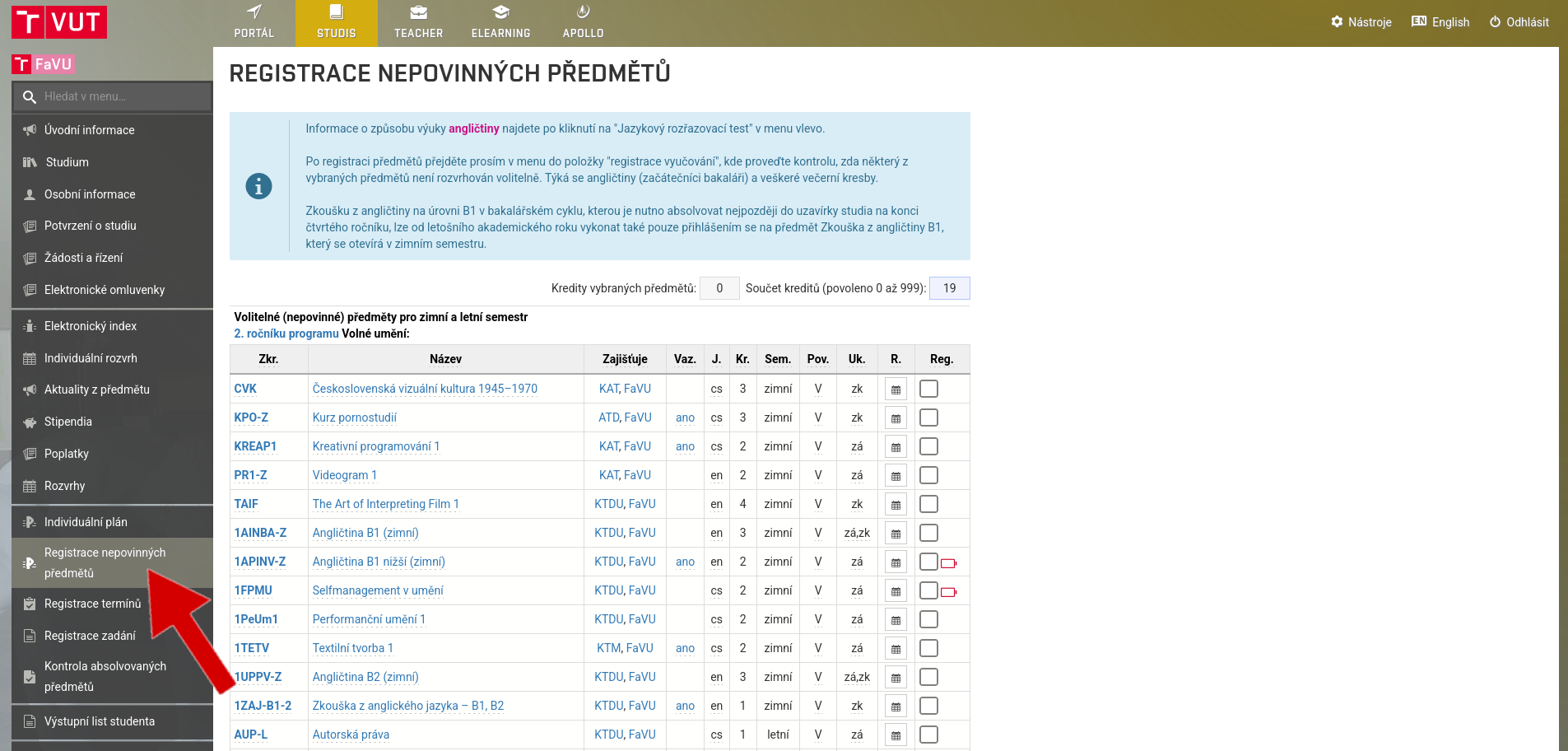
Select courses for both semesters
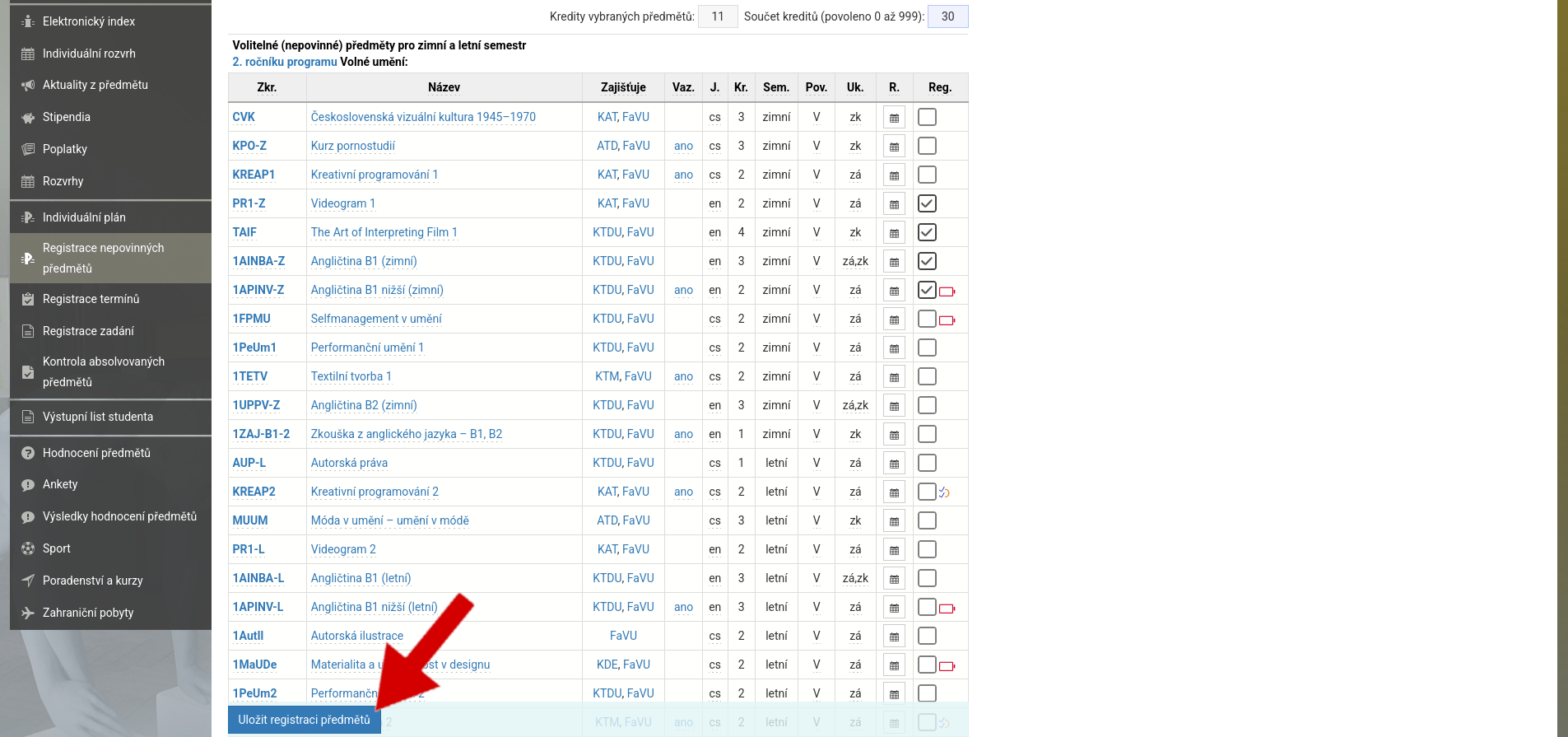
Click on Save Course Registration
Registration has been successfully completed if you see this message:
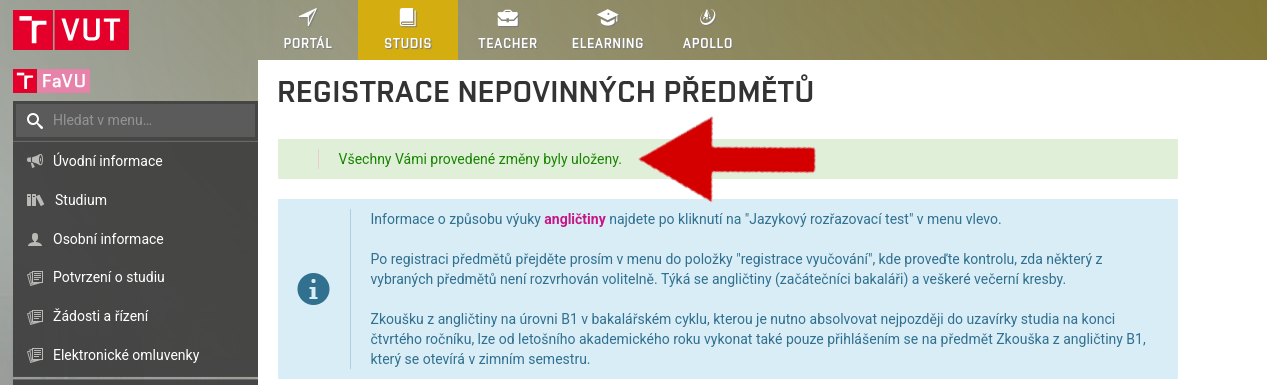
If you fail an elective course, the course will not be transferred to the next academic year.
Free courses
These are courses from other BUT faculties that you can take. You can choose these courses at your discretion. The only limitation is the capacity of the course.
Registration for free courses always takes place before the start of the semester and only for the beginning semester.
On a predetermined date, the Free Courses tab will open in StudIS, where you can register for some of the free courses.
If you fail a free course, it will not be carried over to the next academic year.
Sports
The last category of courses is sports. Registration for these courses takes place via the Sports module, usually at the beginning of each semester.
Sports classes themselves usually begin in the second week of the semester.
If a student fails a sports course, it will not be carried over to the next academic year.