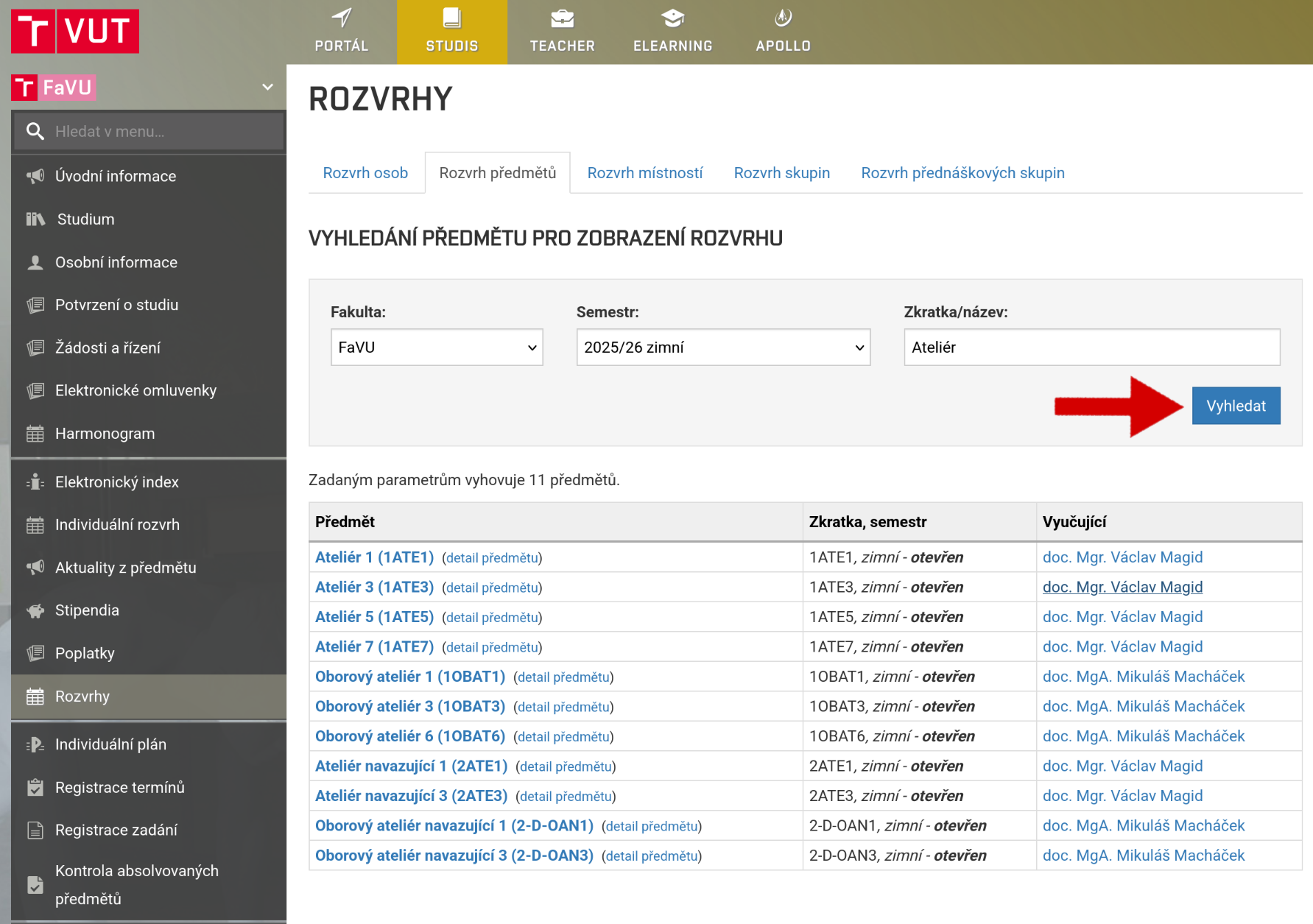
Schedule
Most courses have a set schedule for lectures or seminars.
However, for some courses, you must register for a specific time slot for the exercises you will be attending.
You can always find your current schedule for the current week in the StudIS application under the Individual Schedule tab.
Time slots registration
For some subjects, you must choose the time slot you want to attend.
Open StudIS and the Classes registration tab.
Select the right semester
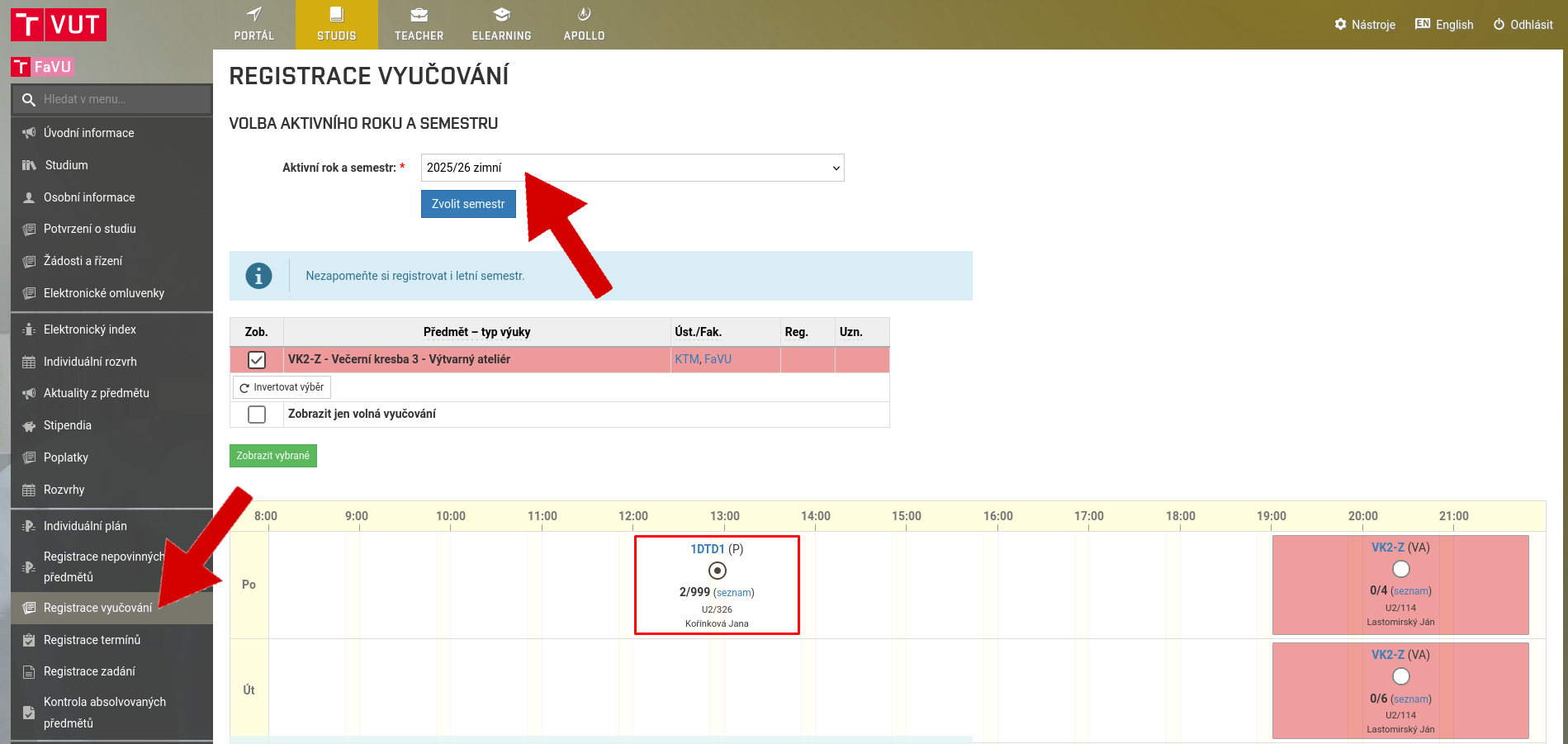
Time slots that you have automatically registered are shown in white. You are interested in the colored blocks, where each color represents one course, a selection of slots from which you must choose.
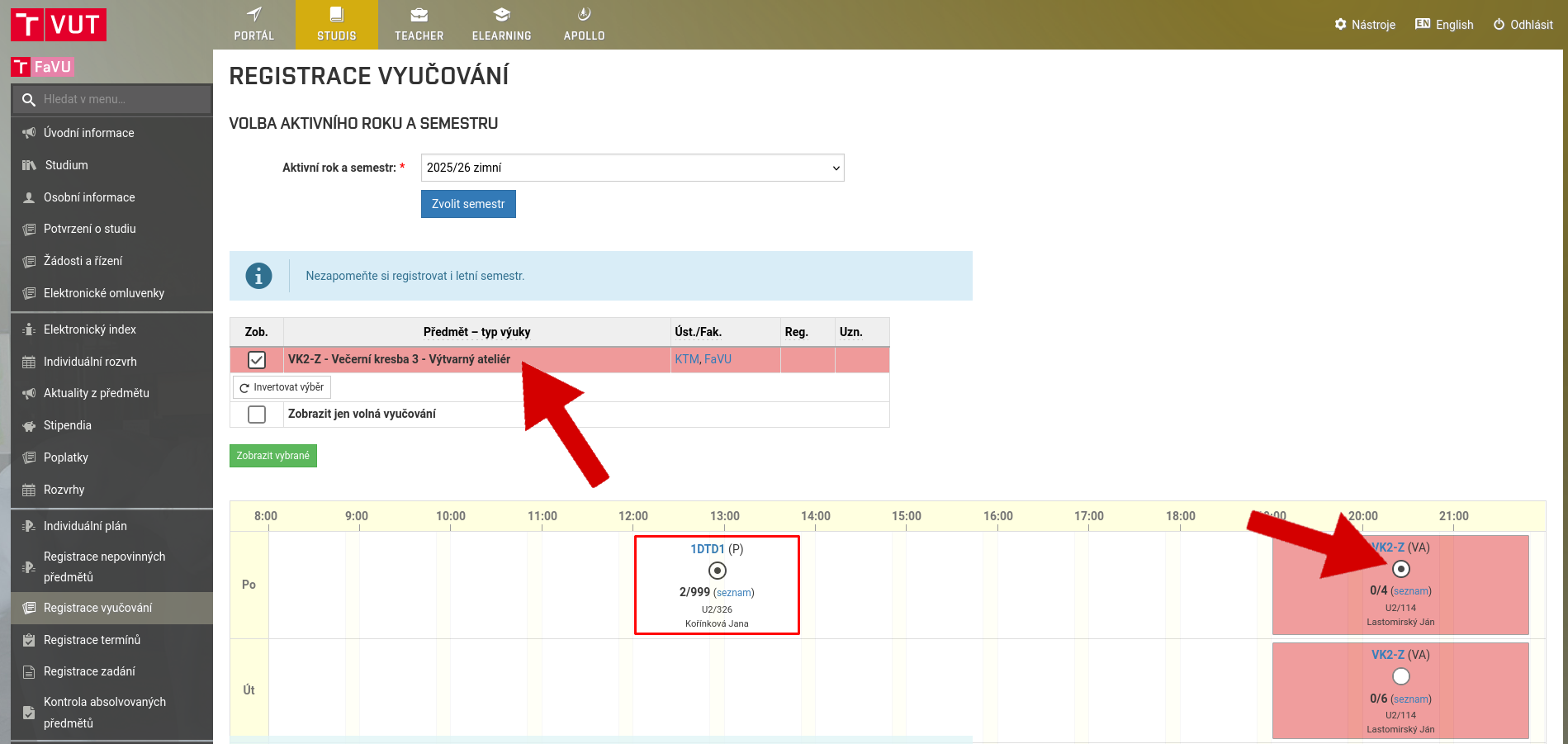
You will see the courses for which you need to select time slot. Select the slot that suits you in the schedule and click Confirm course registration.
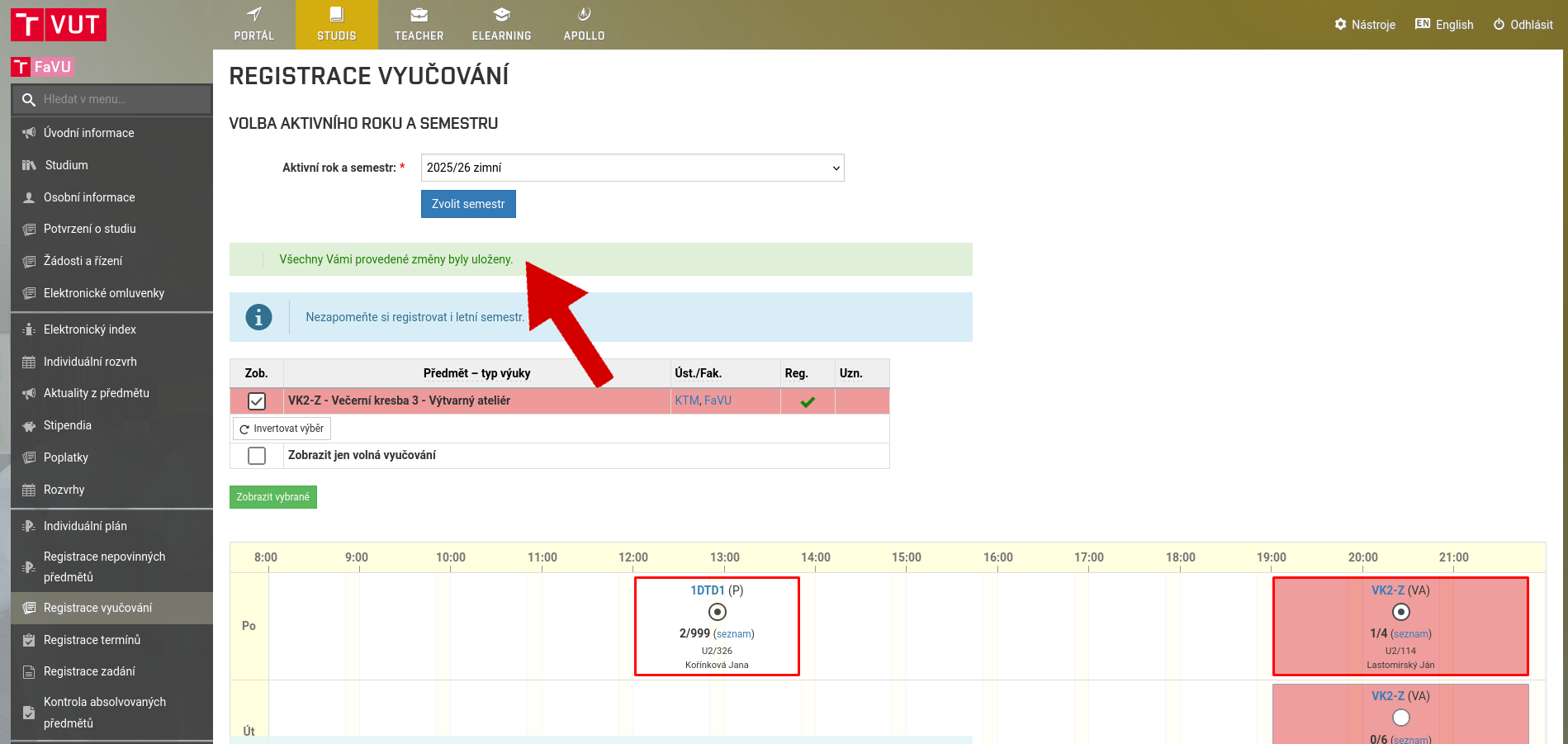
If a green confirmation window appears, you have successfully registered for the class.
Don't forget to register for the summer semester as well.
For some semesters, you do not need to register for any classes. In this case, you will see the module in this state:
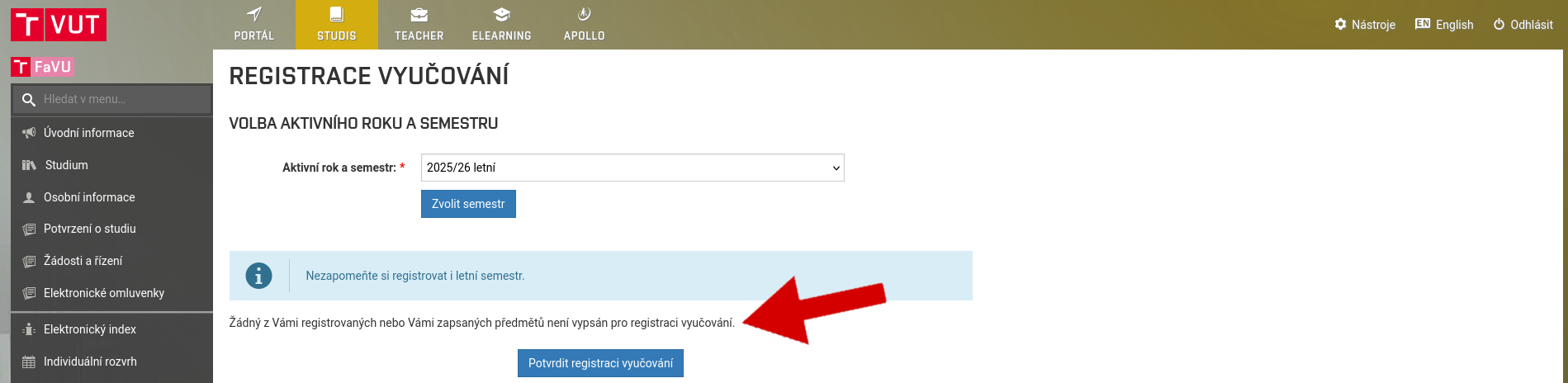
More detailed information
In addition to your basic personal schedule, the StudIS application also displays various other useful information.
In the Weekly Schedule tab, for example, you can see how classes change from week to week during the semester.
The Semestral Schedule tab contains all teaching weeks within the semester.
Important information about individual teaching units, such as the location, can be found by selecting a specific teaching unit.
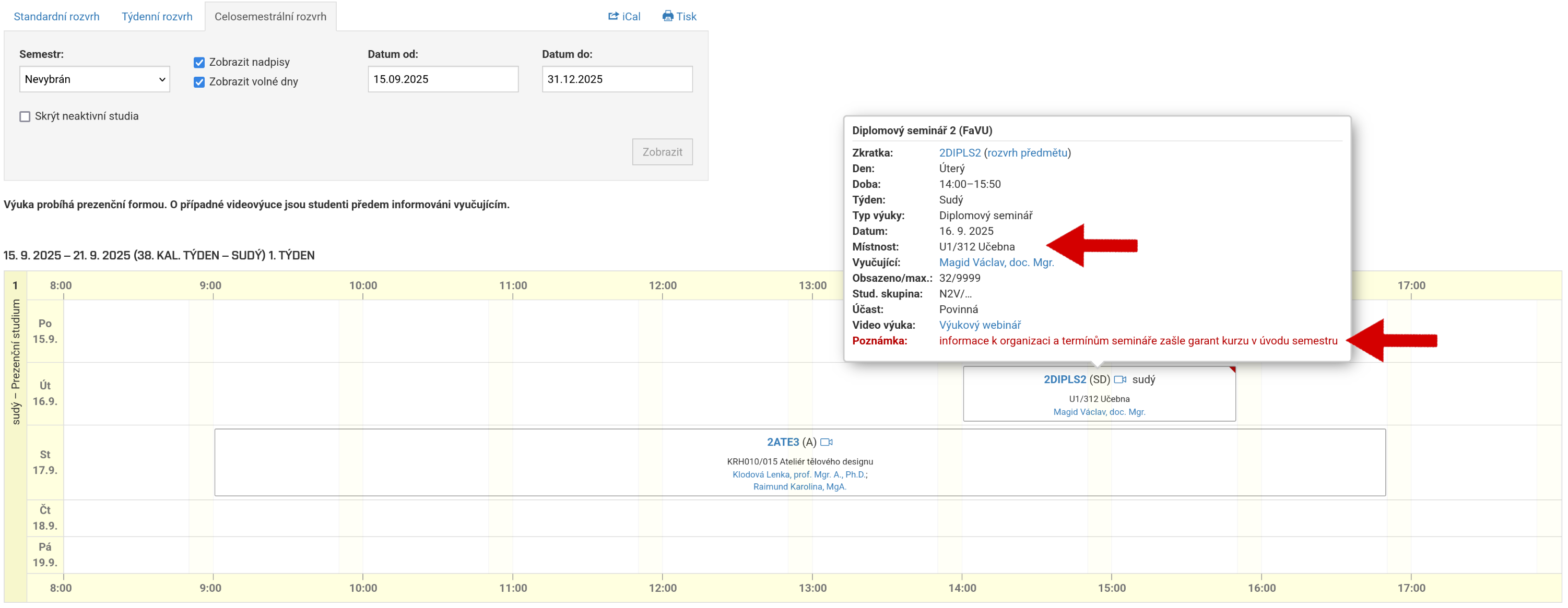
You can find the faculty-wide schedule of courses, lecturers, or your year group in the Schedules tab.