Workshop registration
Specific courses include registration for specific workshops.
To successfully complete the course, it is necessary to attend a minimum of 1 and a maximum of 3 workshops.
Registration for the workshop is done through the same module as registration for the exam term.
Log in to the Studis application and make sure you have set FFA as your faculty (logo on the far left).
In the left menu, select the Registration of terms tab.
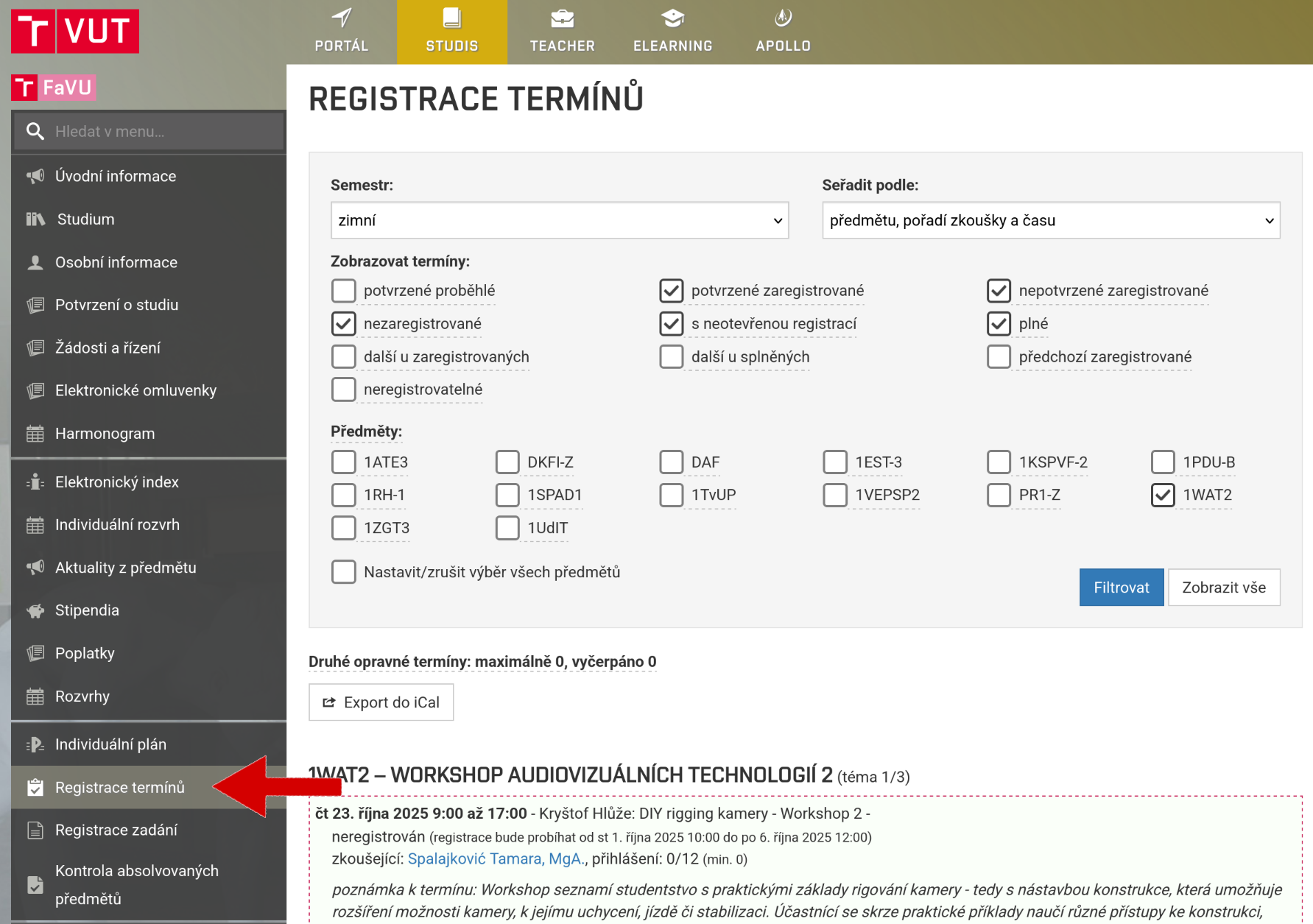
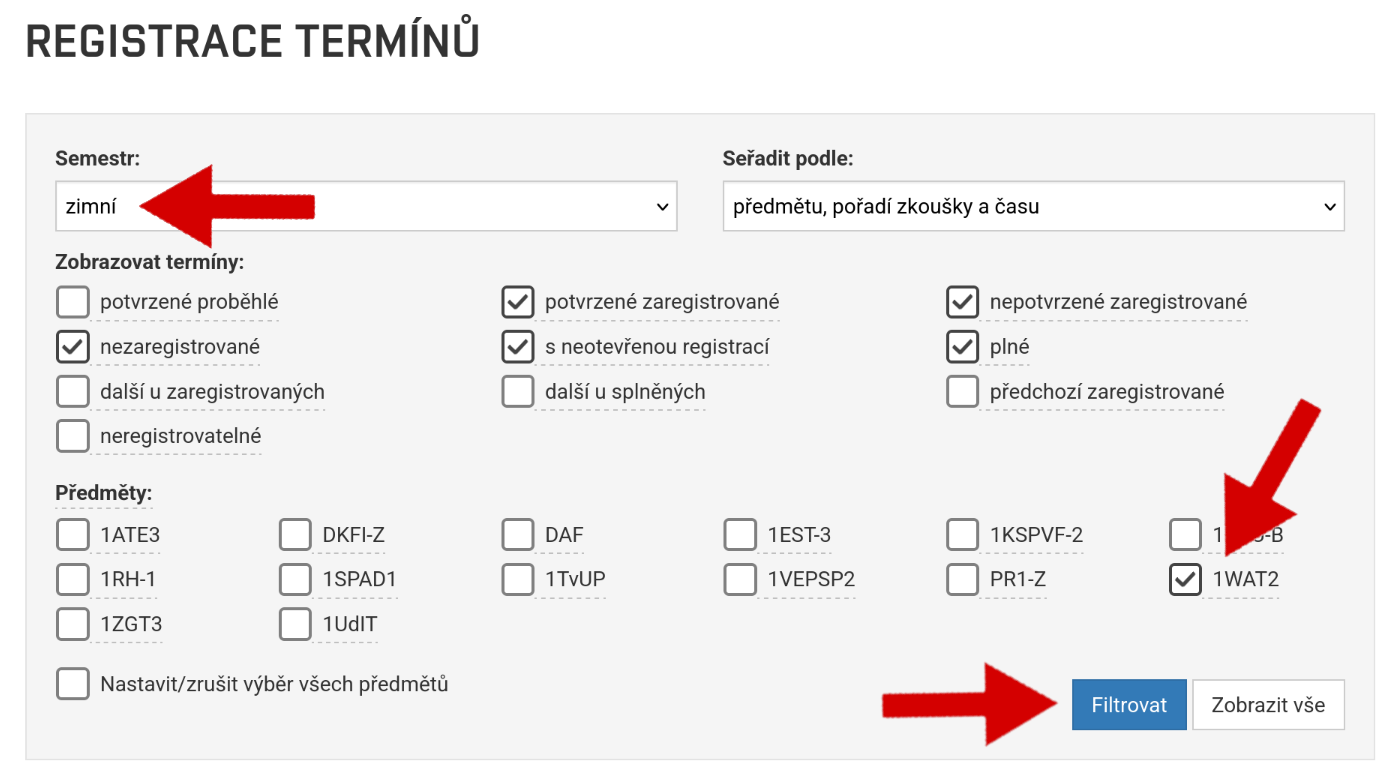
To make your work easier, you can select only the given subject and don't forget to select the correct semester.
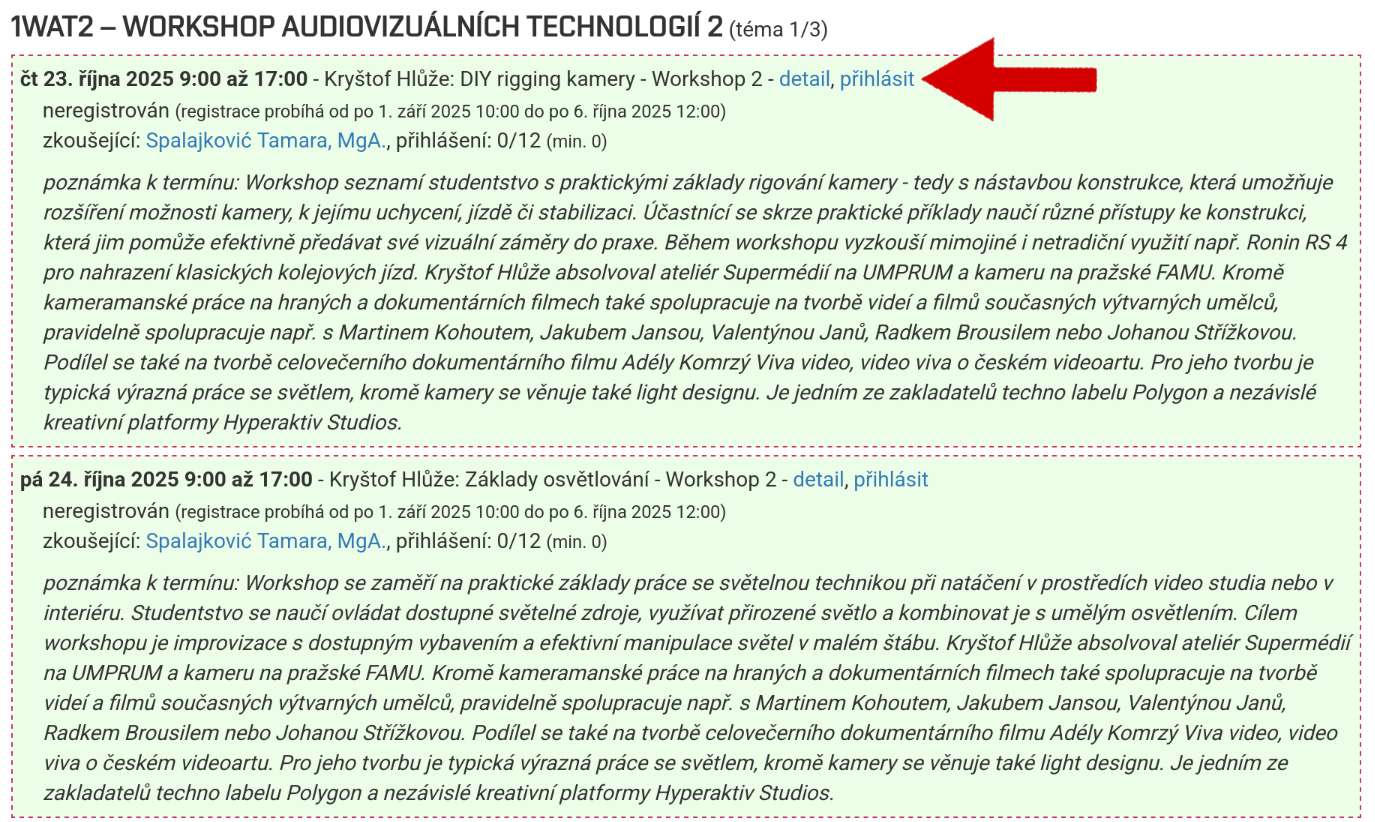
You will see three identical workshop offers in front of you. Click on the button to register for a specific workshop.
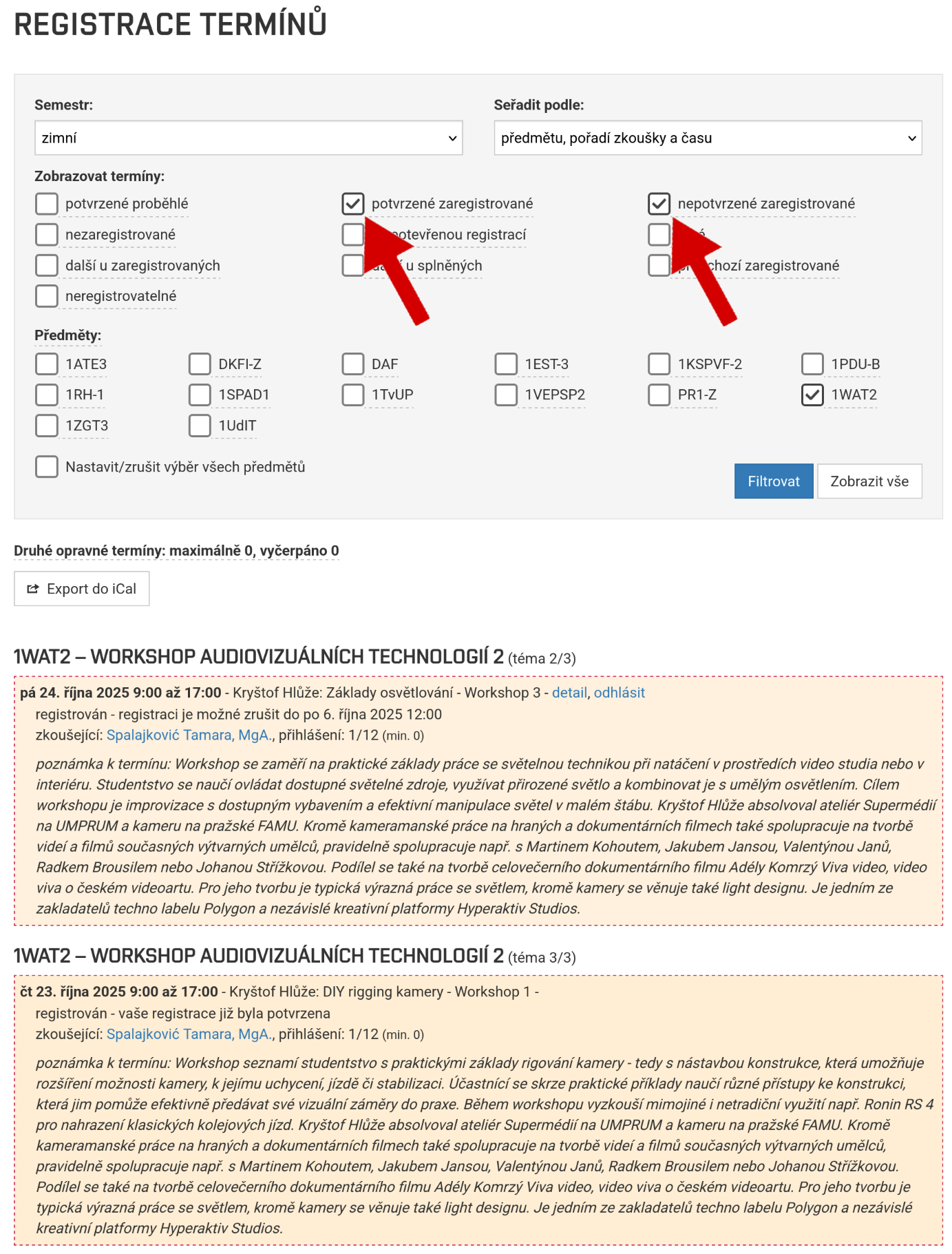
After successful login, the system will display a confirmation message.
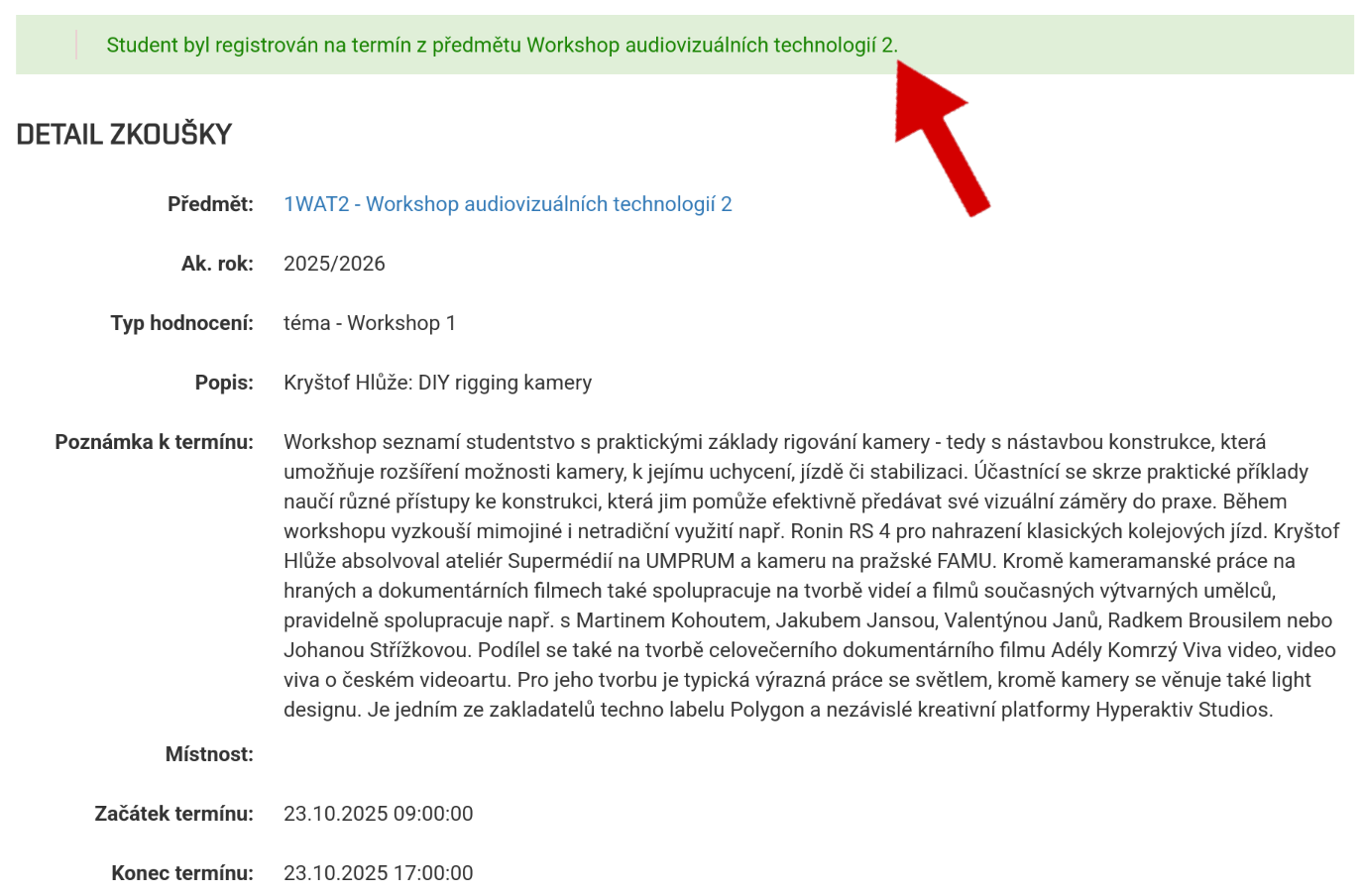
You will see your registration for the workshop by the change in color of the selected workshop. At the same time, the other workshops from set 1 will be locked.
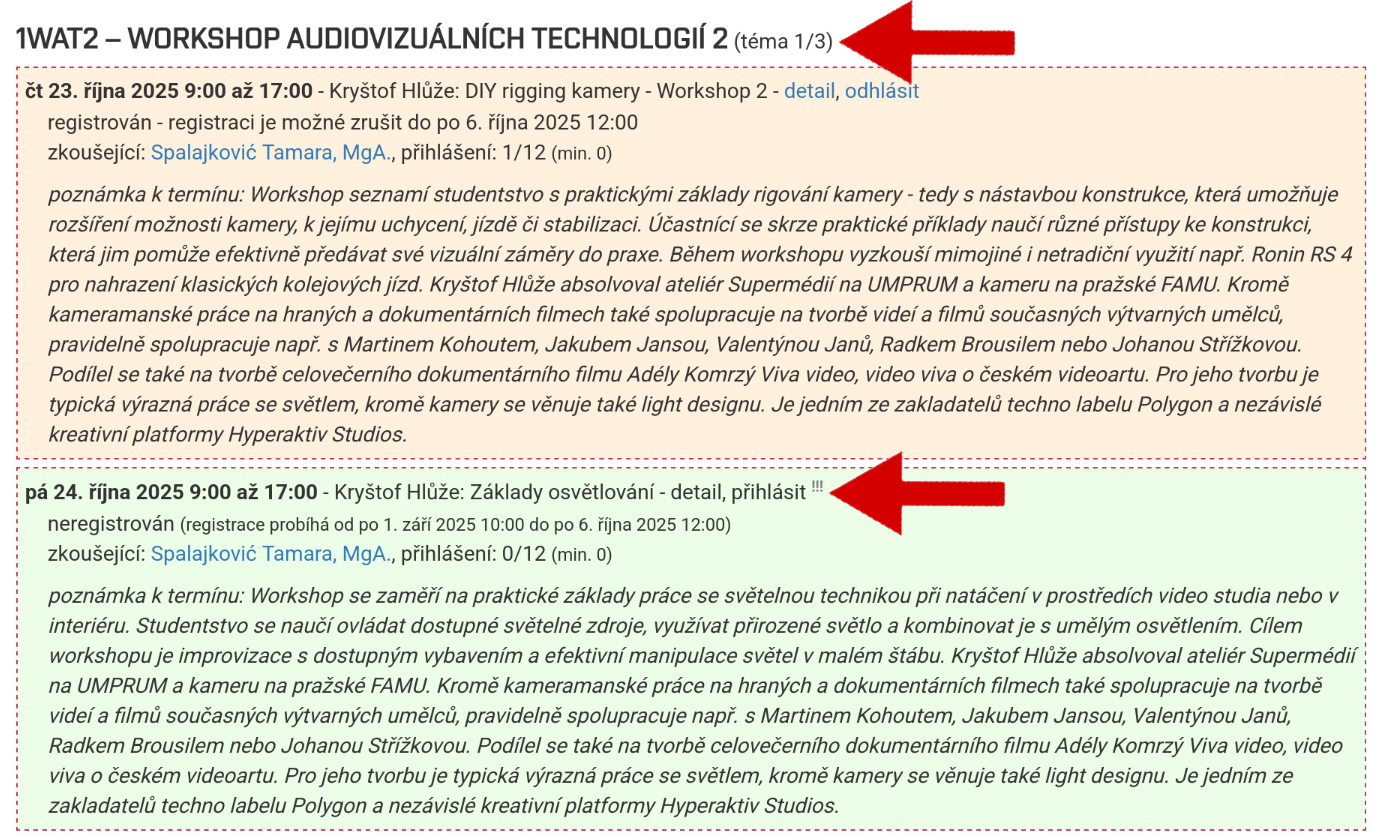
If you want to participate in another workshop, you must scroll down the page, where the same workshops will be displayed again. The system will not allow you to select the one you have already chosen, but you can select another workshop.
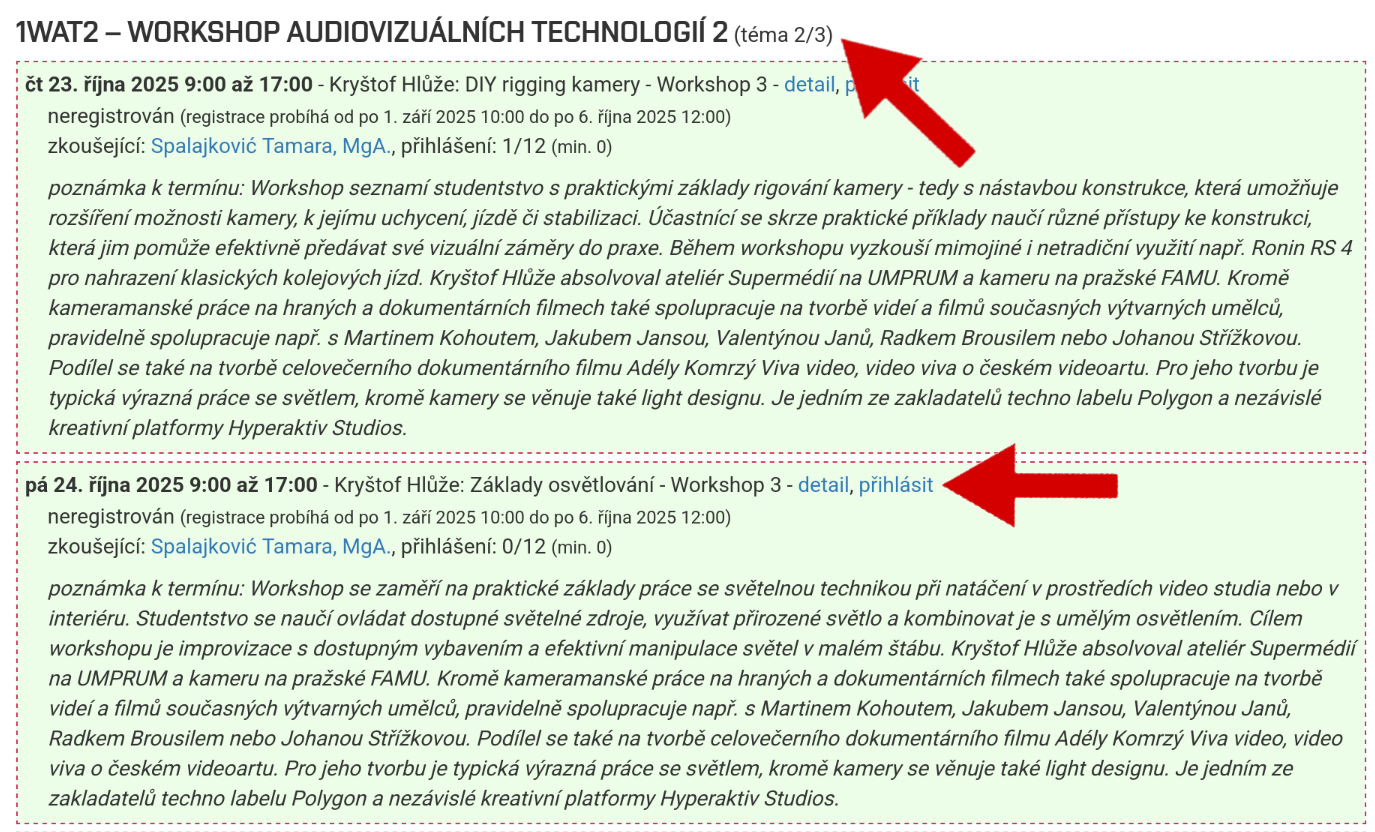
Similar to Set 1, the color will change depending on which workshop you choose.
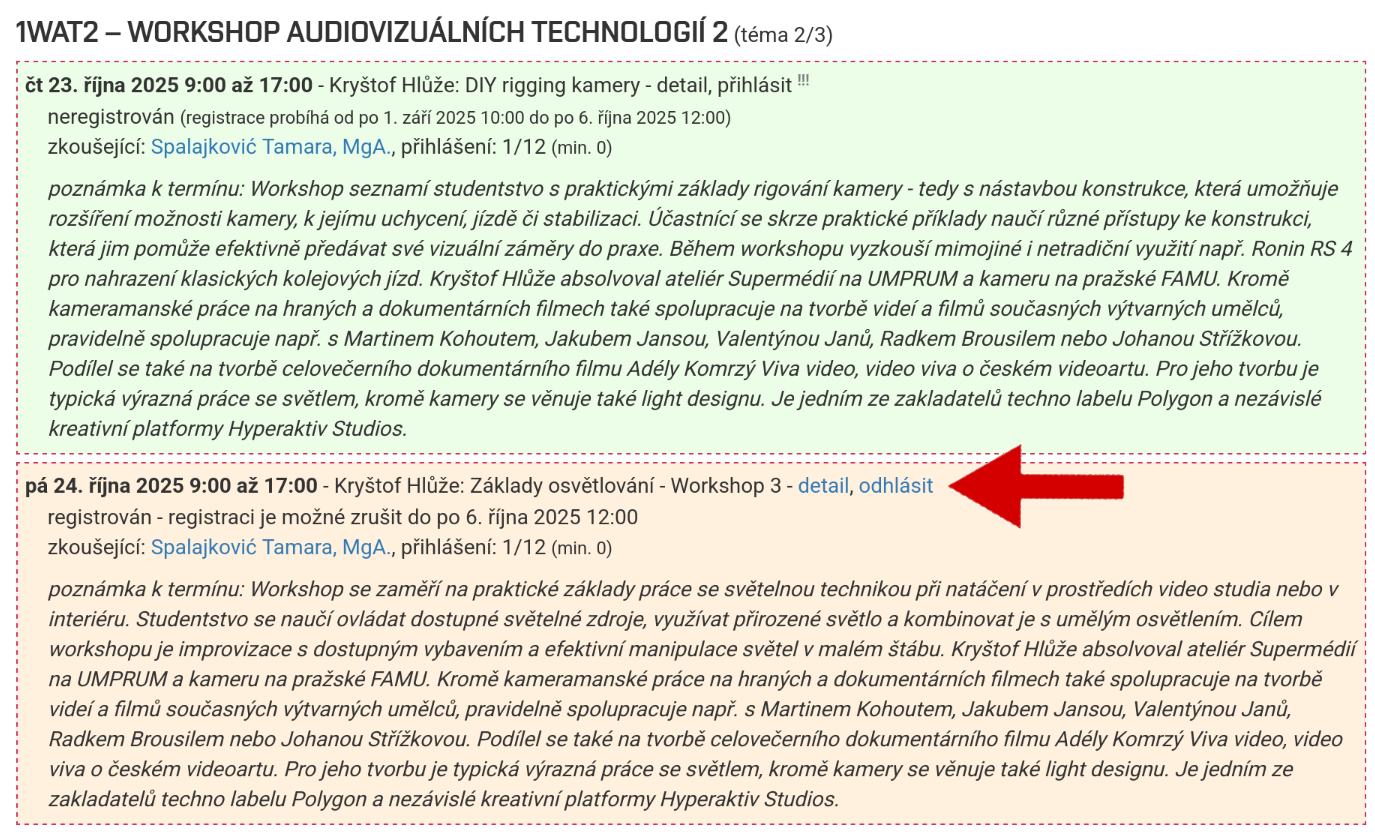
Registration for the third workshop is the same as for the second; you will find the offer below.
Once you have set the filters correctly, you can check which workshops you have selected.