Clausures
Public semester project presentations is a specific type of assessment across academic years and courses.
Therefore, there is a special way in which clausures can be assessed. The work of each committee consists of two main steps. The first is to determine the presence of committee members and the second is the actual evaluation of students.
For a better overview of the courses that are evaluated during public presentations, take a look at the table in the student handbook.
Information about your commission
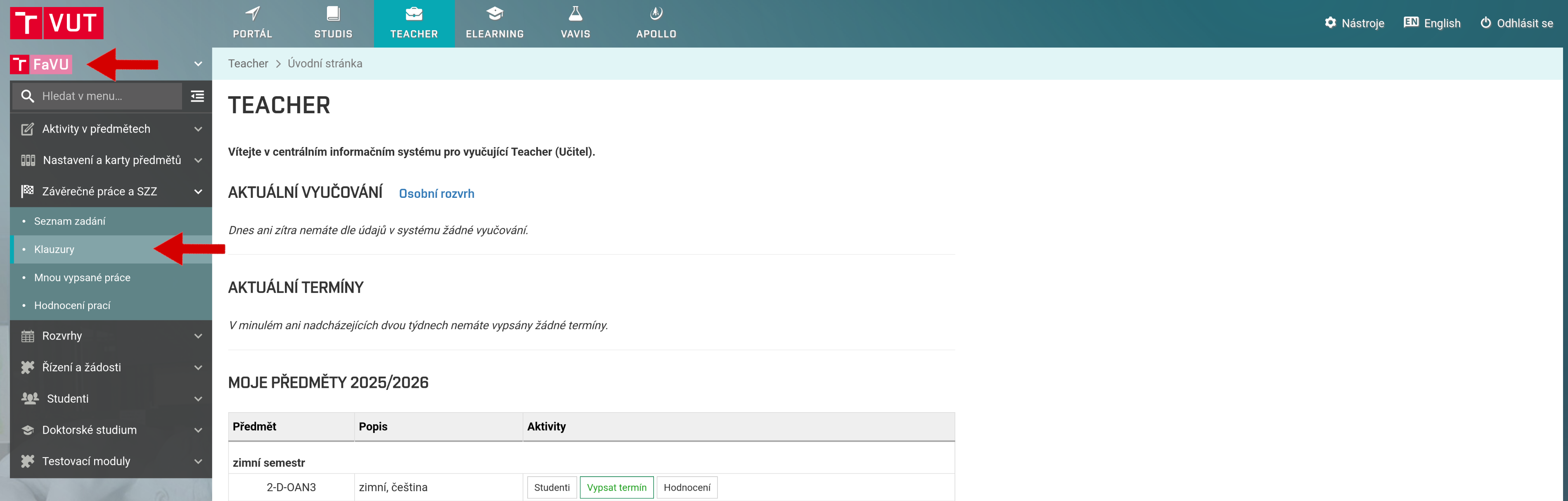
You can find the commission in the tabs Final theses and SFE and Clausures.
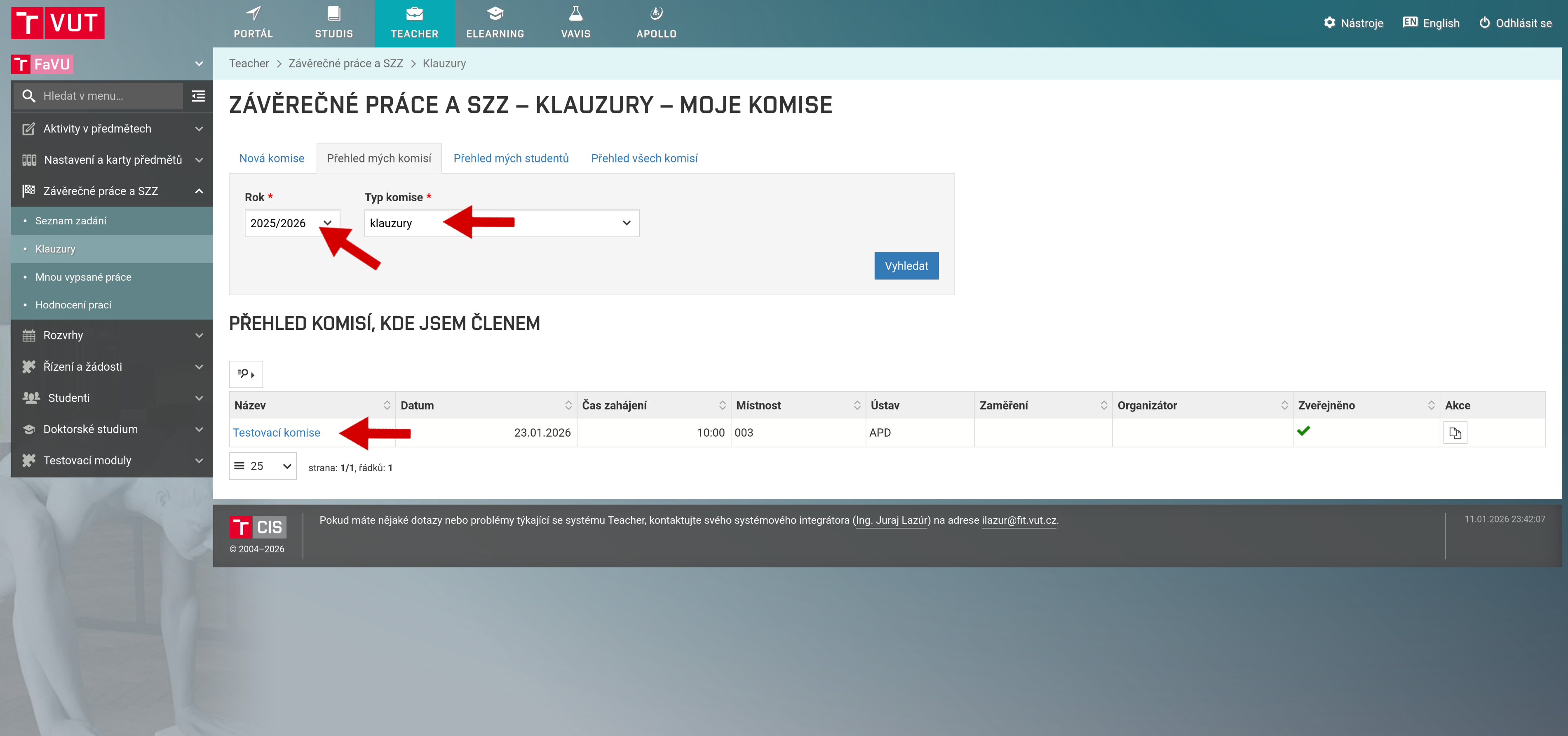
You can find your commission after setting the correct year and type of commission. You can open details of specific commission by clicking on its name.
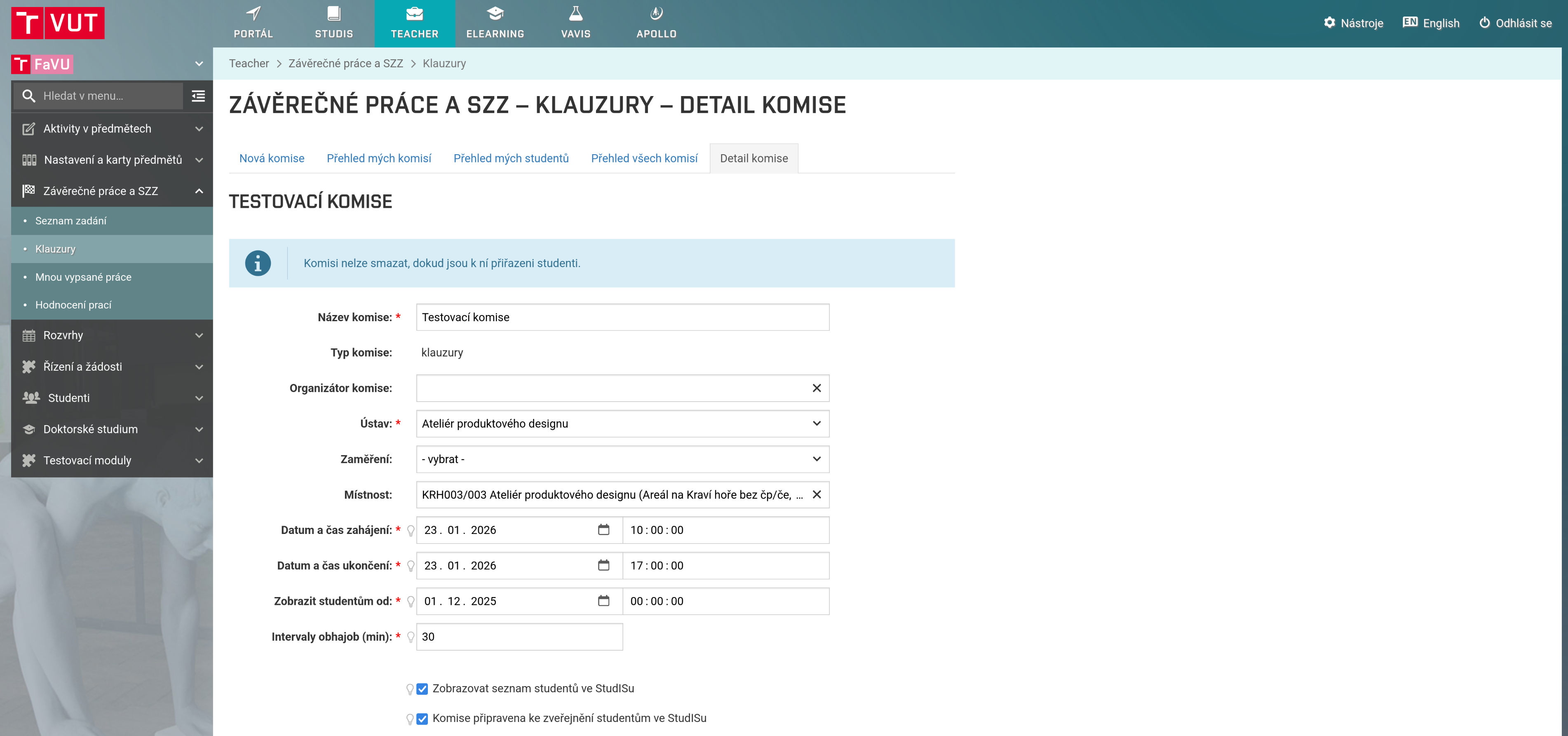
Details will be displayed, such as the date of the public presentation and the venue.
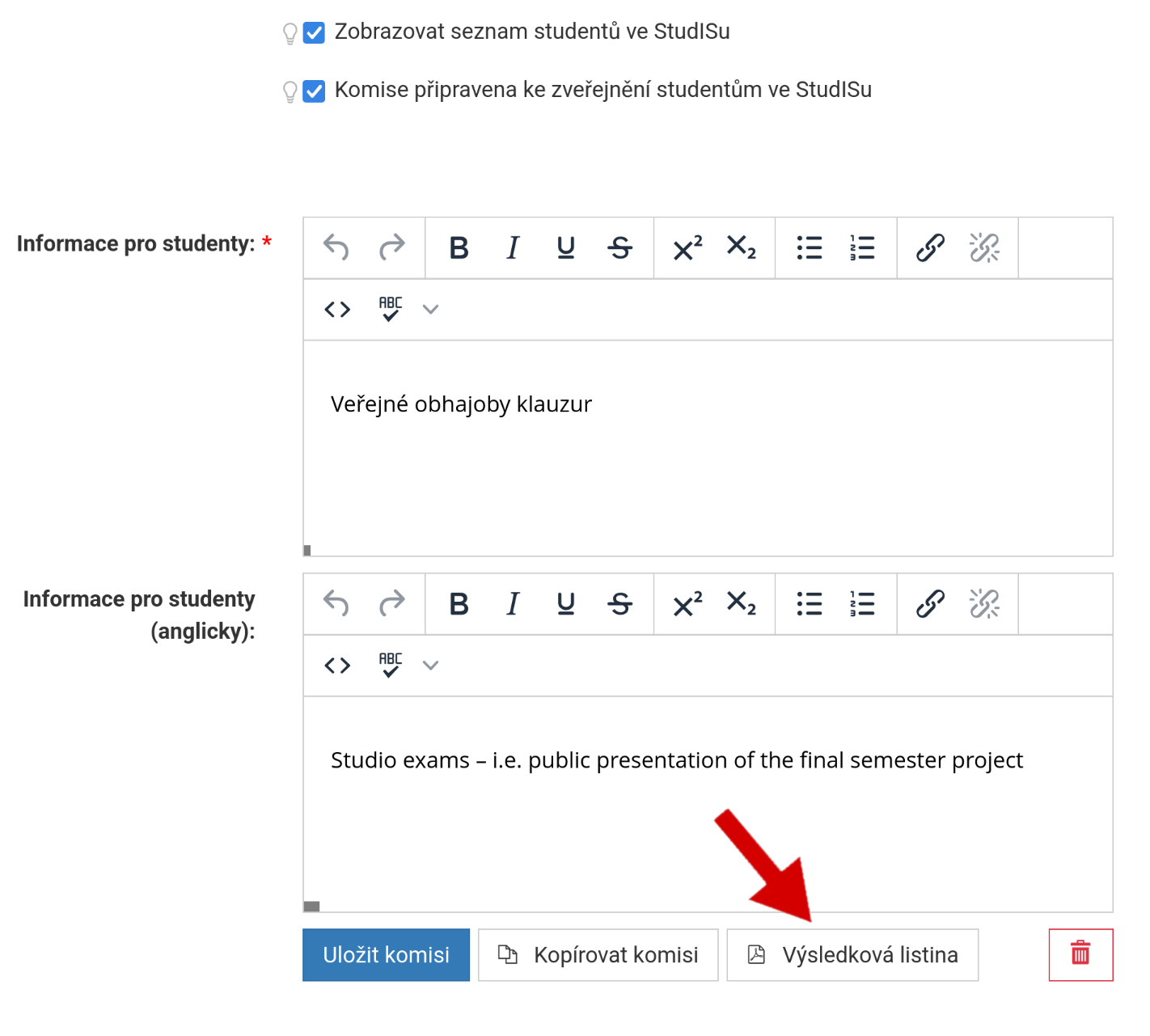
Below you will find a link to download the results sheet, which you can use as an aid.
Setting the presence of committee members
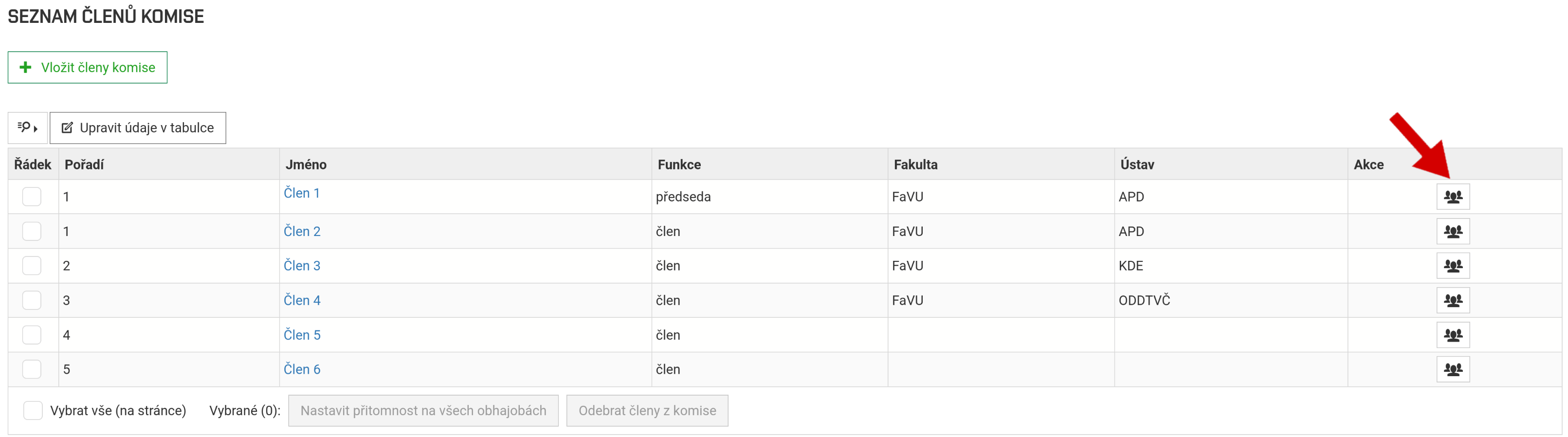
Below the details about the commission, you will find a list of members. The participation of each member must be set separately. Clicking on this icon will display a list of students in the current commission.
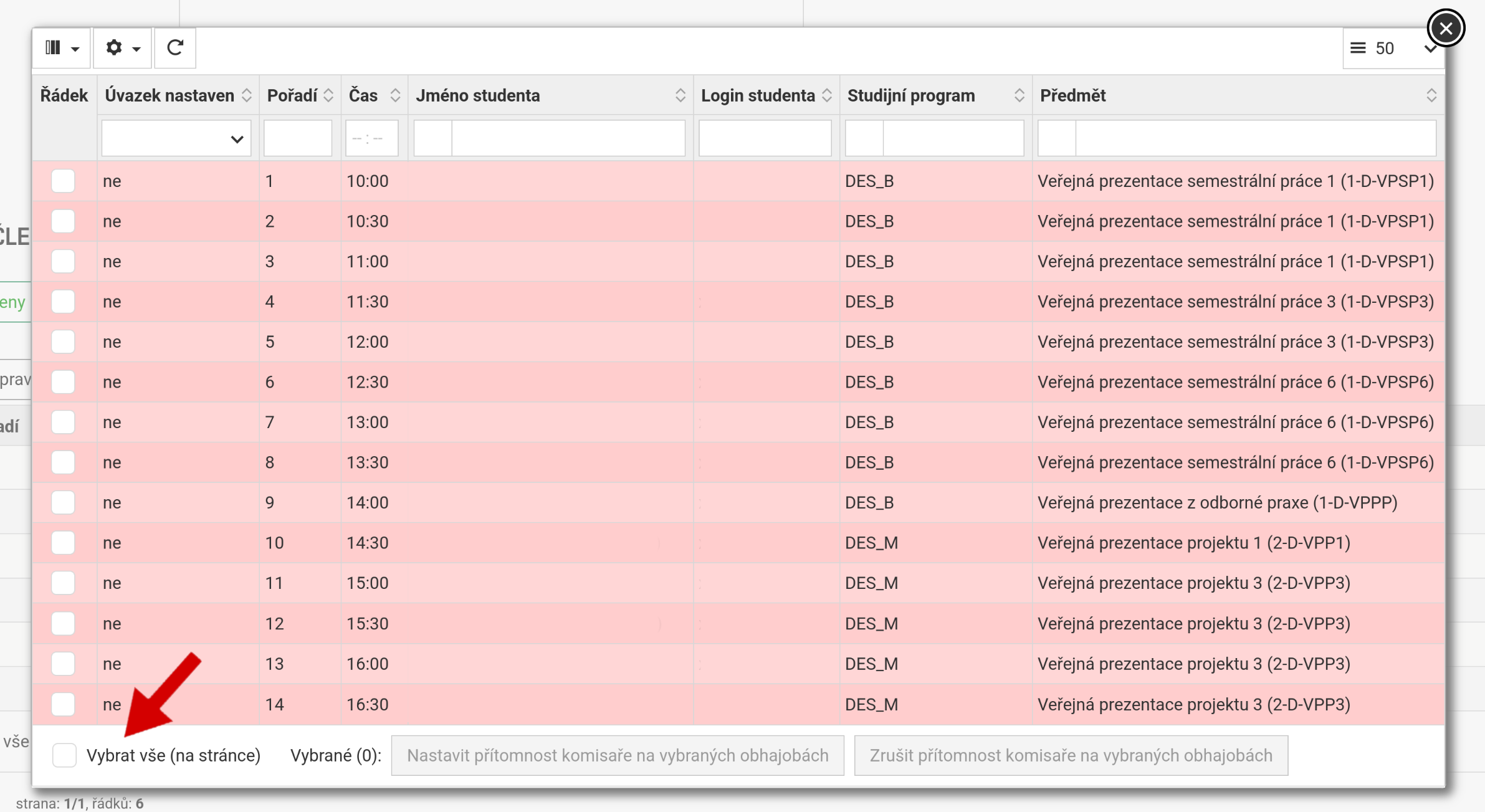
Then select the students whose presentations the commission member attended.
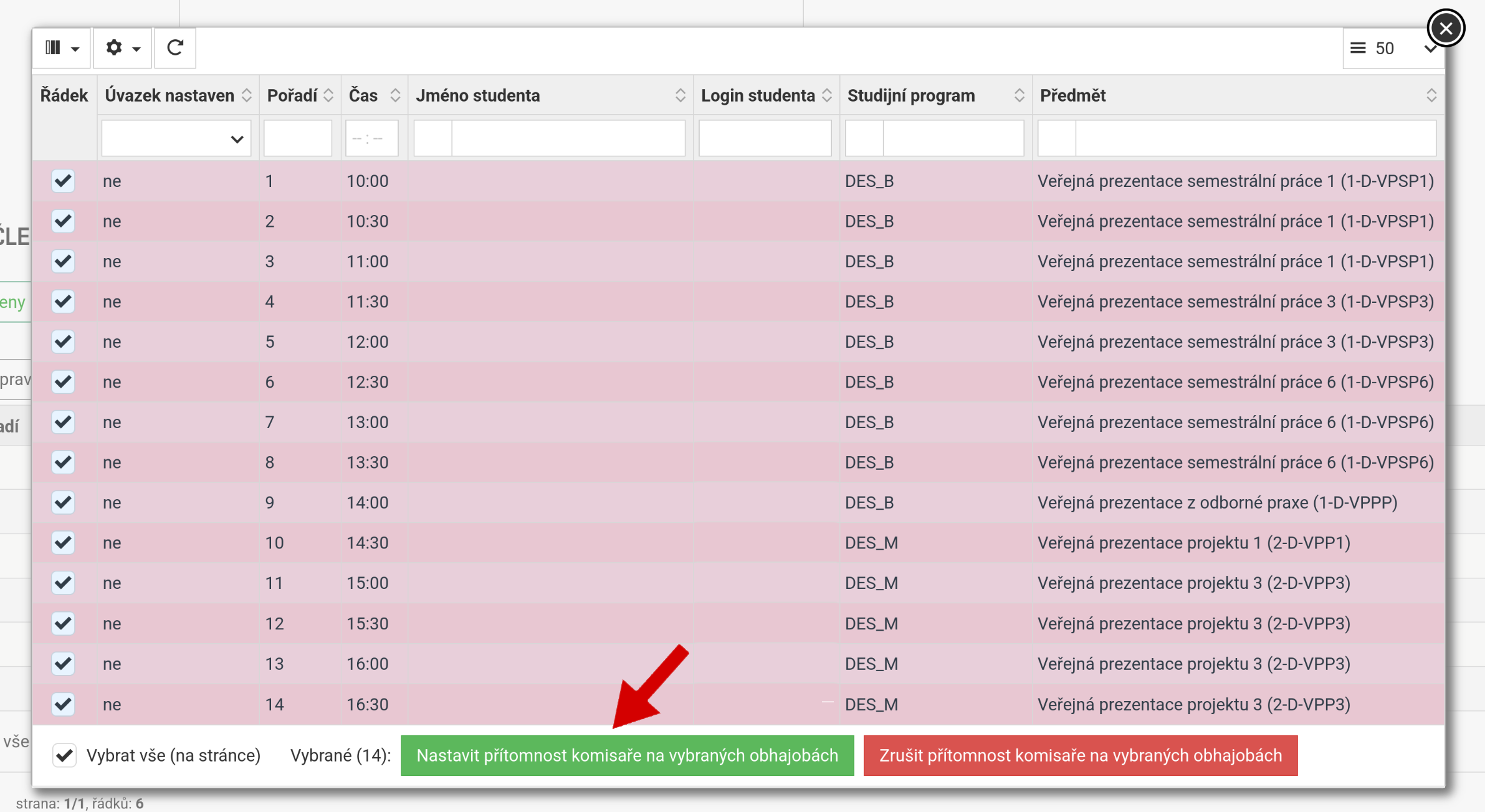
Save your selection by clicking on Set committee member participation in selected presentations.
The correct output is a table where the green columns represent the counted participation of the commission member.
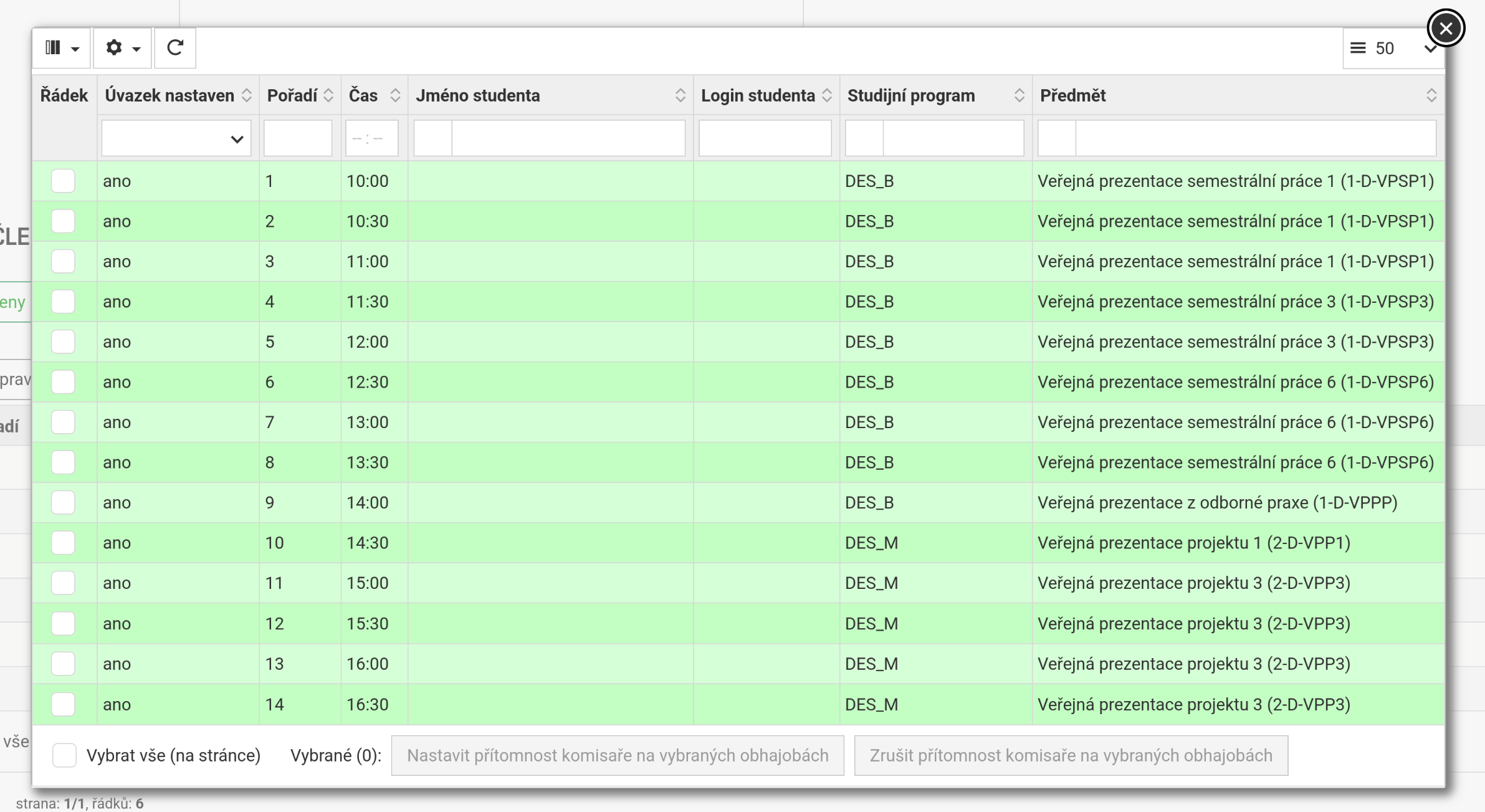
It is necessary to set this way for all members of the commission.
Student evaluation
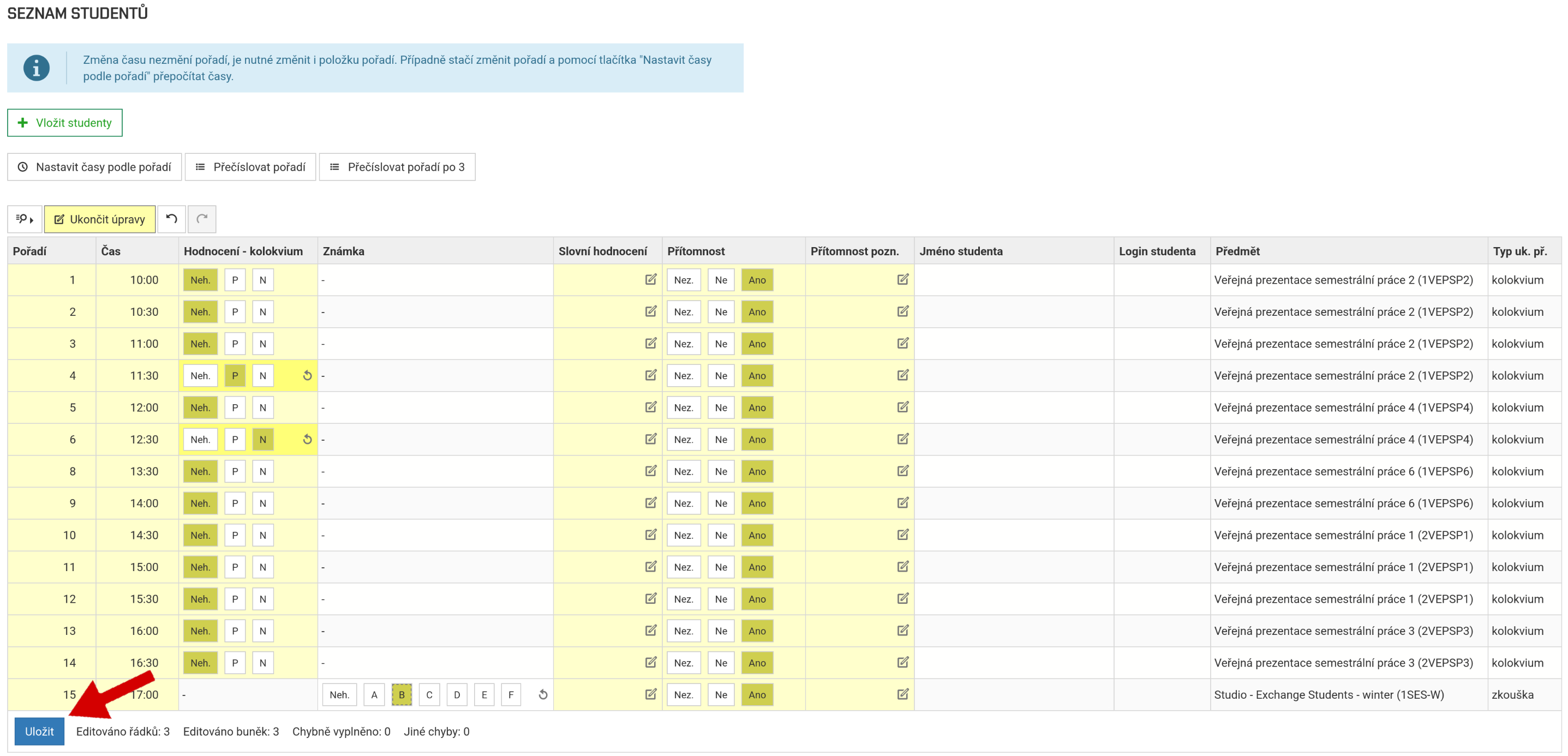
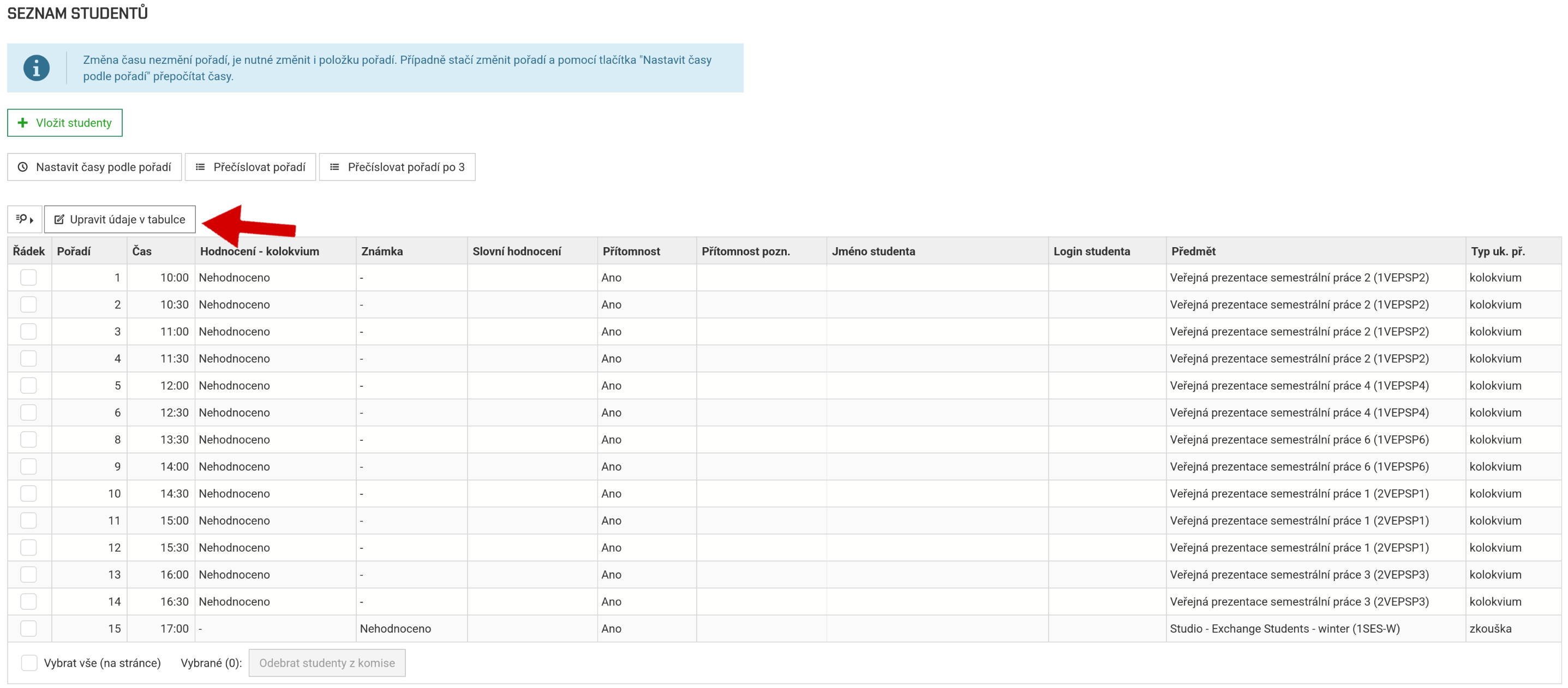
Below the table of commission member participation, you will find a table of students who will present their work to your commission.
After clicking on the Edit table data button, you can start entering evaluations.
The first step is to enter the student's attendance and, if necessary, you can add a text comment about their attendance.
The second step is to enter the evaluation itself, which depends on the course associated with the public presentation in the given semester. You can also add a Text comment to the student's assessment, which will the student see in their electronic index.
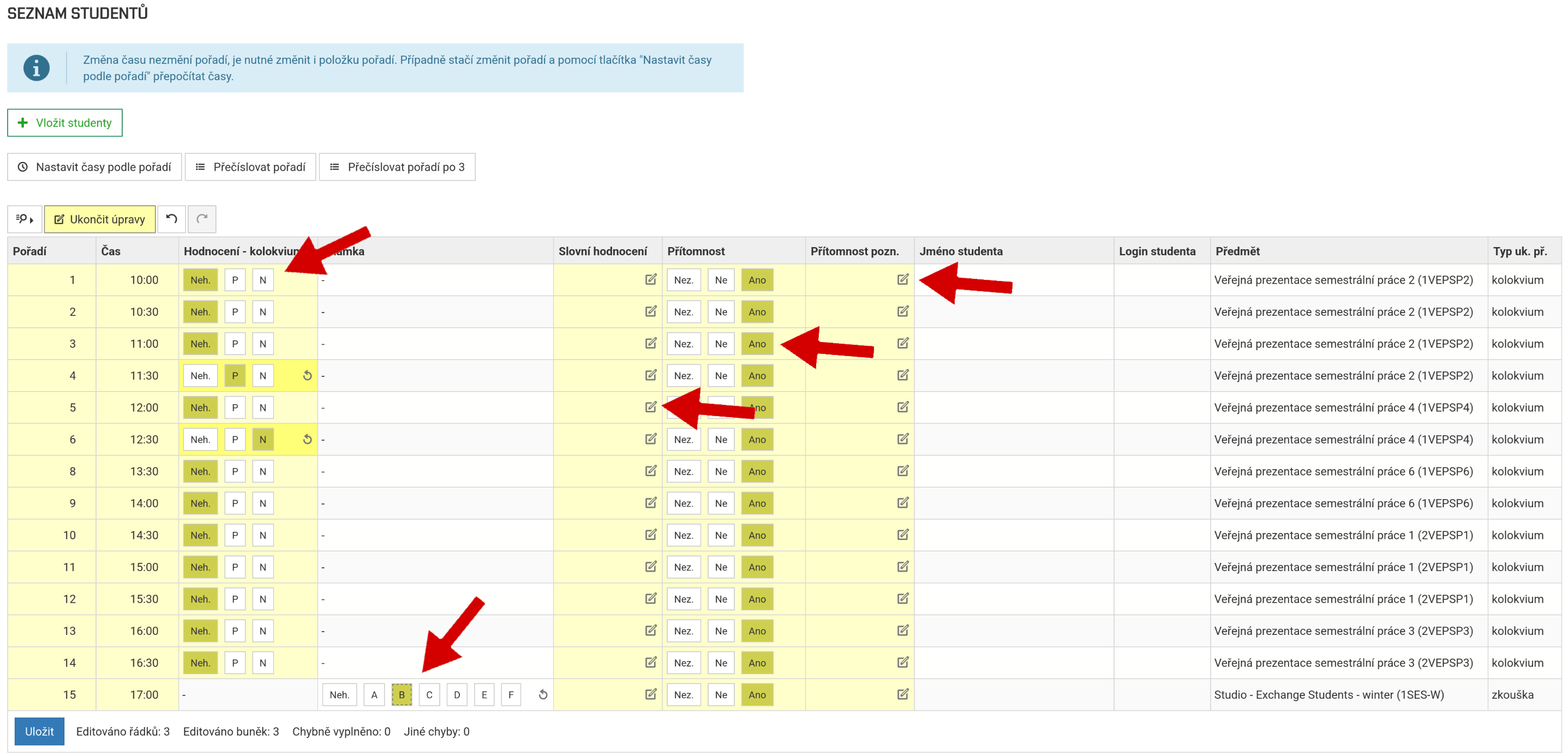
If you are satisfied with the evaluation, click the Save button to save the entire evaluation.
The participation of committee members and student evaluations must be completed on the day of the public presentation.