
The final project submission
Log into the StudIS app and make sure you have your FFA faculty set up (logo on the far left)
In the left menu, select the option My final project, Work detail
Here you can see the details of your project
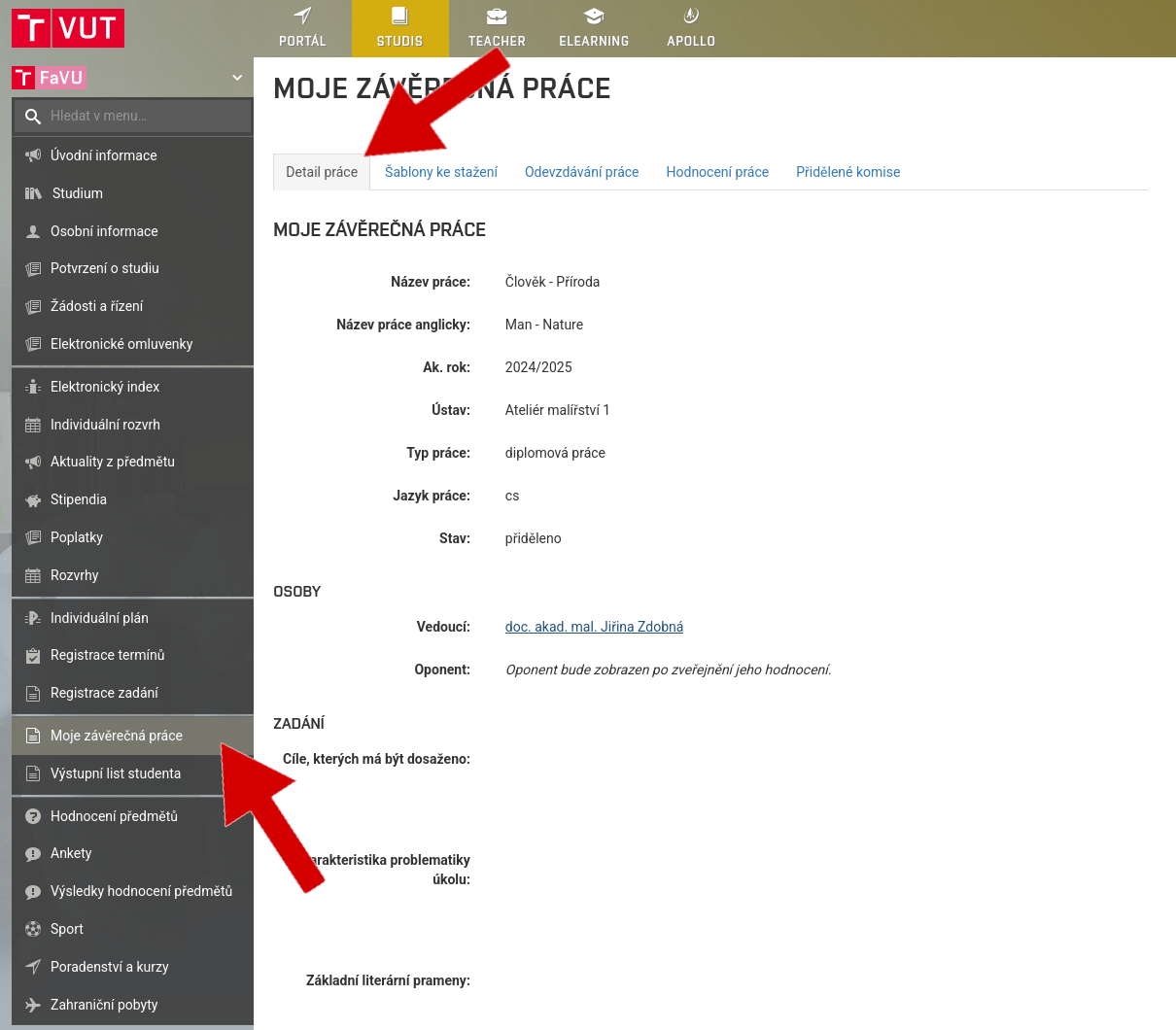
Check the title page in the thesis according to the data from IS BUT
Set your Department

Insert Thesis title, Type of thesis, Your name including titles, The supervisor of your work and their titles and update year of work for 2026

When you're ready to submit your work, go to the
Fill in the fields Keywords, Keywords - English, Abstract, Abstract - English and click on Save
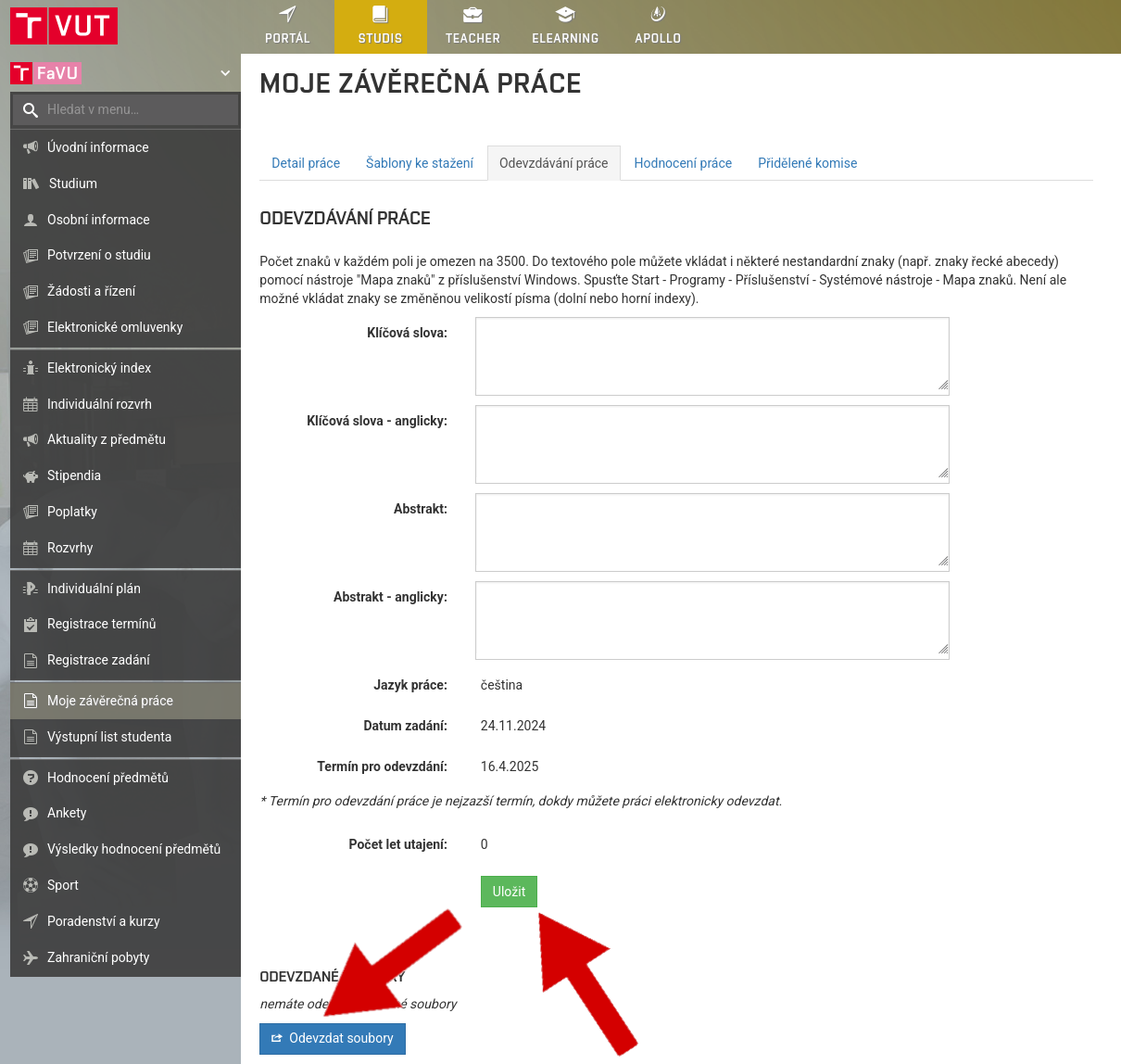
Then click on Files submission
Insert the text of your work in PDF format
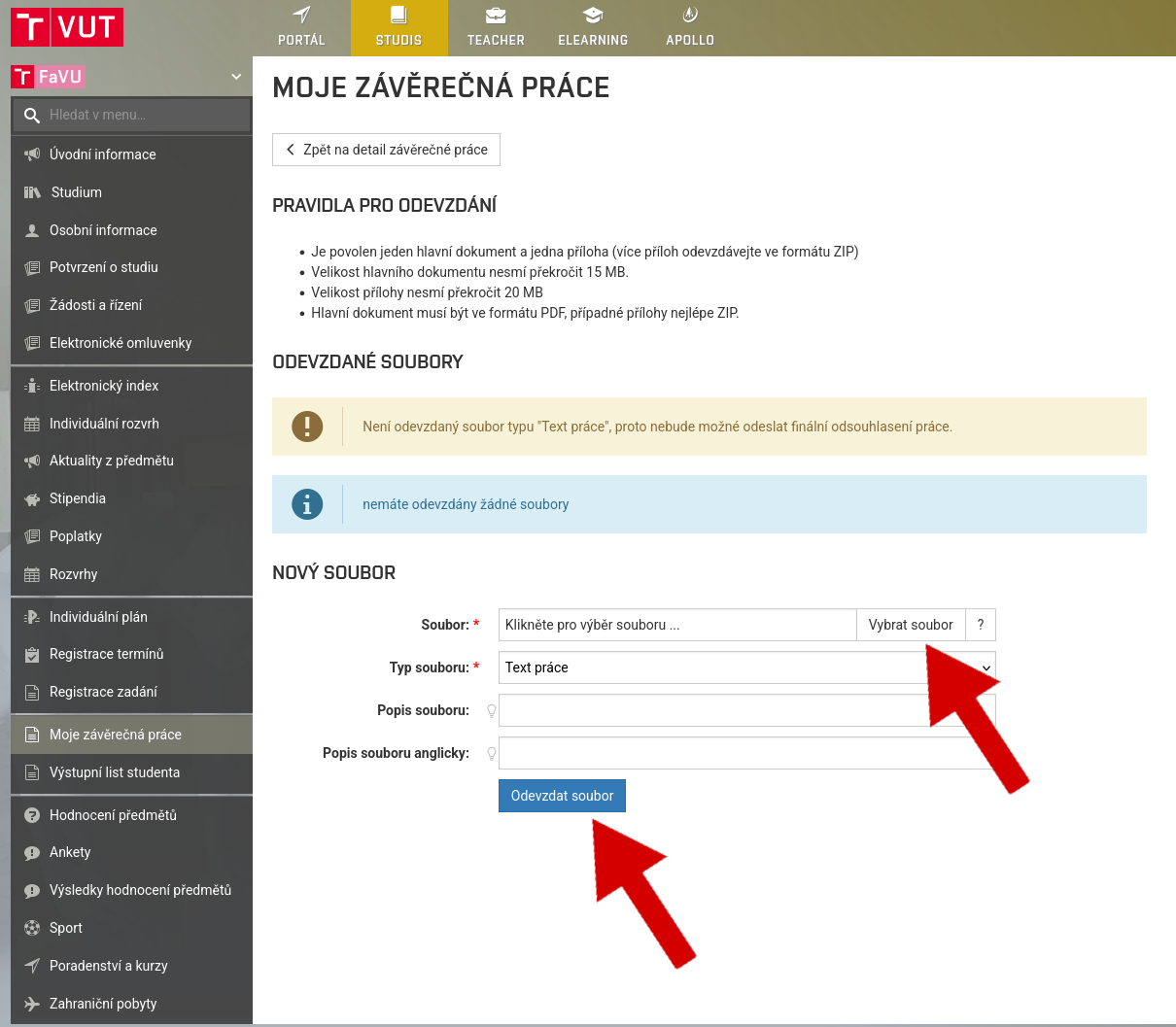
If you are uploading attachments, select File type Appendix and upload attachments to the thesis
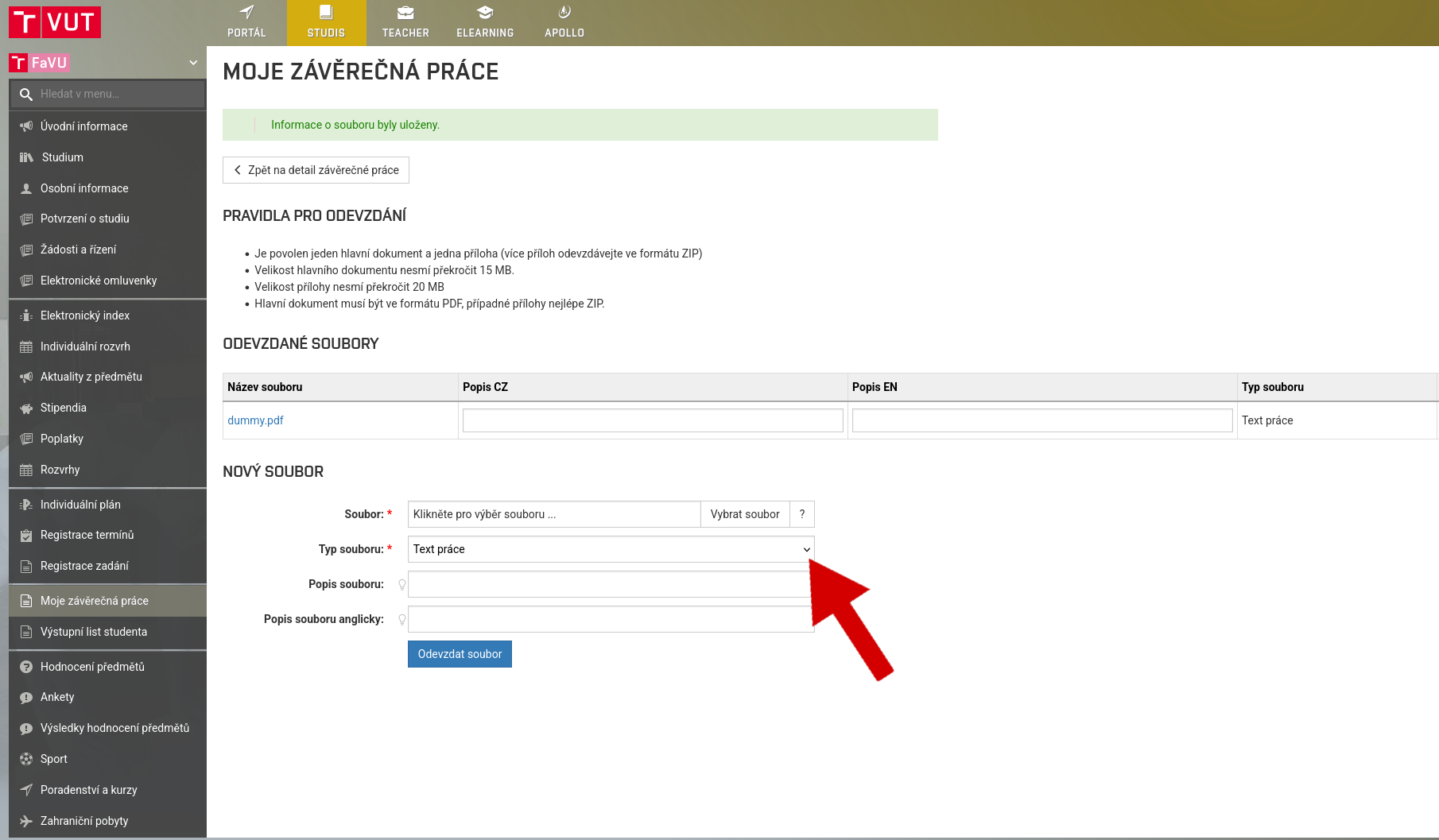
Fill in the field Description for individual uploaded files
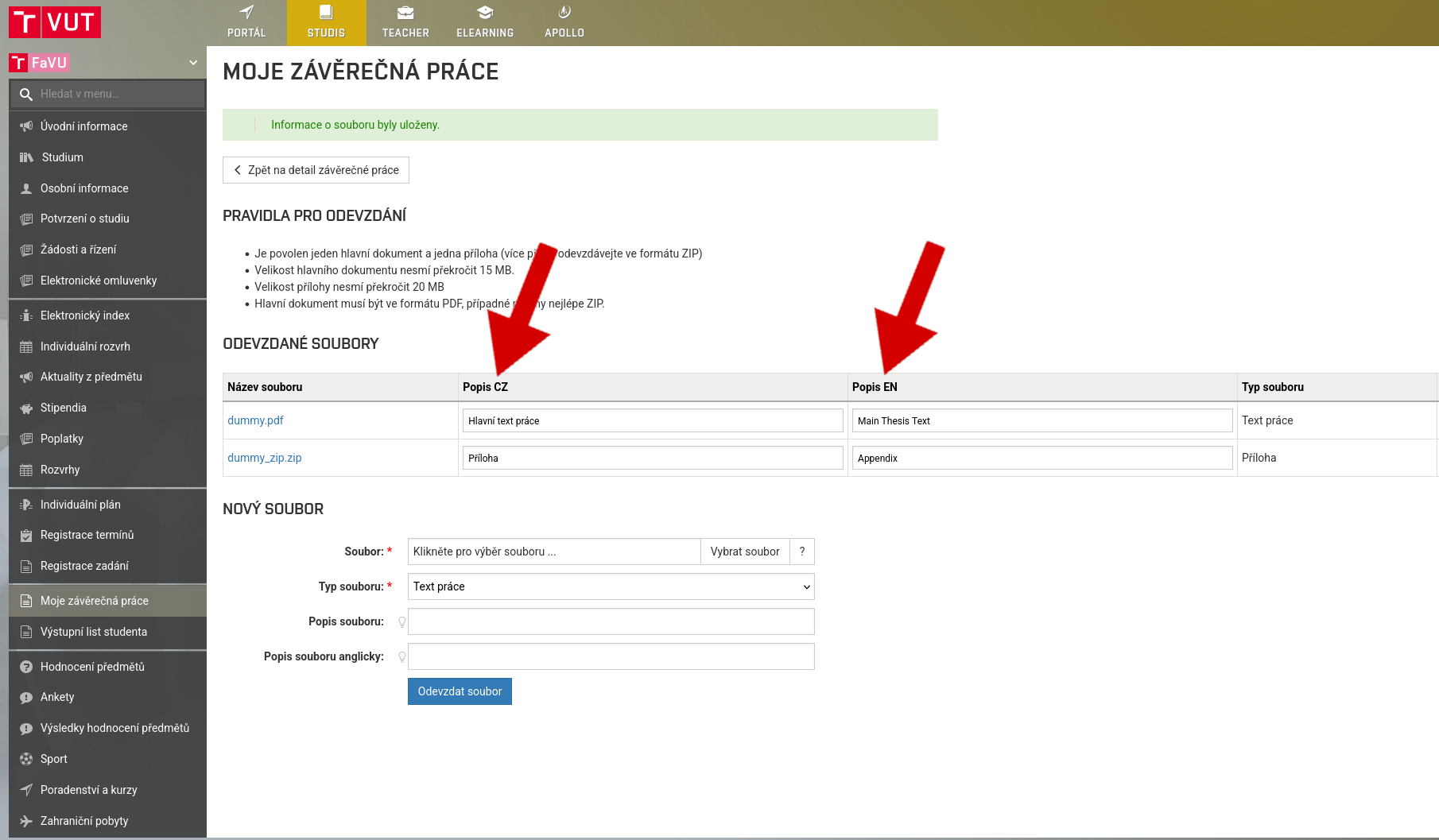
In the left menu, select the option My final project, Work detail
Check uploaded files, confirm approval and click on Send Approval
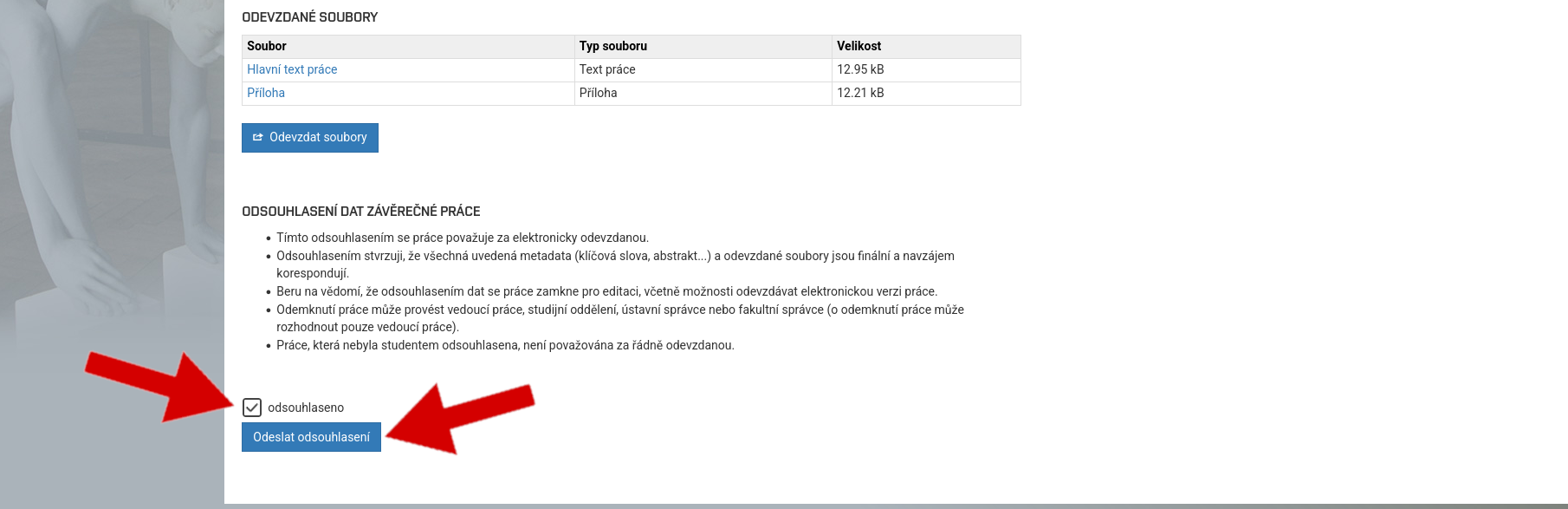
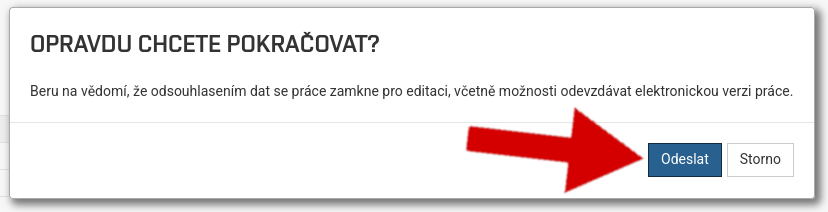
By click on Send the work will be locked and cannot be changed
If you receive a confirmation, you have successfully submitted your thesis and can proceed to the final state exam
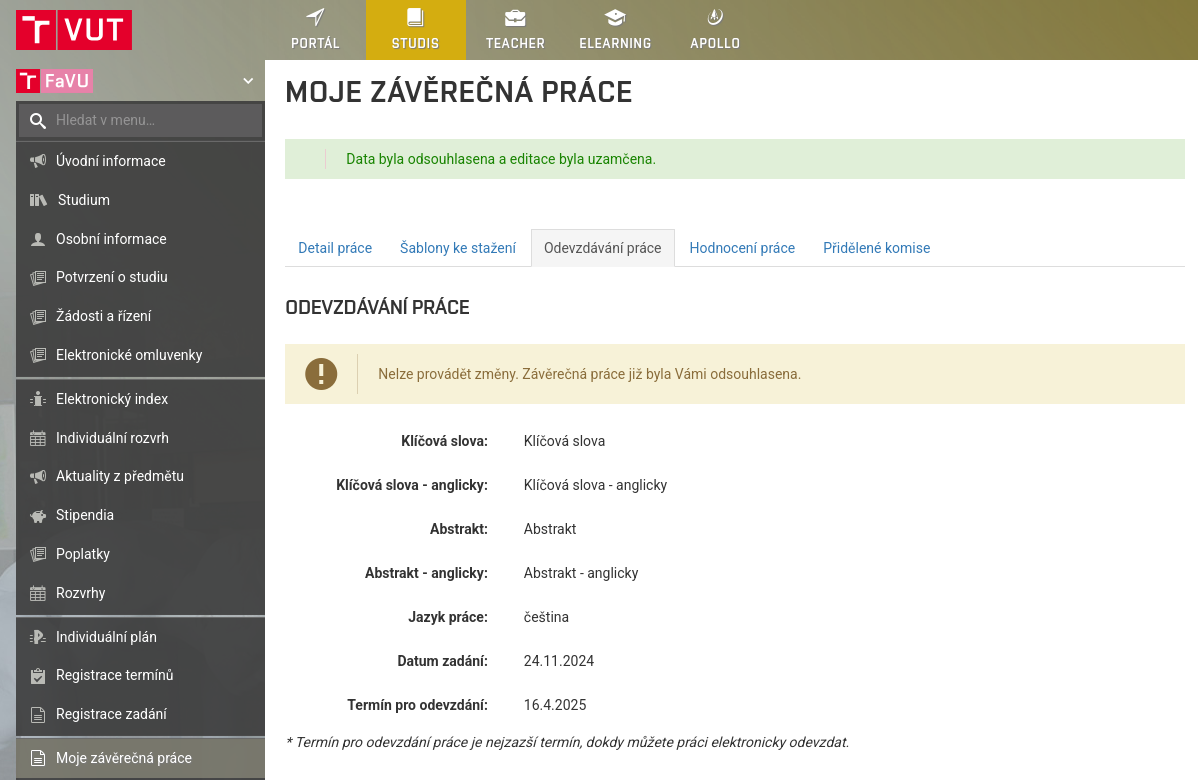
You will not be admitted to the state final examination without a submitted thesis
Documentation for the course of the defence during the state final examination in the case of theses of a special nature is submitted in a special way