
Giving the Public presentation subject credit
Log into the Teacher app and make sure you have your FFA faculty set up (logo on the far left)
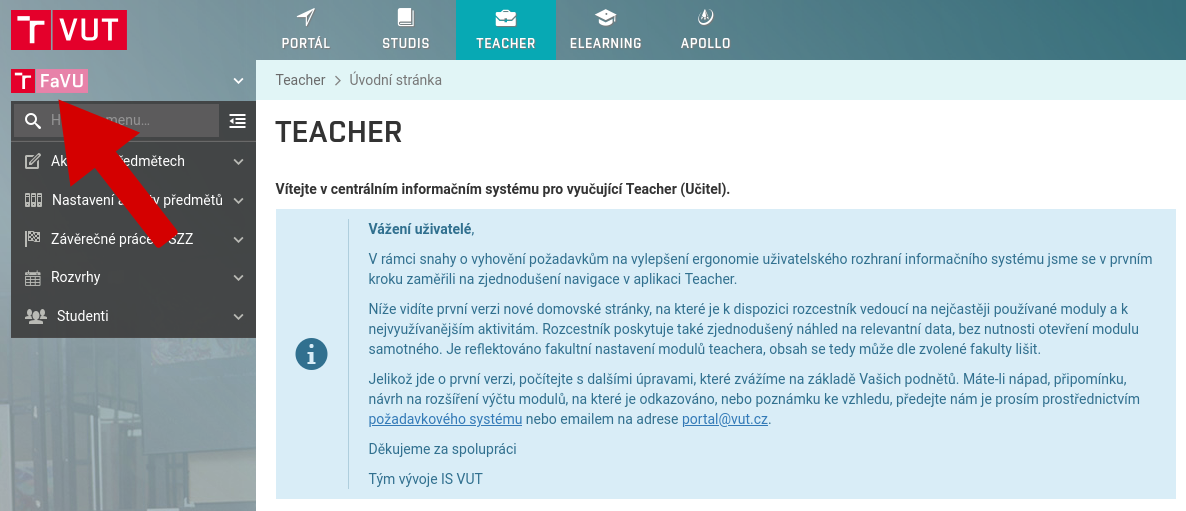
In the left menu, select the option Course activities, Student evaluation
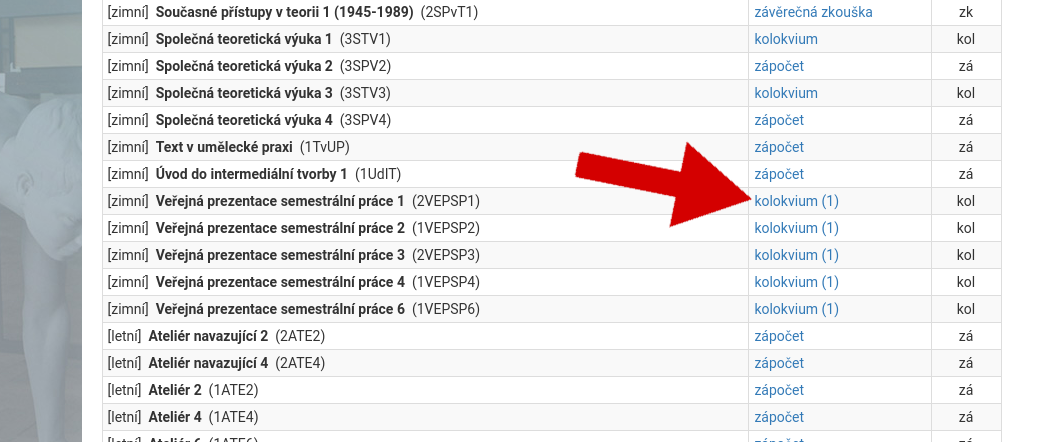
Select Semester Projects Presentation and click on colloquim
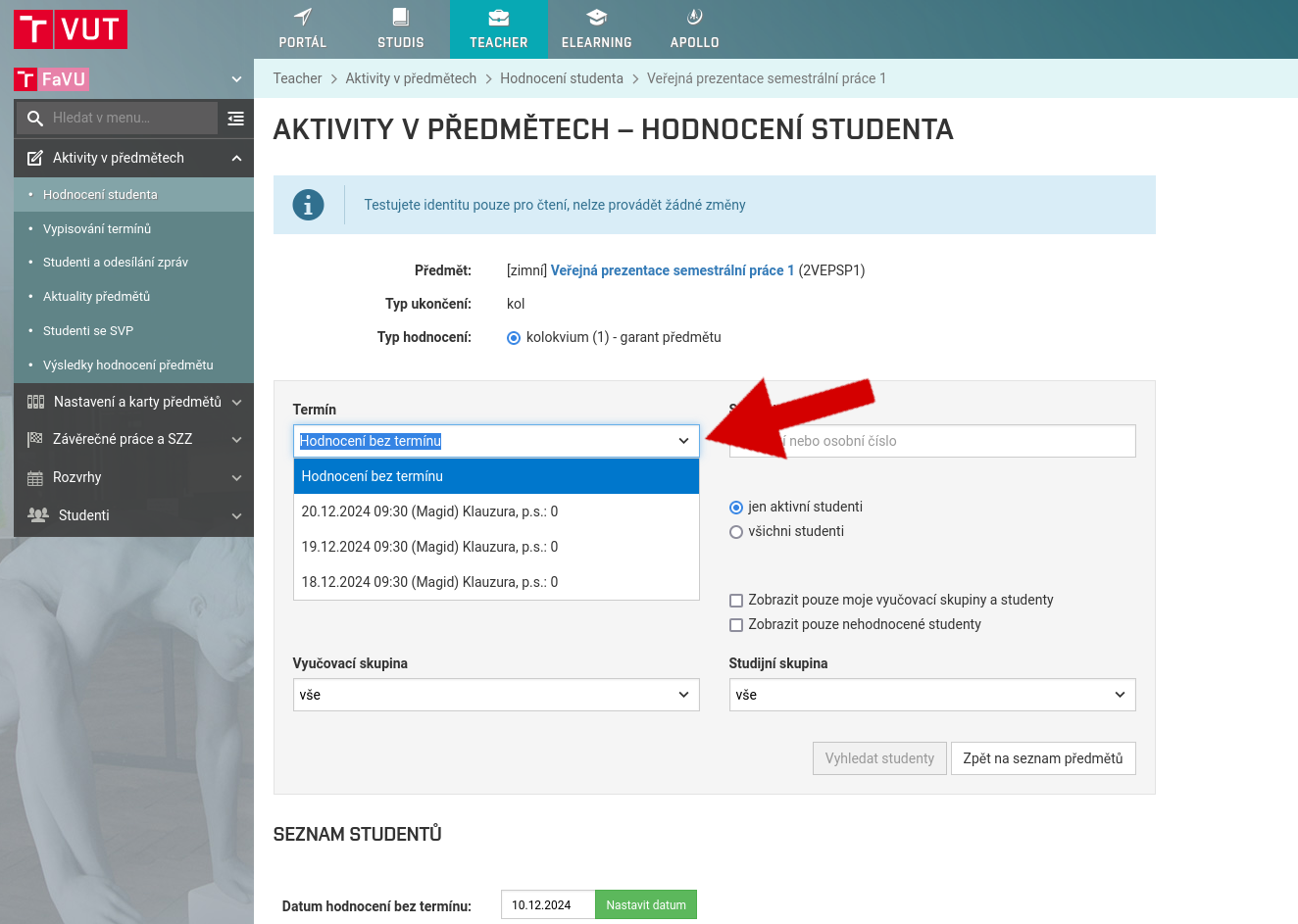
Choose term time of colloquim
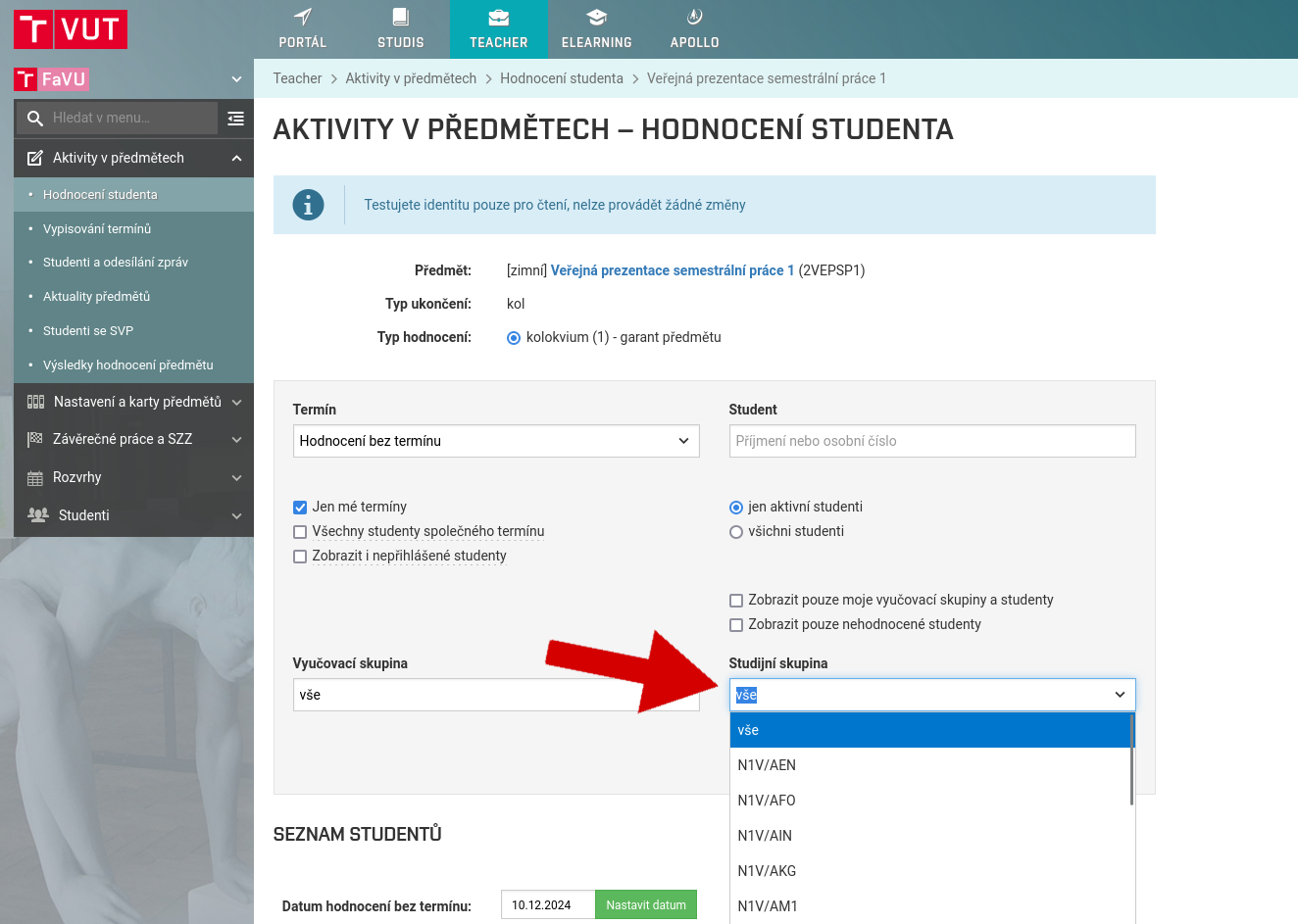
Choose atelier, Study group
At the bottom of the page you will find a list of students. Give your rating.
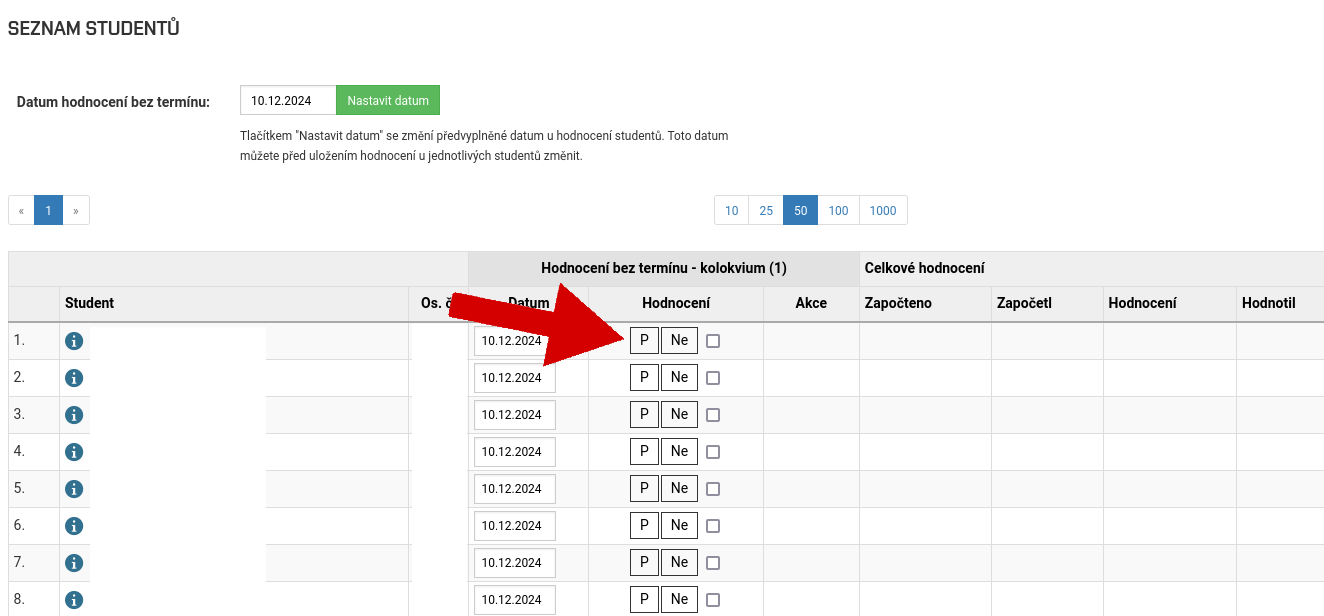
Save your rating (floppy disk icon)
In order to award a grade in the Public Presentation course to students from other ateliers of FFA who are on placement with you, it is necessary to filter out their home atelier from the list (this information can be found in the list of students on the Public Presentation results list).