
What can you expect at the beginning of the academic year?
You must complete the following steps, whether you are advancing to the next year or just beginning your studies at FFA
Without these steps, you will not be able to continue your studies
1. First round of registration for compulsory optional courses
Register for Compulsory optional courses by the predetermined deadline
For more detailed information, see the courses tab
2. Second round of registration for compulsory optional courses and enrollment
In the second round, register for compulsory optional courses
If you have correctly registered your compulsory optional courses, you can proceed to enroll in the next academic year
If you are currently in your 0th year, i.e. you are starting your bachelor's or master's degree at FFA, you can proceed to step three
The most important step is to confirm your enrollment in the next academic year
At the beginning, after clicking on the Enrollment tab, you will see a sea of red
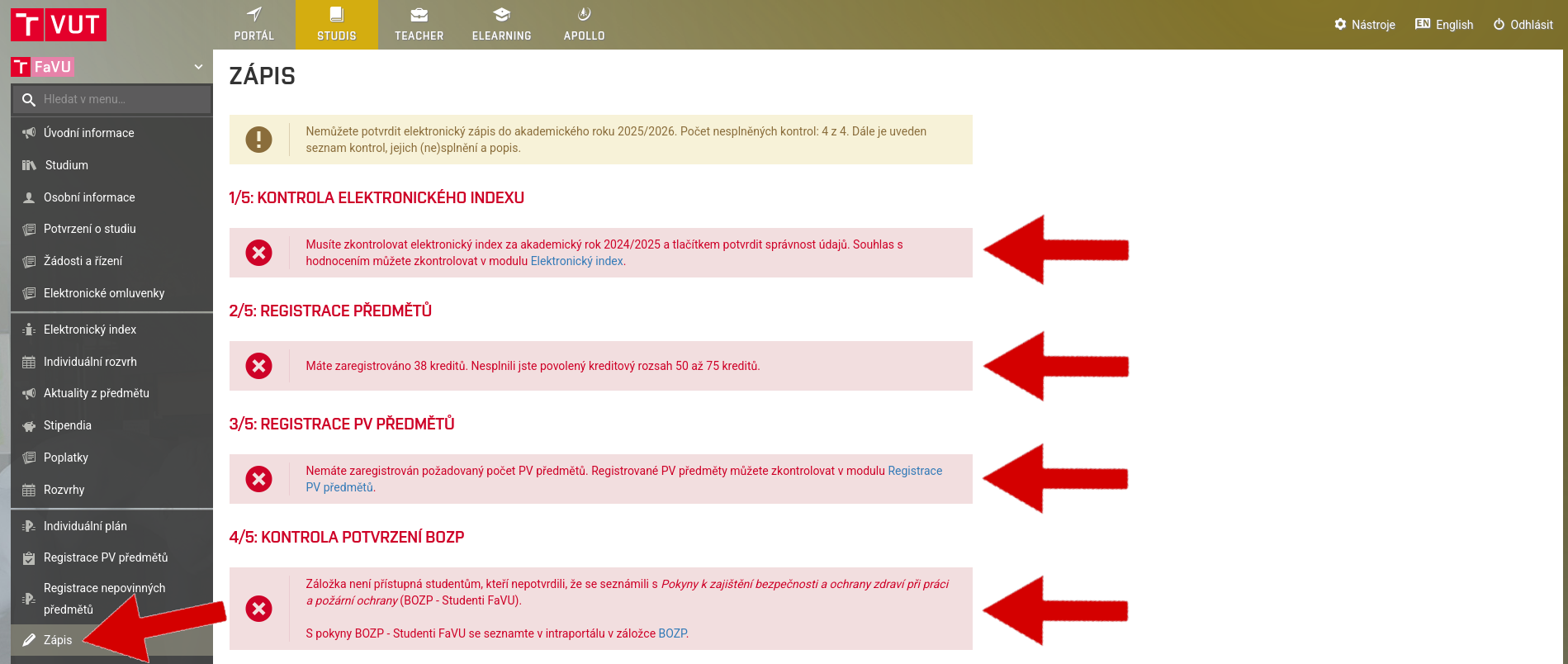
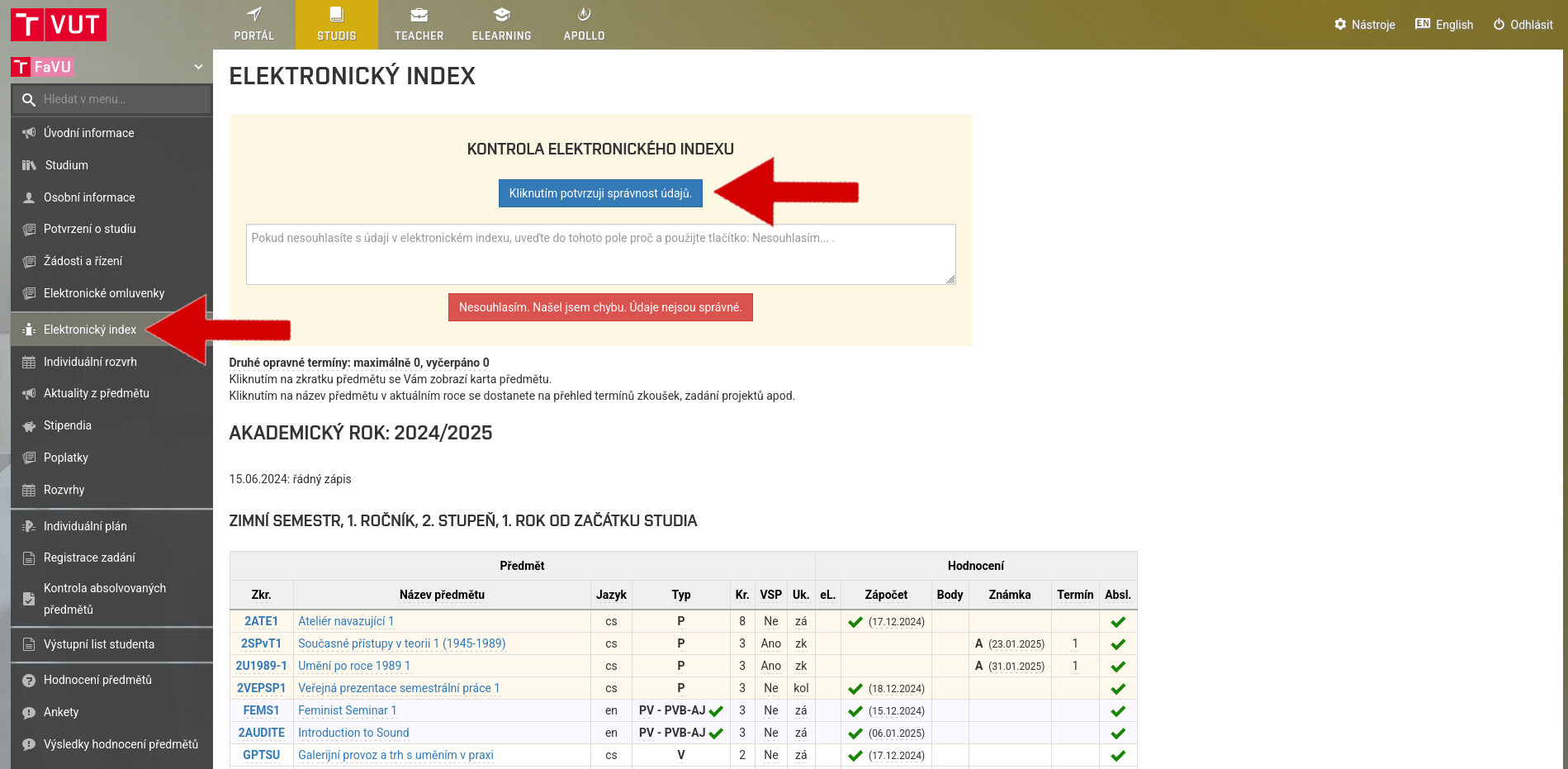
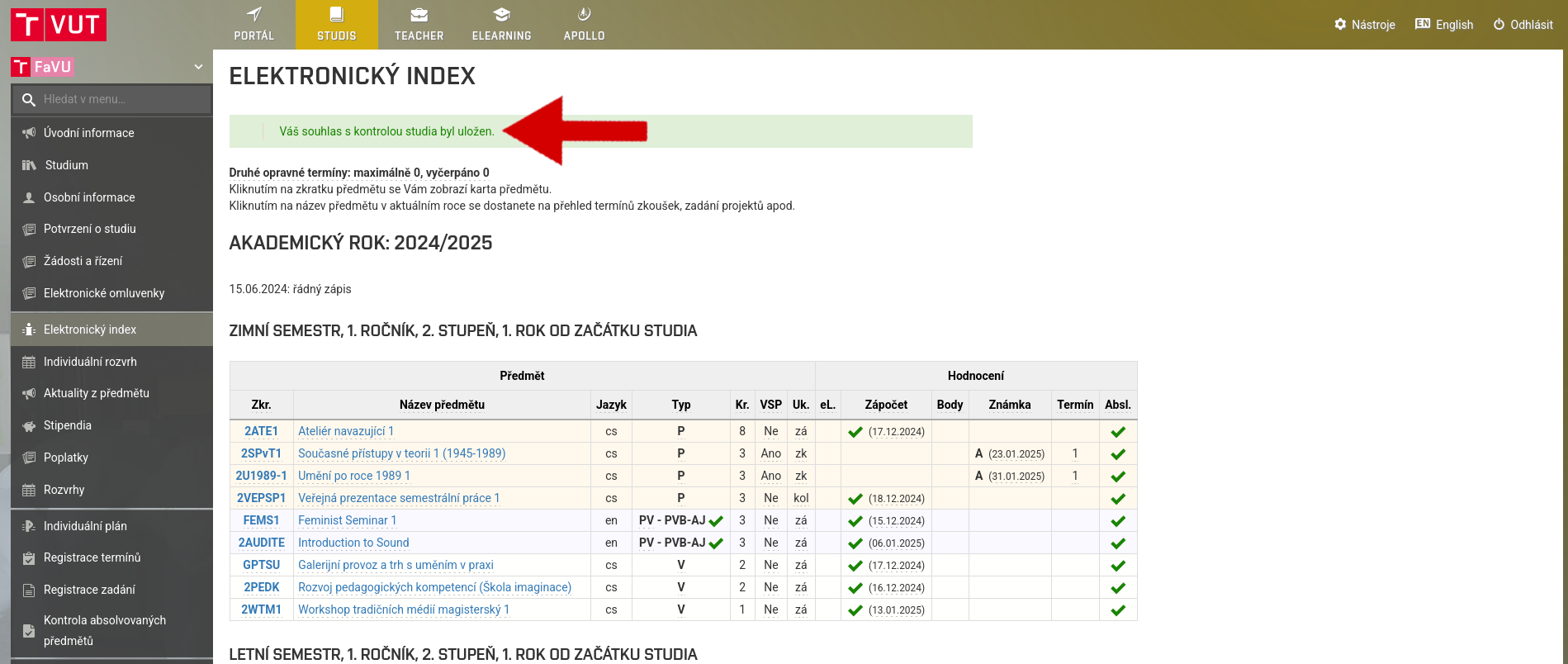
First, confirm your electronic index for the past academic year
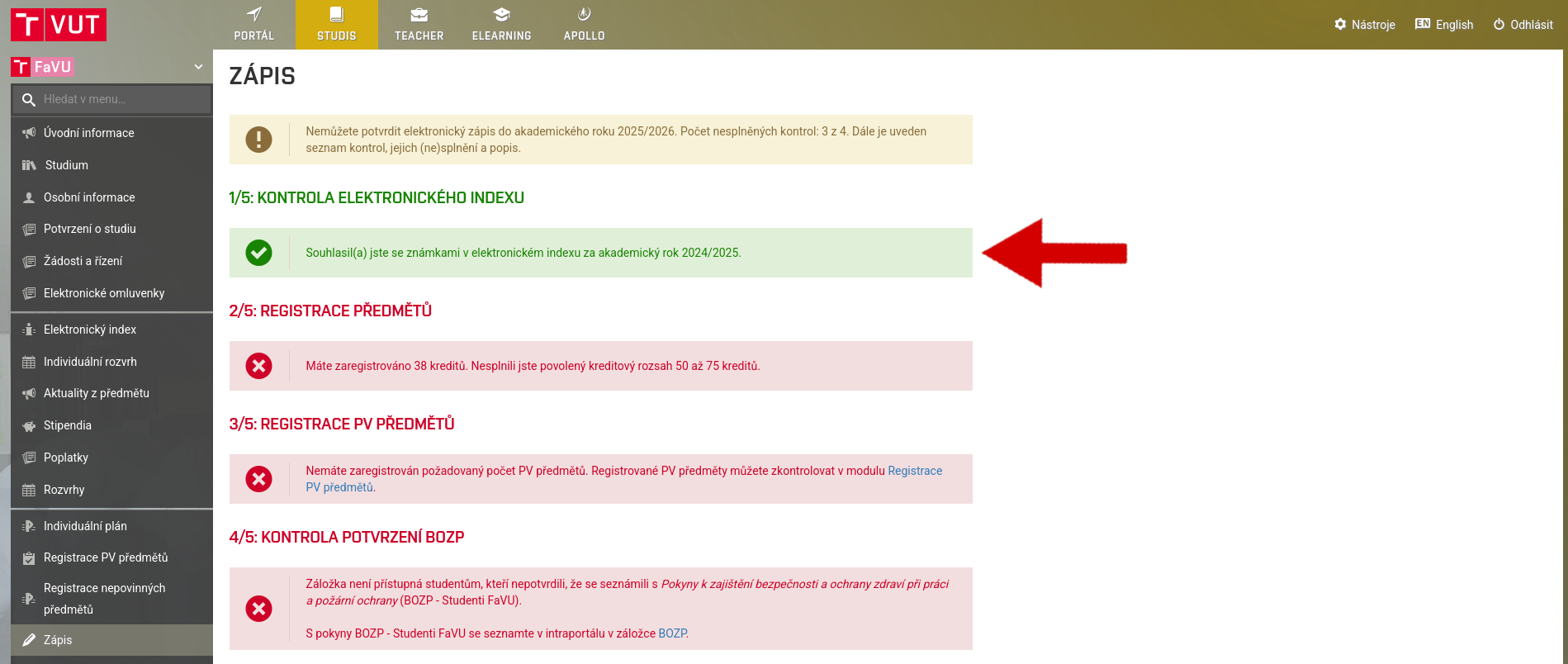
Complete the registration of compulsory optional courses so that the system does not report any errors
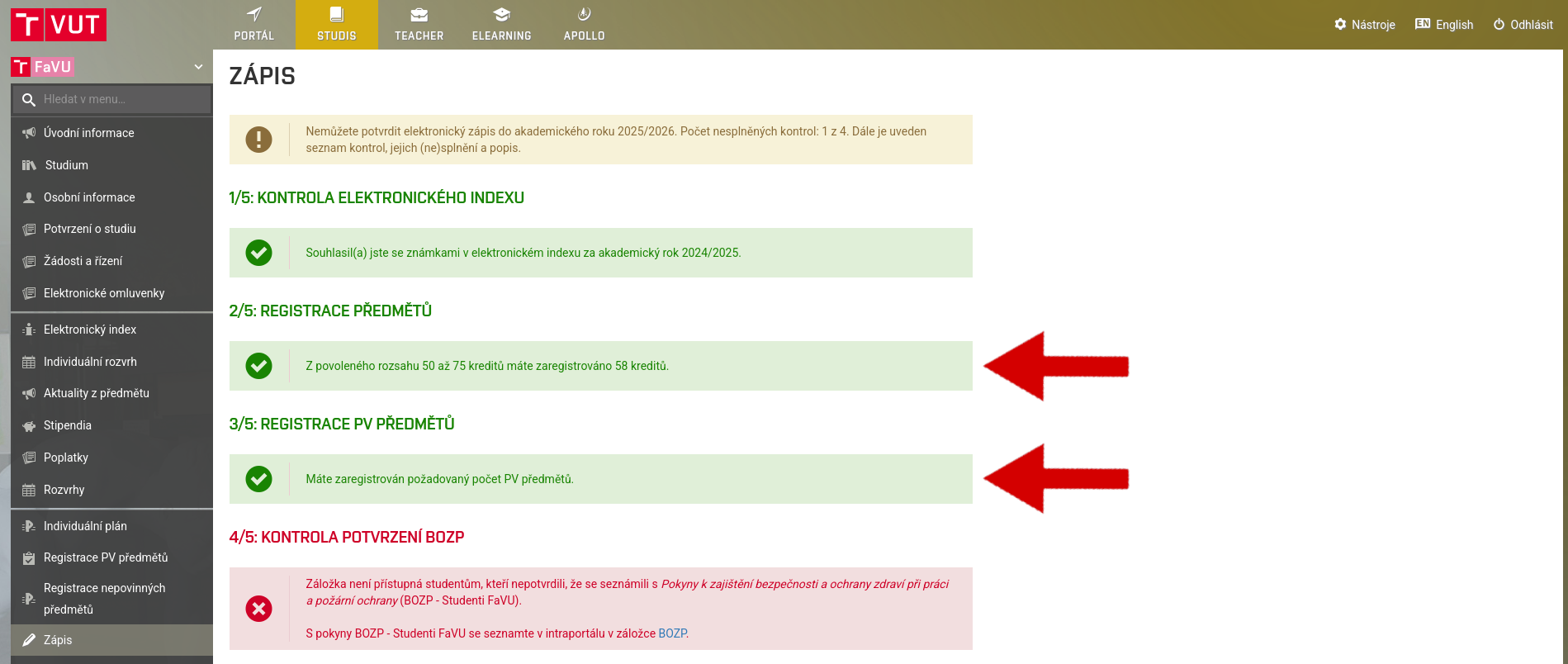
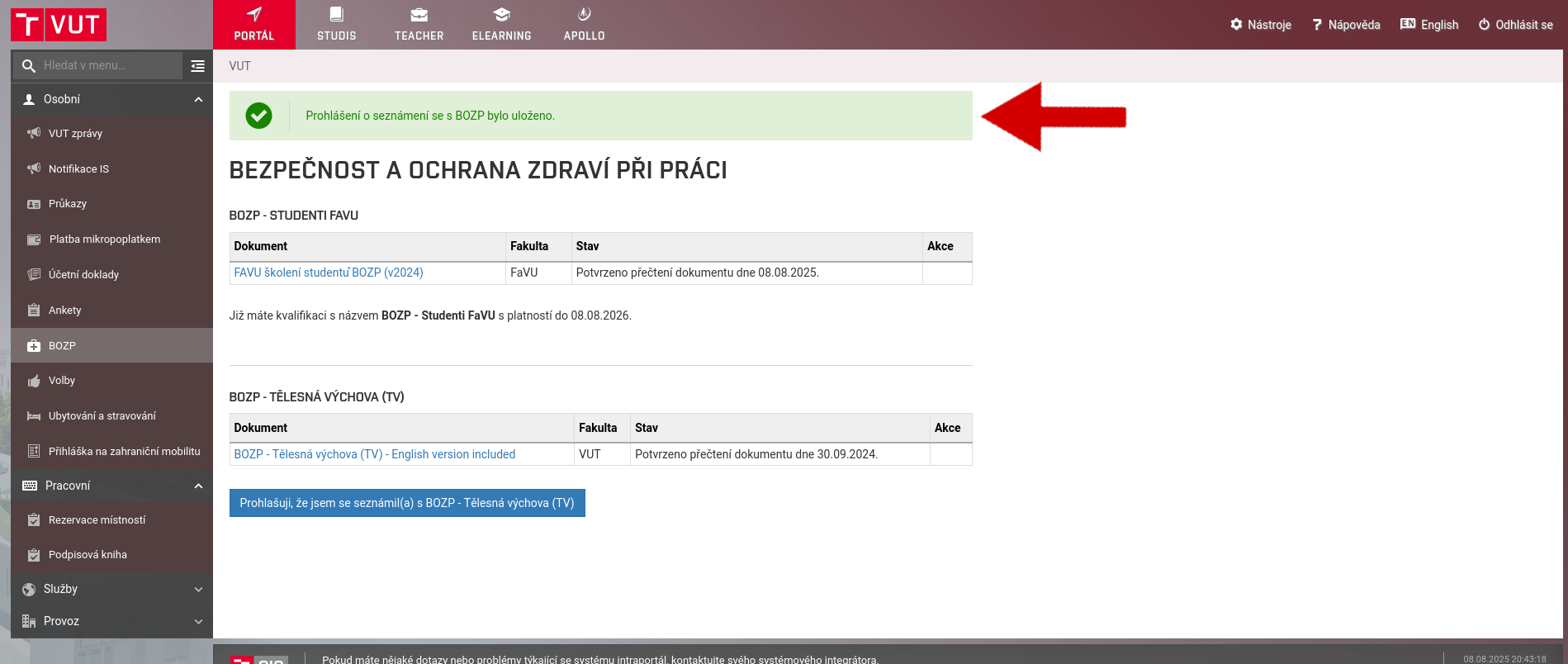
Check the validity of your BOZP and confirm it if necessary
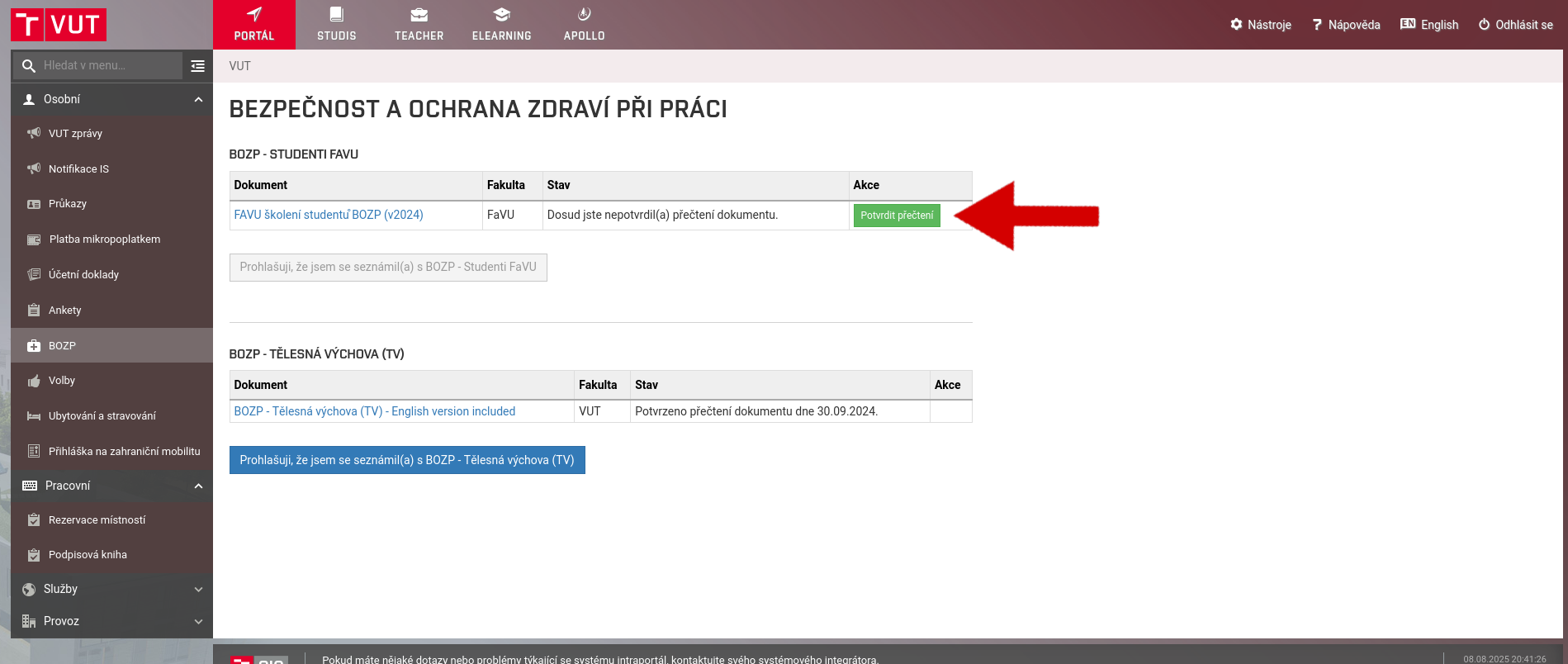
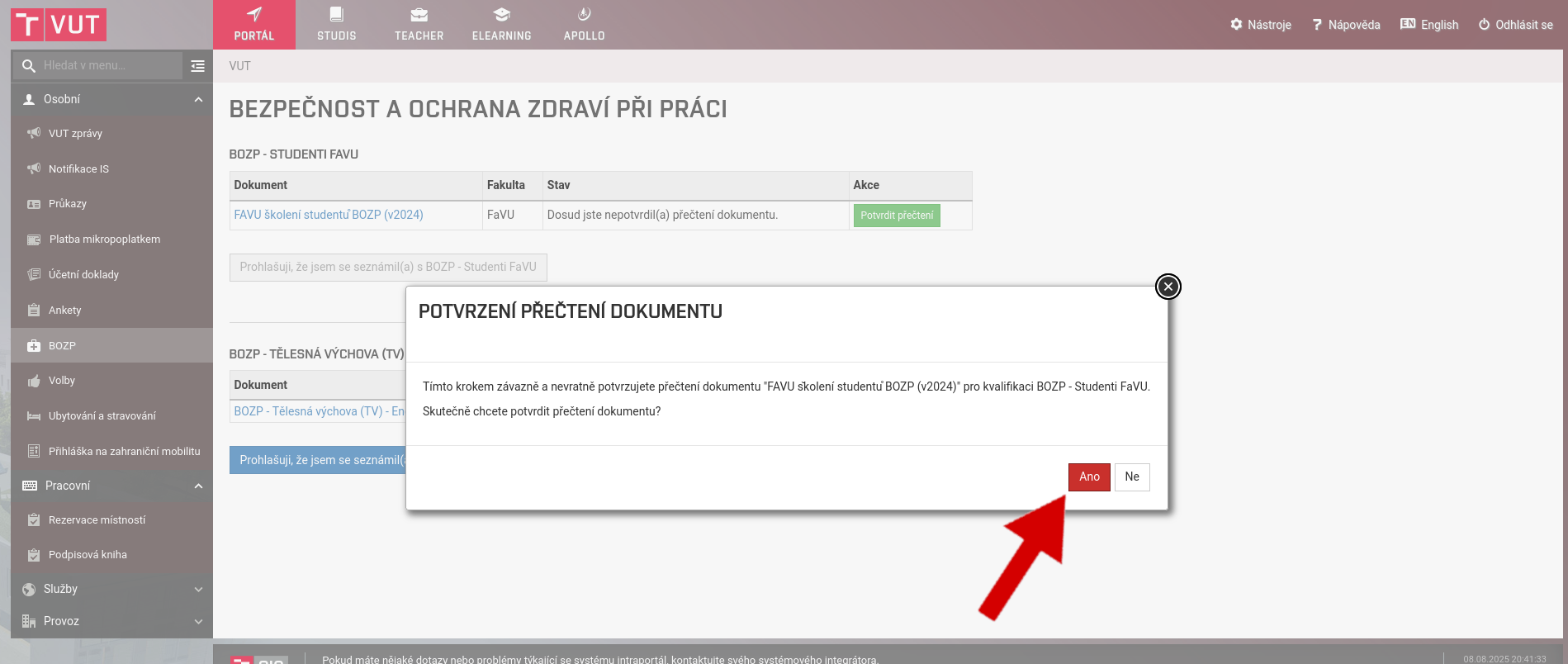
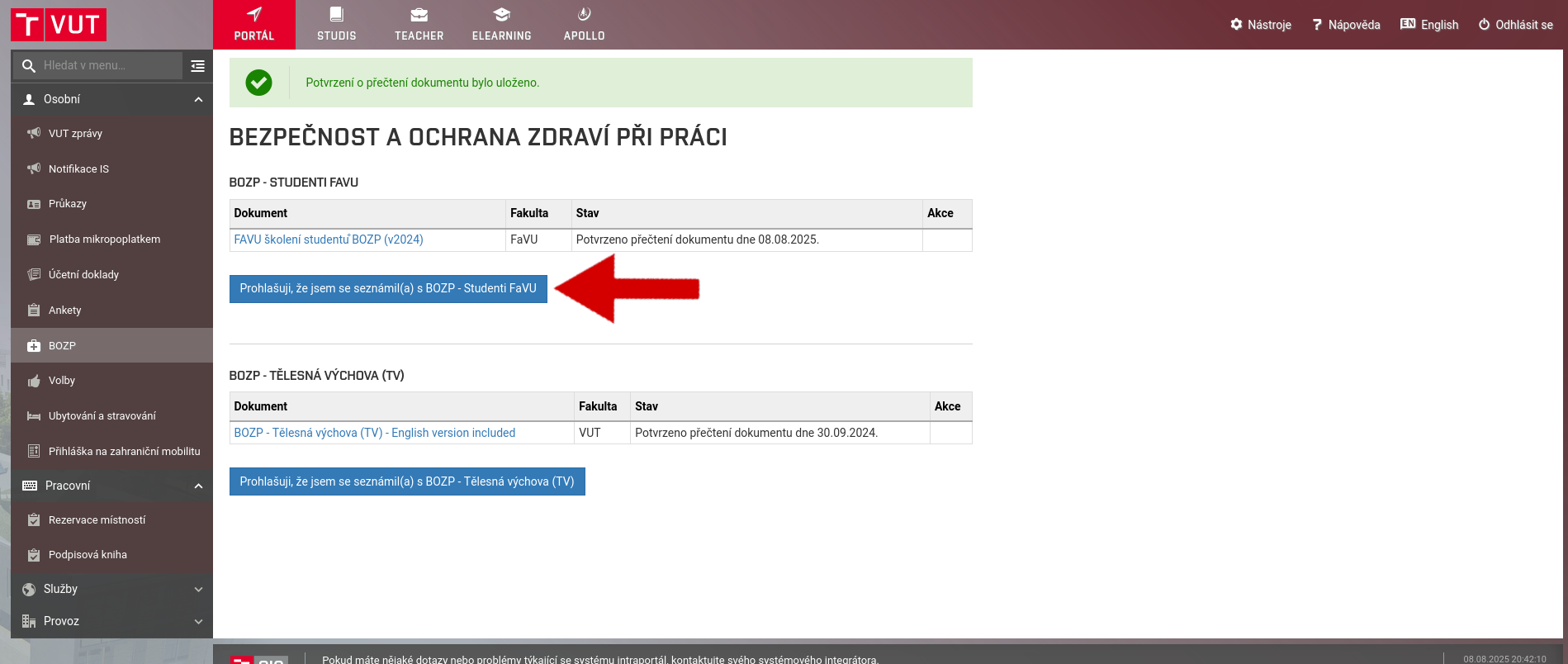
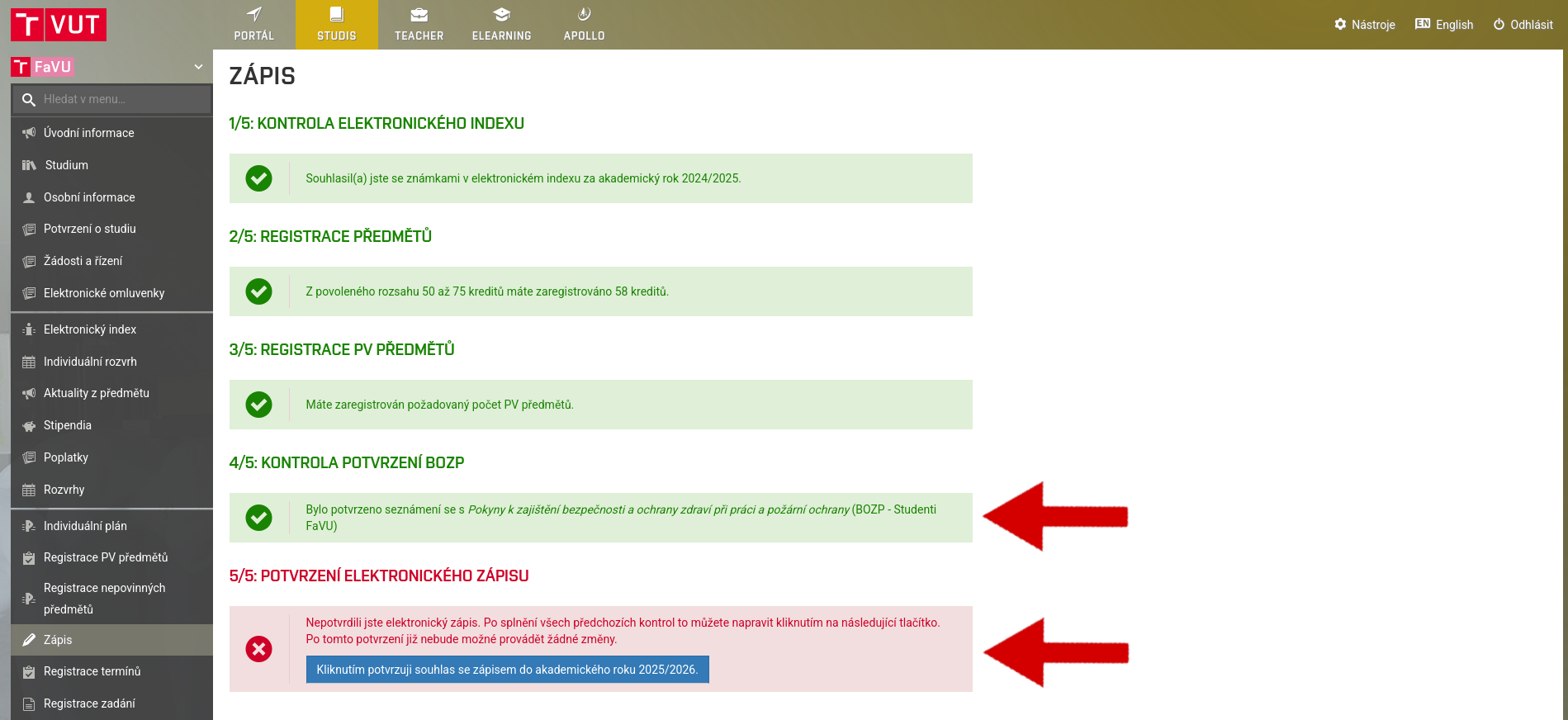
Confirm electronic registration
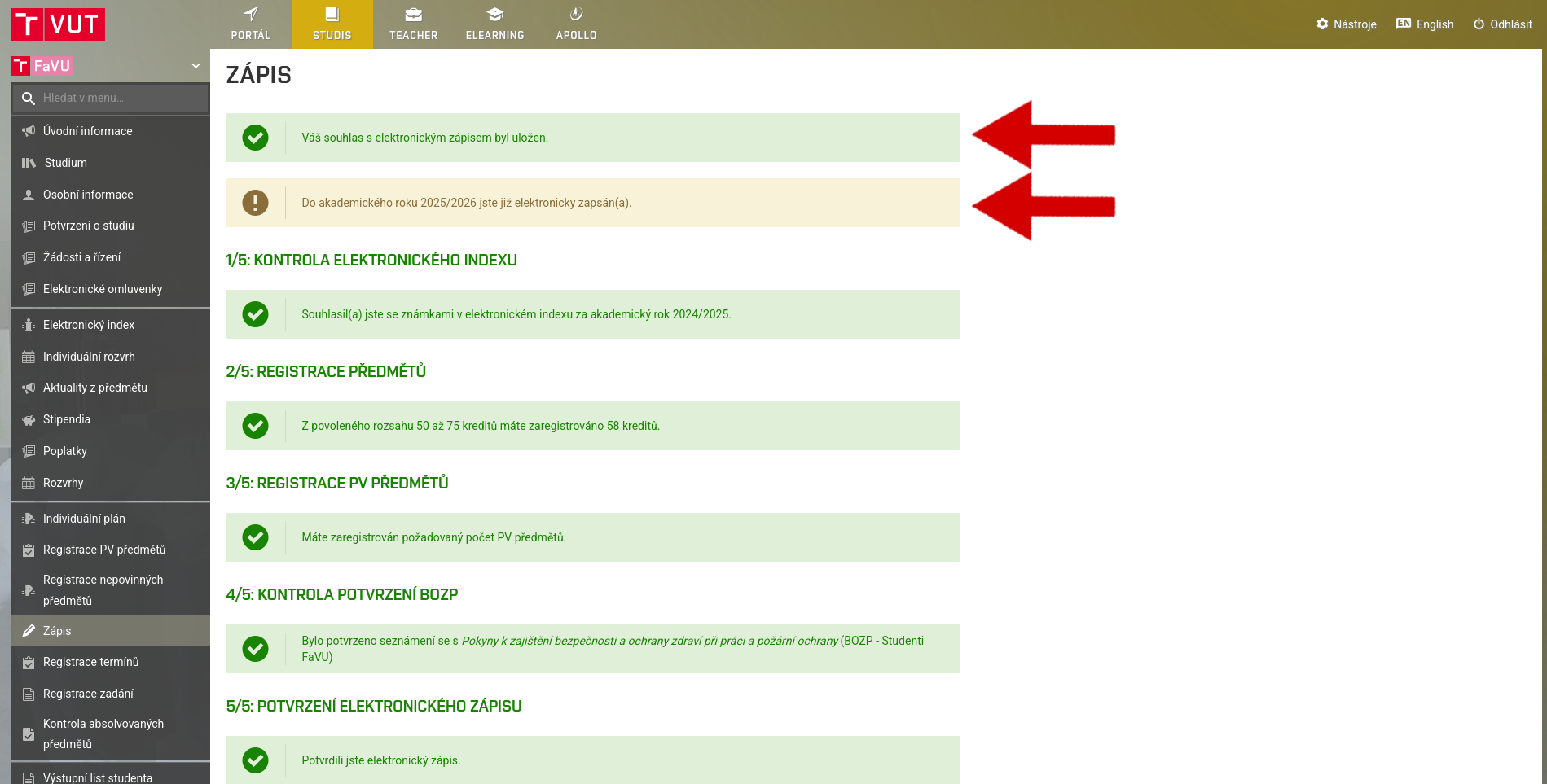
If you have done everything correctly, a confirmation screen will appear. You have now successfully enrolled for the next academic year.
3. Enrollment in the schedule
For some courses, you must select the date and time of the class you want to attend. Register for classes for the winter and summer semesters by the predetermined deadline.
For details, see the Schedule section.
4. Other requirements
Before the start of the semester, don't forget to register for optional courses, free courses, and sports. Registration dates will be announced in advance, so keep an eye on the news from the Study Department.